 CloudConsole
denied: Your authorization token has expired. Reauthenticate and try again.
Docker still has an ECR login stored, but the token behind it is more than 12 hours old. ECR authorisation tokens are valid for 12 hours, and Docker keeps the old one in ~/.docker/config.json until you log in again. Run aws ecr get-login-password | docker login again, and in long-lived build agents either log in at the start of every job or use the Amazon ECR credential helper so tokens are fetched automatically.
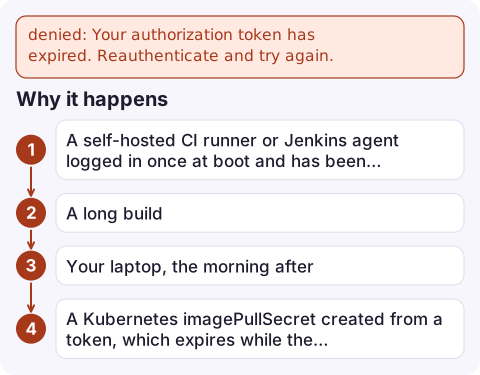
Why it happens
$ docker push 123456789012.dkr.ecr.eu-west-2.amazonaws.com/orders-api:1.4.2
denied: Your authorization token has expired. Reauthenticate and try again.
This differs from no basic auth credentials, where Docker has no login at all. Here the login exists and is stale. Typical situations:
- A self-hosted CI runner or Jenkins agent logged in once at boot and has been up for more than 12 hours.
- A long build: the login happened at the start, and the push at the end came after the token expired.
- Your laptop, the morning after.
- A Kubernetes
imagePullSecretcreated from a token, which expires while the secret stays.
Fix it now
aws ecr get-login-password --region eu-west-2 \
| docker login --username AWS --password-stdin 123456789012.dkr.ecr.eu-west-2.amazonaws.com
Log in to the exact registry host in your image tag: each account and Region is a separate registry, and a fresh login to one doesn't refresh another. If get-login-password itself fails, your AWS credentials have expired too; for SSO profiles run aws sso login --profile prod first.
To confirm which registries Docker has logins for, look at the auths keys in ~/.docker/config.json. If you use a credential store such as the macOS keychain, the token lives there instead, and logging in again replaces it.
Stop it recurring
- Log in per job, immediately before pulling or pushing, rather than once per machine.
- Use the Amazon ECR Docker credential helper (
docker-credential-ecr-login). With"credHelpers": {"123456789012.dkr.ecr.eu-west-2.amazonaws.com": "ecr-login"}in~/.docker/config.json, Docker fetches a fresh token from your AWS credentials whenever it needs one. - On EKS and ECS, don't use static pull secrets for ECR: nodes and tasks pull with their IAM role (node role or task execution role with ECR read permissions) and refresh automatically.
- For pull secrets elsewhere (non-EKS Kubernetes), refresh the secret on a schedule shorter than 12 hours.
Errors that look similar
| Message | Meaning |
|---|---|
no basic auth credentials | No login stored for this registry host |
denied: User: arn:... is not authorized to perform: ecr:InitiateLayerUpload | Valid token, but the identity lacks push permissions |
name unknown: The repository with name ... does not exist | Repository missing; see repository does not exist |
ExpiredTokenException from get-login-password | Your AWS session credentials expired; see ExpiredToken |
Questions
How long is an ECR login valid?
The authorisation token from aws ecr get-login-password is valid for 12 hours. After that, log in again.
How do I stop ECR tokens expiring on a build server?
Log in at the start of every job, or install the Amazon ECR credential helper so Docker requests a fresh token automatically using the server's AWS credentials.
Why does docker push fail with token expired right after I logged in?
You probably logged in to a different registry host (account or Region) from the one in the image tag. Log in to the exact host in the tag.

Expired tokens tend to break overnight builds, which you find out about from a failed pipeline in the morning. CloudConsole, a phone app for AWS, is being built to show alarms and logs on your phone, so a failed release job is visible before you reach your desk.
Did it start after a deploy? What changed? on the app’s alarm screen lists the deploys and configuration changes from the hour before the alarm fired.
About the app → · Download on the App Store