 CloudConsole
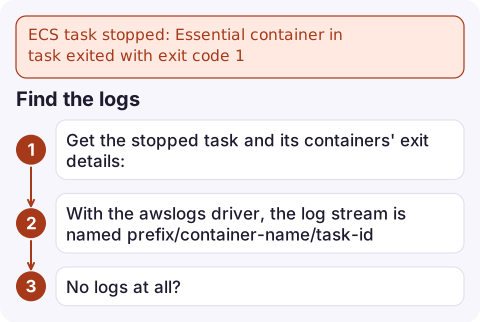
ECS task stopped: Essential container in task exited with exit code 1
Exit code 1 means your application (or its entrypoint script) chose to exit with a generic error, usually at start-up. ECS can't tell you why; the answer is in the container's own logs. Check the task's log stream first, then look for missing environment variables or secrets, a failed connection to a database or API, or a wrong command in the task definition.
What exit code 1 tells you
Unlike 137 or 139, a 1 isn't a signal from outside. The process ran and exited with status 1: an uncaught exception in Python or Node.js, System.exit(1) in Java, a failed command in a shell entrypoint running with set -e. ECS then stops the task because the container was marked essential, and the service starts a replacement, which fails the same way. That loop is visible in the service's events.
aws ecs describe-services --cluster prod --services api \
  --query 'services[0].events[:5].[createdAt,message]' --output text
Find the logs
- Get the stopped task and its containers' exit details:
aws ecs list-tasks --cluster prod --service-name api --desired-status STOPPED aws ecs describe-tasks --cluster prod --tasks <task-arn> \ --query 'tasks[0].containers[].[name,exitCode,reason]' - With the
awslogsdriver, the log stream is namedprefix/container-name/task-id. Read the last lines:aws logs tail /ecs/api --since 30m --filter-pattern '?Error ?error ?Exception' - No logs at all? The task definition may have no
logConfiguration, or the app crashed before writing anything. Addawslogslogging and print configuration at start-up (without secret values).
Common causes
| Log shows | Cause |
|---|---|
KeyError, undefined or "missing required config" | An environment variable or secret isn't set in this task definition revision |
ECONNREFUSED, could not connect to server, timeouts | Database or API unreachable: security group, wrong host, or the dependency is down |
AccessDenied from an AWS SDK | The task role (not the execution role) lacks a permission the app needs at start-up |
executable file not found, No such file or directory | Wrong command/entryPoint override, or the file isn't in the image |
| Migration or schema error | A start-up migration failed against the current database |
| Port already in use | Two containers in the task bind the same port (awsvpc tasks share a network namespace) |
Keep the container alive to inspect it
Run one task from the same task definition with the command replaced, so it stays up and you can use ECS Exec to look around (ECS Exec must be enabled and the task role must allow it):
aws ecs run-task --cluster prod --task-definition api:57 --launch-type FARGATE \
  --enable-execute-command \
  --network-configuration 'awsvpcConfiguration={subnets=[subnet-0123456789abcdef0],securityGroups=[sg-0123456789abcdef0]}' \
  --overrides '{"containerOverrides":[{"name":"app","command":["sleep","3600"]}]}'

aws ecs execute-command --cluster prod --task <task-id> --container app \
  --interactive --command "/bin/sh"
Inside, run the real start command by hand and watch it fail with full output, check environment variables, and test connectivity to dependencies. Stop the task when you're done.
Mistakes to avoid
- Debugging the latest task definition while the service runs an older one. Check the
taskDefinitionArnon the stopped task. - Letting the restart loop run for hours. Each failed start costs money and may hammer your database with connection attempts; scale the service to 0 or roll back while you investigate.
- Confusing it with ResourceInitializationError, where the container never starts because ECS couldn't fetch secrets or the image.
Questions
What does exit code 1 mean in ECS?
The application inside the container exited with a general error. ECS only reports the code; the reason is in the container's logs.
Why is my ECS task stopping with no logs?
Either the task definition has no log configuration, or the process exits before logging anything. Add the awslogs driver and log configuration details at start-up.
How do I debug an ECS container that exits immediately?
Run a task with the command overridden to sleep, connect with ECS Exec, and run the real start command by hand to see the full error.

A service stuck restarting tasks with exit code 1 often starts right after a deploy. CloudConsole, a phone app for AWS, is built to show service events and the failing container's logs on your phone, so you can see the error before deciding to roll back.
Did it start after a deploy? What changed? on the app’s alarm screen lists the deploys and configuration changes from the hour before the alarm fired.
About the app → · Download on the App Store