 CloudConsole
RequestEntityTooLargeException: Request must be smaller than 6291456 bytes
The request you sent to Lambda is bigger than the API accepts. For Invoke, 6,291,456 bytes (6 MB) is the synchronous payload limit, so pass large data by reference, typically an S3 key, instead of inline. The same exception with a larger number on UpdateFunctionCode or CreateFunction means the zip upload is too big to send directly; upload it to S3 and point Lambda at it.
Which limit you hit
The operation name and the number in the message tell you which limit applies:
An error occurred (RequestEntityTooLargeException) when calling the Invoke operation:
Request must be smaller than 6291456 bytes for the InvokeFunction operation

An error occurred (RequestEntityTooLargeException) when calling the UpdateFunctionCode operation:
Request must be smaller than 70167211 bytes for the UpdateFunctionCode operation| Situation | Limit (at the time of writing) |
|---|---|
| Synchronous invoke request and response payload | 6 MB each |
| Asynchronous invoke (Event) payload | Much lower than synchronous; check the current Lambda quotas page |
| Zip uploaded directly in the API call | 50 MB zipped (the base64-encoded request is larger, hence the bigger number) |
| Unzipped package including layers | 250 MB; a different error, see unzipped size |
Response size is also capped. A function that returns more than the limit fails with a different error type, Function.ResponseSizeTooLarge, rather than this exception.
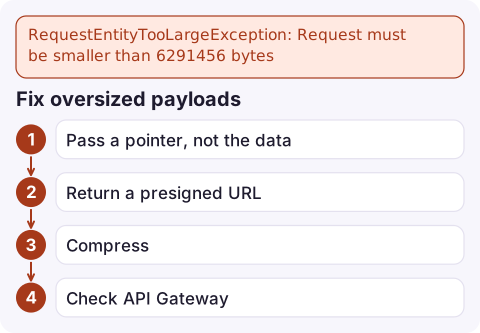
Fix oversized payloads
- Pass a pointer, not the data. Write the input to S3 and send
{"bucket": "my-bucket", "key": "jobs/8812.json"}; the function reads it withGetObject. This is the standard pattern for anything that may grow. - Return a presigned URL instead of a large response body, so the client downloads directly from S3.
- Compress if the payload is only slightly over and compresses well, and the code on both sides can handle it. It's a stopgap.
- Check API Gateway if the request comes through it: API Gateway has its own payload limit, so a large upload can fail there before it reaches Lambda. Use presigned S3 uploads for files.
Find the size before you send it:
wc -c event.json
aws lambda invoke --function-name my-function \
  --cli-binary-format raw-in-base64-out --payload file://event.json out.json
Fix oversized code uploads
Upload the package to S3 first, then deploy from there; the direct-upload limit no longer applies:
aws s3 cp function.zip s3://my-artifacts-bucket/my-function/v42.zip
aws lambda update-function-code --function-name my-function \
  --s3-bucket my-artifacts-bucket --s3-key my-function/v42.zip
The bucket must be in the same region as the function. If the package keeps growing, look at trimming dependencies or moving to a container image, which can be up to 10 GB.
Mistakes to avoid
- Splitting one large payload into many invocations to stay under the limit; it adds ordering and failure problems that an S3 pointer avoids.
- Assuming async invocation helps. The asynchronous limit is smaller, not larger.
- Base64-encoding binary data into JSON, which inflates it by about a third and pushes borderline payloads over.
Questions
What is the Lambda payload size limit?
6 MB for synchronous invocation requests and responses. Asynchronous invocations have a smaller limit; check the Lambda quotas page for the current value.
How do I send large data to a Lambda function?
Store it in S3 and pass the bucket and key in the event. The function reads the object itself, so the payload stays small.
Why does update-function-code fail with RequestEntityTooLargeException?
Direct zip uploads are limited to 50 MB. Upload the zip to S3 in the same region and use --s3-bucket and --s3-key instead.

Payload limits are usually hit by one unusually large request in production rather than in testing. CloudConsole, a phone app for AWS, is built to show the error alarm and the failing request's log lines on your phone so the cause is clear before you start debugging.
Did it start after a deploy? What changed? on the app’s alarm screen lists the deploys and configuration changes from the hour before the alarm fired.
About the app → · Download on the App Store