 CloudConsole
Runtime.HandlerNotFound: index.handler is undefined or not exported
Lambda loaded the file named in the handler setting but couldn't find a function with the given name exported from it. Check that the handler setting (file.function) matches your code exactly: the export must be named handler for index.handler, TypeScript builds usually need dist/index.handler, and a default export doesn't count.
How Lambda resolves the handler
The handler setting has the form path/file.function. For index.handler, the Node.js runtime loads index.js (or index.mjs/index.cjs) from the package root and looks for an export named handler. If the file isn't found you get ImportModuleError; if the file loads but the export is missing:
Runtime.HandlerNotFound: index.handler is undefined or not exported
[ERROR] Runtime.HandlerNotFound: Handler 'lambda_handler' missing on module 'lambda_function'
The second line is Python's version of the same problem.
Common causes
| Code | Handler setting | Problem |
|---|---|---|
export default async (event) => {…} | index.handler | Default export has no name handler; use export const handler = … |
exports.main = … | index.handler | Name mismatch; change one to match the other |
TypeScript compiled to dist/index.js | index.handler | File is in dist/; use dist/index.handler or zip the contents of dist |
export const Handler = … | index.handler | Names are case-sensitive; Handler and handler are different exports |
| Bundler output (esbuild, webpack) without the export preserved | index.handler | Tree-shaking or a wrong output format dropped it; build with --format=cjs or ESM explicitly |
Python def handler(event, context) | lambda_function.lambda_handler | Function name mismatch |
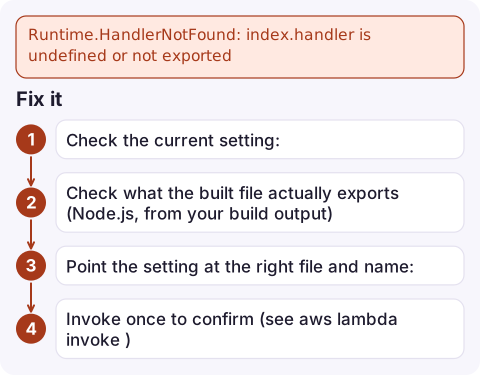
Fix it
- Check the current setting:
aws lambda get-function-configuration --function-name my-function \ --query '[Handler,Runtime]' --output text - Check what the built file actually exports (Node.js, from your build output):
You should seenode -e "import('./dist/index.js').then(m => console.log(Object.keys(m)))"handlerin the list. - Point the setting at the right file and name:
aws lambda update-function-configuration --function-name my-function \ --handler dist/index.handler - Invoke once to confirm (see aws lambda invoke).
A minimal working handler
Node.js (ES module, index.mjs):
export const handler = async (event) => {
  return { statusCode: 200, body: JSON.stringify({ ok: true }) };
};
Node.js (CommonJS, index.js):
exports.handler = async (event) => ({ statusCode: 200, body: "ok" });Starting from one of these and adding your code back is often faster than debugging a bundler configuration.
Prevent it
Keep the handler string in your infrastructure code next to the build output path, so a change to one is reviewed with the other. In SAM, CDK or Terraform, a build that moves output from the root to dist/ is the most common way this error appears without any code change. Running a smoke-test invoke in the pipeline after each deploy catches it before users do.
If you publish versions and route traffic through an alias, a bad handler only affects the new version: point the alias back at the previous version to recover in seconds while you fix the build (see rolling back a Lambda version).
Questions
What does index.handler is undefined or not exported mean?
Lambda loaded index.js but found no export called handler. Export a function with that exact name, or change the handler setting to match the name you exported.
What should the handler be for TypeScript Lambda functions?
It must point at the compiled JavaScript, for example dist/index.handler if the build writes to dist, unless you zip the contents of dist so index.js is at the root.
Does Lambda support export default for handlers?
Not by the name handler. Use a named export such as export const handler, which is what the handler setting refers to.

A wrong handler fails every request after a deploy, which usually means rolling back fast. CloudConsole, a phone app for AWS, is built to show the function's alarm and error logs on your phone so you can confirm the cause before acting.
Did it start after a deploy? What changed? on the app’s alarm screen lists the deploys and configuration changes from the hour before the alarm fired.
About the app → · Download on the App Store