 CloudConsole
Runtime.InvalidEntrypoint
Lambda couldn't start the program that should run your function: the container image's ENTRYPOINT or CMD, or a custom runtime's bootstrap file. The detail after the error says why. "exec format error" means the binary or image was built for the other CPU architecture, "permission denied" means bootstrap isn't executable, and "no such file or directory" means the path is wrong or the file has a broken interpreter line.
Where it comes from
This error appears during the INIT phase of container-image functions and functions on OS-only runtimes (provided.al2023, provided.al2), before any handler code runs:
INIT_REPORT Init Duration: 1.21 ms Phase: init Status: error Error Type: Runtime.InvalidEntrypoint
Error: fork/exec /lambda-entrypoint.sh: exec format error
Runtime.InvalidEntrypoint

Error: fork/exec /var/task/bootstrap: permission denied
Runtime.InvalidEntrypoint
Every invocation fails the same way, so the function's error rate jumps to 100% right after the deploy.
Read the detail line
| Detail | Cause | Fix |
|---|---|---|
exec format error | Image or binary built for arm64 running on an x86_64 function, or the reverse. Typical when building on Apple Silicon | Build for the function's architecture, or change the function's architecture to match |
permission denied | bootstrap or the entrypoint script lacks the executable bit; zips made on Windows often drop it | chmod 755 bootstrap before zipping, or RUN chmod in the Dockerfile |
no such file or directory | Wrong path in ENTRYPOINT/CMD, bootstrap not at the zip root, a script with Windows (CRLF) line endings, or a binary linked against libraries missing from the image | Fix the path or line endings; build statically or on the target OS |
| Missing runtime interface client | A plain base image with no Lambda runtime interface client, so nothing talks to the Runtime API | Use an AWS base image, or install the runtime interface client for your language |
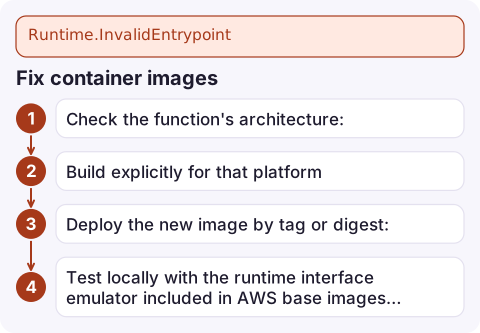
Fix container images
- Check the function's architecture:
aws lambda get-function-configuration --function-name my-function \ --query '[PackageType,Architectures]' - Build explicitly for that platform. Lambda's documentation recommends disabling provenance attestations so the pushed image is a single-platform manifest:
Usedocker buildx build --platform linux/amd64 --provenance=false \ -t 123456789012.dkr.ecr.eu-west-2.amazonaws.com/my-function:v42 --push .linux/arm64for arm64 functions. - Deploy the new image by tag or digest:
aws lambda update-function-code --function-name my-function \ --image-uri 123456789012.dkr.ecr.eu-west-2.amazonaws.com/my-function:v42 - Test locally with the runtime interface emulator included in AWS base images before pushing: run the container and POST an event to
localhost:9000/2015-03-31/functions/function/invocations.
Fix custom runtimes and Go
On OS-only runtimes, Lambda executes a file named bootstrap at the root of the package. For Go, build a static Linux binary with that name:
GOOS=linux GOARCH=arm64 CGO_ENABLED=0 go build -tags lambda.norpc -o bootstrap main.go
chmod 755 bootstrap
zip function.zip bootstrap
aws lambda update-function-code --function-name my-function --zip-file fileb://function.zip
Match GOARCH to the function (amd64 or arm64). The handler setting is ignored by these runtimes in most set-ups; the file name bootstrap is what counts. Check the zip with unzip -l function.zip and zipinfo function.zip bootstrap to confirm the executable bit survived.
Mistakes to avoid
Don't switch the function's architecture to match an accidental build without checking dependencies; native libraries in the image must match too. And if the image starts but the handler can't be found, the error changes to HandlerNotFound or ImportModuleError, which means the entrypoint problem is solved.
Questions
What causes Runtime.InvalidEntrypoint in Lambda?
Lambda can't execute the image's entrypoint or the custom runtime's bootstrap: wrong CPU architecture, missing executable permission, wrong path, CRLF line endings, or no runtime interface client.
Why does my Lambda container image give exec format error?
It was built for a different architecture than the function, often arm64 on an Apple Silicon Mac for an x86_64 function. Rebuild with --platform linux/amd64, or switch the function to arm64.
What file does a Lambda custom runtime need?
An executable file named bootstrap at the root of the deployment package or layer, which implements the Lambda Runtime API loop.

An entrypoint failure takes the whole function down the moment the new image is live. CloudConsole, a phone app for AWS, is built to show the error alarm and INIT failures on your phone so you can spot a bad image quickly.
Did it start after a deploy? What changed? on the app’s alarm screen lists the deploys and configuration changes from the hour before the alarm fired.
About the app → · Download on the App Store