 CloudConsole
Invalid request provided: Queue visibility timeout is less than Function timeout
Lambda won't create or update an SQS event source mapping when the queue's visibility timeout is shorter than the function's timeout, because a message could become visible again and be processed twice while the first invocation is still running. Raise the queue's VisibilityTimeout (AWS recommends at least six times the function timeout), or lower the function timeout, then add the trigger again.
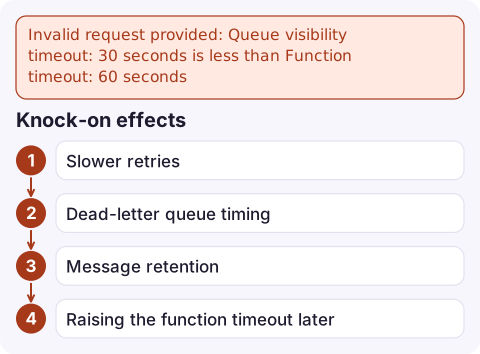
What it looks like
An error occurred (InvalidParameterValueException) when calling the CreateEventSourceMapping operation:
Invalid request provided: Queue visibility timeout: 30 seconds is less than Function timeout: 60 seconds
You also see it when you raise a function's timeout and then edit the trigger, or from CloudFormation, SAM, CDK and Terraform when they create the mapping. 30 seconds is the default visibility timeout for a new queue, and many functions are given a longer timeout, so this is a very common first-time error.
Fix it
# Function timeout 60 s -> visibility timeout 360 s (6x)
aws sqs set-queue-attributes \
  --queue-url https://sqs.eu-west-2.amazonaws.com/123456789012/orders \
  --attributes VisibilityTimeout=360

# Then create (or retry) the trigger
aws lambda create-event-source-mapping \
  --function-name process-orders \
  --event-source-arn arn:aws:sqs:eu-west-2:123456789012:orders \
  --batch-size 10
In the console: SQS > Queues > orders > Edit > Configuration > Visibility timeout. The maximum visibility timeout is 12 hours. In templates, set VisibilityTimeout on the queue from the function's timeout so the two can't drift apart.
Why six times
Lambda's SQS poller receives a batch, which starts the visibility timer, and then invokes your function. If the function is throttled, Lambda retries the invocation while the same messages stay in flight. Batching windows (MaximumBatchingWindowInSeconds) also add time between receiving and finishing. The extra headroom means retries and throttling don't push a message past its visibility timeout, where it would be received again and processed in parallel with itself.
| Function timeout | Suggested visibility timeout |
|---|---|
| 30 s | 180 s |
| 60 s | 360 s |
| 5 min | 30 min |
| 15 min (max) | 90 min |
Knock-on effects
- Slower retries: a failed message comes back only after the visibility timeout, so a 6x setting delays retries. Use partial batch responses (
ReportBatchItemFailures) so only failed messages are retried. - Dead-letter queue timing:
maxReceiveCounton the redrive policy multiplied by the visibility timeout is roughly how long a poison message takes to reach the DLQ. - Message retention: keep the queue's retention period well above that total, or messages expire before they're dead-lettered.
- Raising the function timeout later doesn't fail immediately; the mismatch is caught the next time the mapping is updated, often in an unrelated deploy.
Questions
What should the SQS visibility timeout be for Lambda?
At least six times the function's timeout, as AWS recommends, and never less than the function timeout itself.
What is the default SQS visibility timeout?
30 seconds. The maximum is 12 hours.
Why does the error appear when I didn't change the queue?
The function's timeout was raised above the queue's visibility timeout. Lambda checks the two when the event source mapping is created or updated.

Timeout mismatches show up as duplicate processing and a growing dead-letter queue. CloudConsole, a phone app for AWS, is being built to show queue depth, Lambda errors and alarms on your phone, so you can spot both early.
Did it start after a deploy? What changed? on the app’s alarm screen lists the deploys and configuration changes from the hour before the alarm fired.
About the app → · Download on the App Store