 CloudConsole
aws rds download-db-log-file-portion
aws rds download-db-log-file-portion fetches the contents of an RDS engine log file. To download a complete file without it being cut short, run it with --starting-token 0 --output text and redirect to a file; without those, you only get the most recent part of the log.
What the command does
The API returns a log file in pieces: a block of text in LogFileData, a Marker for where to continue, and AdditionalDataPending saying whether more is left. If you call it with no marker and no line count, you get the most recent entries only, capped at 10,000 lines, which is why many people think their logs are truncated.
Passing --starting-token 0 tells the CLI's paginator to begin at the start of the file and keep calling until AdditionalDataPending is false, stitching the pieces together.
Syntax
aws rds download-db-log-file-portion \
  --db-instance-identifier <name> \
  --log-file-name <name-from-describe-db-log-files> \
  [--starting-token 0] \
  --output text
Worked examples
Download a whole PostgreSQL log file:
aws rds download-db-log-file-portion \
  --db-instance-identifier orders-db \
  --log-file-name error/postgresql.log.2026-11-16-09 \
  --starting-token 0 --output text > postgresql-0916.log
Read the end of the MySQL error log, the quick look during an incident. Without a starting token you get the most recent part of the file, which is usually what you want here:
aws rds download-db-log-file-portion \
  --db-instance-identifier shop-mysql \
  --log-file-name error/mysql-error-running.log \
  --output text | tail -n 200
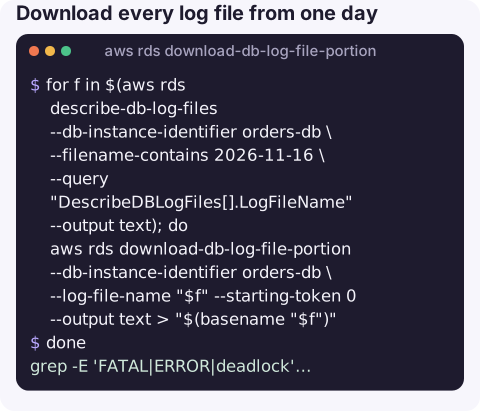
Download every log file from one day, combining it with describe-db-log-files:
for f in $(aws rds describe-db-log-files --db-instance-identifier orders-db \
    --filename-contains 2026-11-16 \
    --query "DescribeDBLogFiles[].LogFileName" --output text); do
  aws rds download-db-log-file-portion --db-instance-identifier orders-db \
    --log-file-name "$f" --starting-token 0 --output text > "$(basename "$f")"
done
Search a downloaded log for the errors that matter:
grep -E 'FATAL|ERROR|deadlock' postgresql-0916.log | tail -50Make it repeatable
If you find yourself downloading the same logs every incident, export them instead. Enabling log exports on the instance (for example the postgresql or error and slowquery log types) sends them to a CloudWatch Logs group under /aws/rds/instance/<name>/, where Logs Insights can search across files and days. Keep this command for one-off pulls and for instances where export is not enabled yet.
Key options
| Option | Effect |
|---|---|
--log-file-name | Exact name, including any directory prefix such as error/. Copy it from describe-db-log-files. |
--starting-token 0 | CLI pagination option: start at the beginning and follow every marker. The reliable way to get a full file. |
--number-of-lines | API setting for lines per request (responses are capped at 1 MB). The CLI uses it as the page size while it auto-paginates, so leave it out unless you are paging by hand with --marker. |
--marker | The raw API marker, if you are paging manually. |
--output text | Prints the log text as-is. With the default JSON output you get escaped strings that are hard to read. |
Gotchas
- JSON output mangles logs. Newlines become
\ninside a JSON string. Always use--output textwhen saving to a file. - The current file keeps growing. Downloading the active log gives you a snapshot; run it again for later lines, or use CloudWatch Logs export and aws logs tail for a live view.
- Large files are slow. Each call returns at most about 1 MB, so a multi-gigabyte general log means a lot of round trips. Turn verbose logging off when you are done.
- Permissions. The caller needs
rds:DownloadDBLogFilePortion(and usuallyrds:DescribeDBLogFiles); read-only roles often lack it. - Rotated files disappear. If a file name from earlier no longer works, it has aged out of local retention.
Questions
Why is my downloaded RDS log truncated?
Without --starting-token 0 the command returns only the latest portion of the file. Add --starting-token 0 and --output text so the CLI pages through the whole file from the start.
Can I stream RDS logs live from the CLI?
Not with this command. Publish the logs to CloudWatch Logs from the instance settings, then follow them with aws logs tail --follow on the log group.
Where do I get the log file name?
From aws rds describe-db-log-files --db-instance-identifier my-db. Names include a directory prefix, such as error/ on PostgreSQL and MySQL.
When an application starts failing to authenticate, the database error log has the answer. CloudConsole is built to bring logs and the alarms that point to them onto a phone screen.
About the app → · Download on the App Store