 CloudConsole
aws rds describe-db-log-files
aws rds describe-db-log-files --db-instance-identifier my-db lists the engine log files RDS keeps on the instance, with each file's name, size and last-written time. Use it to find the exact file name to pass to download-db-log-file-portion, for example the current PostgreSQL log or the MySQL slow query log.
What the command does
RDS writes engine logs (error log, general and slow query logs on MySQL and MariaDB, the postgresql.log series on PostgreSQL, alert and trace files on Oracle, and so on) to the instance itself. You cannot SSH in, so this API is how you discover what is there. It returns metadata only; reading the content is a separate call.
Each entry in DescribeDBLogFiles has three fields: LogFileName, LastWritten (milliseconds since the epoch) and Size in bytes.
Syntax
aws rds describe-db-log-files \
  --db-instance-identifier <name> \
  [--filename-contains <text>] \
  [--file-last-written <epoch-ms>] \
  [--file-size <bytes>]
Worked examples
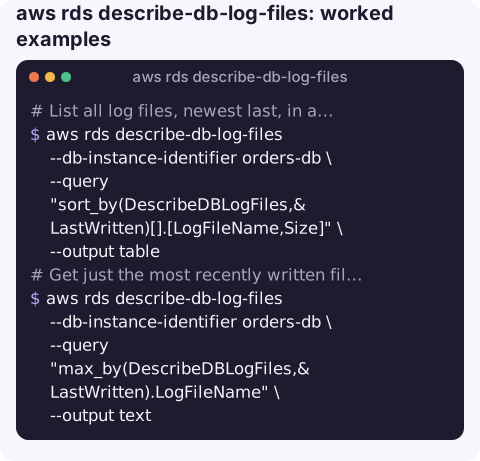
List all log files, newest last, in a readable table:
aws rds describe-db-log-files --db-instance-identifier orders-db \
  --query "sort_by(DescribeDBLogFiles,&LastWritten)[].[LogFileName,Size]" \
  --output table
Get just the most recently written file name, ready to feed into a download:
aws rds describe-db-log-files --db-instance-identifier orders-db \
  --query "max_by(DescribeDBLogFiles,&LastWritten).LogFileName" \
  --output text
Only MySQL slow query logs:
aws rds describe-db-log-files --db-instance-identifier shop-mysql \
  --filename-contains slowquery
Only files touched in the last hour (GNU date; the API wants milliseconds):
since=$(( $(date -d '1 hour ago' +%s) * 1000 ))
aws rds describe-db-log-files --db-instance-identifier orders-db \
  --file-last-written "$since"
Find unusually large logs, which often point to verbose logging left switched on:
aws rds describe-db-log-files --db-instance-identifier orders-db \
  --file-size 100000000 \
  --query "DescribeDBLogFiles[].[LogFileName,Size]" --output text
Typical file names by engine
| Engine | What you will see |
|---|---|
| PostgreSQL | error/postgresql.log.YYYY-MM-DD-HH, one file per hour by default |
| MySQL / MariaDB | error/mysql-error-running.log plus rotated copies, slowquery/mysql-slowquery.log, general/mysql-general.log |
| Oracle | Alert log and trace files under trace/ |
| SQL Server | log/ERROR and its numbered rotations, plus agent logs |
Exact names depend on engine version and parameter settings, so always list them rather than guessing.
Key options
| Option | Effect |
|---|---|
--filename-contains | Substring match on the file name, e.g. error, slowquery, postgresql.log.2026-11-16. |
--file-last-written | Only files written since this POSIX time in milliseconds. |
--file-size | Only files larger than this many bytes. |
--filters, --max-records, --marker | Generic filter and paging parameters; the CLI follows the marker automatically. |
Gotchas
- Logs rotate and expire. RDS keeps engine logs on the instance for a limited time (controlled for PostgreSQL by
rds.log_retention_period). For anything you need later, publish logs to CloudWatch Logs with--cloudwatch-logs-export-configurationon modify, then search them there. - Empty slow or general logs usually mean they are off. On MySQL you enable them in the parameter group (
slow_query_log,general_log) and setlog_outputtoFILE; withTABLEthey go into database tables instead of files. - Aurora names differ. Each Aurora instance has its own logs, so pass the instance identifier, not the cluster name.
- Sizes are bytes at the moment of the call. The current file is still growing; a later download may return more than the size suggests.
Questions
How do I download an RDS log file from the CLI?
Take the LogFileName from this command and pass it to aws rds download-db-log-file-portion with --starting-token 0 --output text to fetch the whole file.
Why are there no slow query logs on my RDS MySQL instance?
Slow query logging is off by default. Set slow_query_log to 1 and long_query_time in a custom parameter group, and set log_output to FILE so the entries appear as files.
How long does RDS keep database logs?
It varies by engine and settings and is usually days, not weeks. Export logs to CloudWatch Logs if you need longer retention or search across files.
Database errors often surface as an alarm first and a log line second. CloudConsole is built to show alarms and logs side by side on a phone, so you can see what the engine reported without opening a laptop.
About the app → · Download on the App Store