 CloudConsole
AccessControlListNotSupported: The bucket does not allow ACLs
The bucket uses the Object Ownership setting Bucket owner enforced, which turns ACLs off, and your request tried to set one: usually --acl public-read, bucket-owner-full-control from older code, or a tool that adds an ACL header by default. New buckets have ACLs disabled by default. Remove the ACL from the request and grant access with a bucket policy instead; only re-enable ACLs if a service or tool truly requires them.
Why it happens now
Since April 2023, new S3 buckets are created with Object Ownership: Bucket owner enforced. With that setting the bucket owner owns every object, ACLs have no effect, and any request that tries to set a non-default ACL is rejected with HTTP 400:
An error occurred (AccessControlListNotSupported) when calling the PutObject operation: The bucket does not allow ACLsCode written for older buckets (or copied from older examples) still sends x-amz-acl, and it breaks the first time it meets a new bucket.
Where the ACL comes from
| Source | Look for |
|---|---|
| AWS CLI | aws s3 cp ... --acl public-read or --acl bucket-owner-full-control |
| SDK code | ACL="public-read" in put_object, upload_file(ExtraArgs={"ACL": ...}) |
| Infrastructure as code | AccessControl on AWS::S3::Bucket, Terraform aws_s3_bucket_acl, CDK accessControl |
| Third-party tools | Deploy plugins and static-site tools with a default ACL option |
| AWS services | CloudFront standard logging to S3 (legacy) writes logs using ACLs |
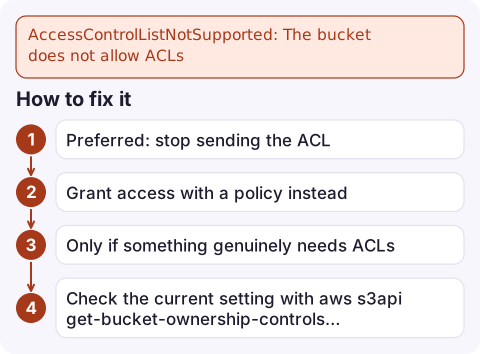
How to fix it
- Preferred: stop sending the ACL. Remove
--acl/ACLfrom the call.bucket-owner-full-controlis accepted on enforced buckets because it matches the result, but there's no reason to keep it. - Grant access with a policy instead. Public website content belongs behind CloudFront with origin access control; cross-account writers need a bucket policy statement allowing
s3:PutObject. - Only if something genuinely needs ACLs (for example CloudFront legacy standard logging), change Object Ownership:
Do this on a dedicated bucket, not your data bucket.aws s3api put-bucket-ownership-controls --bucket my-log-bucket \ --ownership-controls 'Rules=[{ObjectOwnership=BucketOwnerPreferred}]' - Check the current setting with
aws s3api get-bucket-ownership-controls --bucket my-bucket, or in the console under Permissions > Object Ownership.
Mistakes to avoid
- Re-enabling ACLs to make public-read work. Block Public Access will still block public ACLs, so you end up loosening two settings and creating a public bucket. Use CloudFront or a scoped bucket policy.
- Fixing the bucket in one environment only. If staging was created before 2023 and production after, the same code behaves differently. Compare
get-bucket-ownership-controlsacross both. - Confusing it with AccessDenied. This is a 400 about the ACL header, not a permissions problem; IAM changes won't help. For real permission failures see S3 Access Denied.
Questions
How do I fix the bucket does not allow ACLs?
Remove the ACL parameter from the upload (for example --acl public-read) and grant access with a bucket policy. Only change Object Ownership to Bucket owner preferred if a tool or service requires ACLs.
Why are ACLs disabled on my new S3 bucket?
Since April 2023, new buckets default to Object Ownership: Bucket owner enforced, which disables ACLs. AWS recommends keeping them disabled.
Does bucket-owner-full-control work when ACLs are disabled?
Yes. S3 accepts that canned ACL on enforced buckets because it doesn't change ownership; other ACLs are rejected.

This one usually breaks a deploy or a log pipeline rather than paging you directly. CloudConsole, a phone app for AWS, is being built to show alarms, logs and resources on your phone, so you can see which job failed before you sit down to fix it.
Did it start after a deploy? What changed? on the app’s alarm screen lists the deploys and configuration changes from the hour before the alarm fired.
About the app → · Download on the App Store