 CloudConsole
AccessDenied: Request has expired (presigned URL)
The presigned URL's lifetime has passed, or the temporary credentials it was signed with expired first, which is the usual surprise. A URL signed by a Lambda or EC2 role stops working when that role session expires, whatever expiry you asked for. Generate URLs on demand just before use, keep lifetimes short, and use long-term credentials or CloudFront signed URLs only when links must last days.
What it looks like
The browser shows S3's XML error, which includes the timing details:
<Error>
  <Code>AccessDenied</Code>
  <Message>Request has expired</Message>
  <X-Amz-Expires>3600</X-Amz-Expires>
  <Expires>2026-11-16T10:41:07Z</Expires>
  <ServerTime>2026-11-16T12:03:55Z</ServerTime>
</Error>
Compare Expires with ServerTime. If the URL's own expiry has clearly passed, it's simply old. If the URL should still be valid but fails anyway, look at the credentials it was signed with. A different message, "The provided token has expired", points straight at expired session credentials.
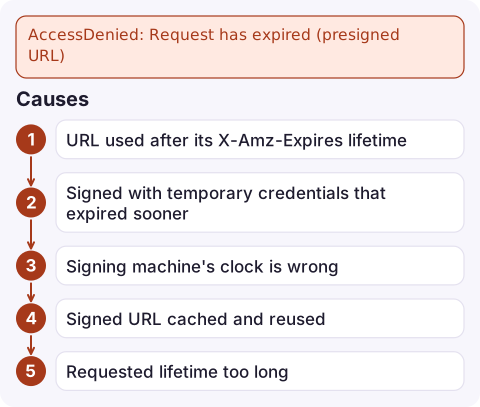
Causes
| Cause | How to tell |
|---|---|
URL used after its X-Amz-Expires lifetime | ServerTime is after Expires |
| Signed with temporary credentials that expired sooner | URL contains X-Amz-Security-Token; fails well before the requested expiry |
| Signing machine's clock is wrong | Fresh URLs fail immediately, or expiry is off by a fixed amount |
| Signed URL cached and reused | An HTML page, API response or CDN cache holds an old link |
| Requested lifetime too long | Signing fails or the link is rejected; SigV4 presigned URLs can be valid for at most 7 days |
Fix it
- Generate the URL when the user needs it, not when a page or email is built. A short endpoint that returns a fresh URL on click avoids most expiry complaints.
- Match the lifetime to the credentials. URLs from Lambda, ECS or EC2 roles can last at most as long as that role session, which is often a few hours. If links must last up to 7 days, sign them with a dedicated IAM user's keys that only have
s3:GetObjecton the relevant prefix, and weigh that against the risk of long-lived keys. - For long-lived or many-file access, use CloudFront signed URLs or signed cookies, which use a key pair you control rather than IAM session credentials.
- Fix the clock on the signing host if fresh URLs fail (see clock skew).
- Don't let caches keep signed links past their lifetime: set
Cache-Controlon responses that contain them.
Test a URL from the CLI:
aws s3 presign s3://my-bucket/reports/2026-11.pdf --expires-in 900
curl -sI "$(aws s3 presign s3://my-bucket/reports/2026-11.pdf --expires-in 60)" | head -1
Check which identity the CLI signs with first (aws sts get-caller-identity); an SSO or assumed-role session will cap the URL's real lifetime.
Mistakes to avoid
- Setting a 7-day expiry in a Lambda function and assuming links last a week. They last until the execution role's credentials rotate.
- Emailing presigned links to customers for downloads days later. Send a link to your app that generates a fresh URL instead.
- Thinking the URL can be revoked. Short of removing the signer's permissions or deleting the object, a valid presigned URL works until it expires, so keep lifetimes short.
Questions
How long can an S3 presigned URL be valid?
Up to 7 days with Signature Version 4, and never longer than the credentials used to sign it. URLs signed with temporary role credentials expire when that session does.
Why does my presigned URL expire before the time I set?
It was signed with temporary credentials, from a Lambda, ECS or EC2 role or an SSO session, that expired before the URL's own expiry.
What does Request has expired mean in S3?
S3 received a presigned request after its validity window. The error body shows the expiry time and S3's current time so you can compare them.

Expired download links usually reach you as a support ticket rather than an alarm. CloudConsole, a phone app for AWS, is built to show alarms and logs on your phone, which helps when you need to check whether the failures are widespread or a single old link.
Did it start after a deploy? What changed? on the app’s alarm screen lists the deploys and configuration changes from the hour before the alarm fired.
About the app → · Download on the App Store