 CloudConsole
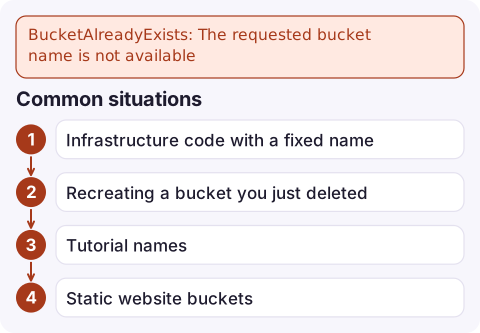
BucketAlreadyExists: The requested bucket name is not available
S3 general purpose bucket names are shared by every AWS account in the partition, and someone else already has this one. You can't get it back or take it over; choose a different name, ideally one that includes your account ID and region. If the bucket is actually yours, you'd see BucketAlreadyOwnedByYou instead.
What the error means
An error occurred (BucketAlreadyExists) when calling the CreateBucket operation:
The requested bucket name is not available. The bucket namespace is shared by all
users of the system. Please select a different name and try again.
Short or obvious names (logs, backups, test-bucket, companyname) were taken long ago. The owner could be anyone, and AWS won't tell you who or release the name.
| Error | Who owns the name | What to do |
|---|---|---|
BucketAlreadyExists | Another account | Pick another name |
BucketAlreadyOwnedByYou | Your account | Use the existing bucket, or treat it as success in scripts |
In us-east-1, repeating CreateBucket for a bucket you already own may simply succeed instead of returning BucketAlreadyOwnedByYou, for historical reasons. Don't rely on either behaviour; check first.
Common situations
- Infrastructure code with a fixed name deployed to a second account or region. The first deployment claimed the name; every later one fails.
- Recreating a bucket you just deleted. A freed name isn't always available again straight away, and another account can grab it in the meantime.
- Tutorial names copied verbatim.
- Static website buckets that must match a domain (
www.example.com), which someone else may hold. With CloudFront in front, the bucket name no longer has to match the domain.
Choose a name that won't clash
Include the account ID and region, which are unique to you, and keep within the naming rules (3–63 characters, lowercase letters, numbers, hyphens and dots, starting and ending with a letter or number; avoid dots if you'll use HTTPS virtual-hosted URLs):
ACCOUNT=$(aws sts get-caller-identity --query Account --output text)
aws s3api create-bucket \
  --bucket "orders-exports-${ACCOUNT}-eu-west-2" \
  --region eu-west-2 \
  --create-bucket-configuration LocationConstraint=eu-west-2
Outside us-east-1 the LocationConstraint must match the region you call; leaving it out or mismatching it gives IllegalLocationConstraintException. In us-east-1, leave the configuration out.
Check whether you can use a name before you build anything around it:
aws s3api head-bucket --bucket orders-exports-123456789012-eu-west-2A 404 means no bucket by that name exists, so it's free right now. A 403 means someone else owns it.
In CloudFormation, CDK and Terraform
- Leave the name out and let the tool generate a unique one, then pass it to consumers as an output or parameter.
- If you need a predictable name, build it from the account ID and region (
!Sub '${AWS::StackName}-${AWS::AccountId}-${AWS::Region}'in CloudFormation). - When a stack fails with this error, it rolls back; fix the name and deploy again. Nothing else was created under the taken name.
Mistakes to avoid
Don't delete a bucket you still depend on in order to "rename" it. S3 has no rename, and once the name is released you may lose it permanently. Create the new bucket first, copy the data with aws s3 sync, switch consumers over, and only then delete the old one.
Questions
Are S3 bucket names globally unique?
Yes, general purpose bucket names are unique across all AWS accounts in a partition, not just your account or region.
Can I find out who owns an S3 bucket name?
No. AWS doesn't disclose the owner of a bucket in another account. Choose a different name.
What is the difference between BucketAlreadyExists and BucketAlreadyOwnedByYou?
BucketAlreadyExists means another account owns the name. BucketAlreadyOwnedByYou means your own account already has a bucket with that name.

This error mostly blocks deployments rather than live traffic. CloudConsole, a phone app for AWS, is built to show alarms and resource state on your phone, which is useful for checking that the old environment is still healthy while a new one fails to deploy.
Did it start after a deploy? What changed? on the app’s alarm screen lists the deploys and configuration changes from the hour before the alarm fired.
About the app → · Download on the App Store