 CloudConsole
Resource already exists in stack
CloudFormation tried to create a resource with a fixed physical name (a bucket, table, role, log group) that already exists. "already exists in stack <arn>" means another stack owns it; a plain "already exists" means it was created outside CloudFormation or left behind. Remove the hard-coded name, make it unique per stack, delete the leftover, or import the existing resource.
What the messages mean
orders-prod-uploads already exists in stack
arn:aws:cloudformation:eu-west-2:123456789012:stack/orders-old/9f8e7d6c-...
This form names the owning stack: two stacks are defining the same physical resource, usually because a template was copied, or a stack was renamed and the old one still exists. The other form has no stack ARN:
Resource of type 'AWS::Logs::LogGroup' with identifier '/aws/lambda/orders-api' already exists.That one means the resource exists but no stack manages it.
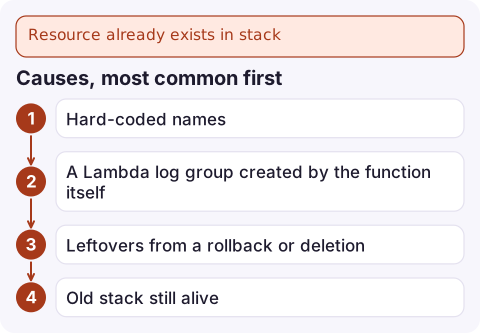
Causes, most common first
- Hard-coded names (
BucketName,TableName,RoleName,FunctionName) reused across stacks or environments. - A Lambda log group created by the function itself. Lambda creates
/aws/lambda/<name>the first time it logs; adding aAWS::Logs::LogGroupwith that name later fails. - Leftovers from a rollback or deletion: resources with
DeletionPolicy: Retain, or ones whose deletion failed and were skipped. - Old stack still alive after a rename or refactor.
Find which stack, if any, owns the resource:
aws cloudformation describe-stack-resources \
  --physical-resource-id orders-prod-uploads \
  --query 'StackResources[].[StackName,LogicalResourceId,ResourceStatus]'
Fixes
| Situation | Fix |
|---|---|
| Name only needs to be unique | Drop the name property and let CloudFormation generate one, or include the stack name: !Sub '${AWS::StackName}-uploads' |
| Another stack owns it and should keep it | Reference it instead of defining it (an export or a parameter) |
| Old stack is obsolete | Remove the resource from the old stack (with DeletionPolicy: Retain if you need to keep it), then import it into the new one |
| Leftover with no data you need | Delete it, then redeploy |
| Existing resource you want managed | Import it into the stack |
Import an existing resource
The resource must be in the template with a DeletionPolicy attribute and properties matching reality. Describe it in an import file:
[
  {
    "ResourceType": "AWS::Logs::LogGroup",
    "LogicalResourceId": "ApiLogGroup",
    "ResourceIdentifier": { "LogGroupName": "/aws/lambda/orders-api" }
  }
]
Then create and execute an import change set:
aws cloudformation create-change-set --stack-name orders-prod \
  --change-set-name import-log-group --change-set-type IMPORT \
  --resources-to-import file://import.json \
  --template-body file://template.yaml

aws cloudformation execute-change-set --stack-name orders-prod \
  --change-set-name import-log-group
An import change set can only add the imported resources; make other template changes in a separate update.
Related trap: replacing a named resource
If you change a property that forces replacement on a resource with a custom name, CloudFormation must create the new one before deleting the old, and the names clash. The update fails with a message that it cannot update a stack when a custom-named resource requires replacing. Rename the resource (or remove the name) in the same change, or do the replacement in two deploys. Generated names avoid the whole class of problem.
Questions
How do I find which CloudFormation stack owns a resource?
Run aws cloudformation describe-stack-resources --physical-resource-id with the resource's name or ID; it returns the stack and logical ID if a stack manages it.
Should I give resources explicit names in CloudFormation?
Only when something outside the stack needs a predictable name. Generated names avoid collisions between stacks and allow replacements.
Can CloudFormation take over an existing resource?
Yes, with resource import: add it to the template with a DeletionPolicy, then create a change set of type IMPORT.

Name collisions tend to break a deploy you expected to be routine. CloudConsole, a phone app for AWS, is built to show failed deployments and the alarms around them on your phone so you can tell a blocked release from a broken service.
Did it start after a deploy? What changed? on the app’s alarm screen lists the deploys and configuration changes from the hour before the alarm fired.
About the app → · Download on the App Store