 CloudConsole
NoSuchBucket: The specified bucket does not exist
S3 has no bucket with that name anywhere in the partition, so it's either misspelt, deleted, or the name is built wrongly by your code or configuration. If the bucket existed in another account you'd get AccessDenied instead, so NoSuchBucket really means the name is free. If anything such as DNS, CloudFront or an app still references a deleted bucket, fix that reference quickly: anyone can create a bucket with the freed name.
What it means
An error occurred (NoSuchBucket) when calling the ListObjectsV2 operation: The specified bucket does not existBucket names are global within a partition, so S3 can say definitively that no bucket by this name exists. That distinguishes it from the other bucket-level responses:
| Response | Meaning |
|---|---|
NoSuchBucket (404) | No such bucket exists anywhere |
AccessDenied (403) | The bucket exists, but you can't access it, possibly because another account owns it |
PermanentRedirect (301) | It exists in a different region from the endpoint you called |
A quick check that returns only the status:
aws s3api head-bucket --bucket my-app-uploadsCommon causes
- Typo or wrong environment suffix:
my-app-uploadvsmy-app-uploads, or-stgwhere the bucket is-staging. - Name built at runtime from an environment variable that's empty, giving names like
-uploadsoruploads-undefined. Log the final name. - The bucket was deleted (by a stack deletion, a cleanup script or an expired sandbox). Check CloudTrail for
DeleteBucket. - A
s3://path used where only the name is expected, or a trailing slash in the bucket parameter. - S3-compatible endpoint confusion:
--endpoint-urlpointing at LocalStack, MinIO or another provider where the bucket was never created.
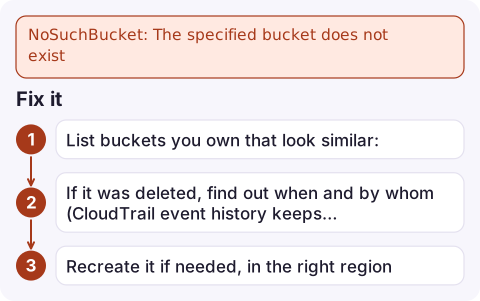
Fix it
- List buckets you own that look similar:
aws s3api list-buckets --query "Buckets[?contains(Name, 'uploads')].Name" --output text - If it was deleted, find out when and by whom (CloudTrail event history keeps 90 days of management events):
aws cloudtrail lookup-events \ --lookup-attributes AttributeKey=EventName,AttributeValue=DeleteBucket \ --query 'Events[].[EventTime,Username,Resources[0].ResourceName]' --output table - Recreate it if needed, in the right region:
A deleted bucket's contents are gone; only the name can be reused, and not always immediately.aws s3api create-bucket --bucket my-app-uploads --region eu-west-2 \ --create-bucket-configuration LocationConstraint=eu-west-2
The dangling-reference risk
When a bucket is deleted but something still points at it, such as a Route 53 CNAME to a website endpoint, a CloudFront origin, or a hard-coded upload URL in a mobile app, anyone in any account can create a bucket with that name and serve content or receive uploads through your reference. When you see NoSuchBucket from your own website or CDN, either recreate the bucket in your account straight away or remove the reference. See finding who deleted a resource to trace how it happened.
Prevent it
Protect important buckets from stack deletion with DeletionPolicy: Retain in CloudFormation (or prevent_destroy in Terraform), and include the account ID in bucket names so they're unlikely to collide or be confused across environments.
Questions
Why does S3 say the bucket does not exist when I can see it in the console?
Your code is using a different name than the console shows: check for typos, whitespace, s3:// prefixes or an empty variable in a generated name. Also check you aren't sending requests to a custom endpoint.
How quickly can I reuse a deleted bucket name?
Not always immediately; it can take some time before the name is available again, and another account may take it first.
Does NoSuchBucket mean I don't have permission?
No. A permissions problem returns AccessDenied. NoSuchBucket means no bucket with that name exists.

A missing bucket behind a website or upload feature is an outage and a security issue at the same time. CloudConsole, a phone app for AWS, is built to show alarms and recent changes on your phone so you can react before someone else claims the name.
Did it start after a deploy? What changed? on the app’s alarm screen lists the deploys and configuration changes from the hour before the alarm fired.
About the app → · Download on the App Store