 CloudConsole
aws s3 mb
aws s3 mb s3://my-bucket-name --region eu-west-2 creates a general purpose S3 bucket in that Region. Bucket names are global across all AWS accounts, so a common name fails with BucketAlreadyExists; new buckets start private, with Block Public Access on and ACLs disabled.
What the command does
mb ("make bucket") is the high-level wrapper around CreateBucket. It takes only the bucket URI and the usual global options, so anything beyond creation (versioning, lifecycle, policy, tags) is set afterwards with s3api commands. The Region comes from --region, then your profile, then the environment.
Syntax
aws s3 mb s3://<bucket-name> [--region <region>]Worked examples
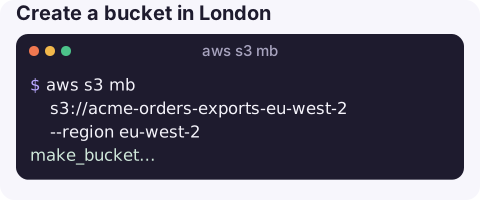
Create a bucket in London:
aws s3 mb s3://acme-orders-exports-eu-west-2 --region eu-west-2make_bucket: acme-orders-exports-eu-west-2Turn on versioning, which you almost always want for data you care about:
aws s3api put-bucket-versioning --bucket acme-orders-exports-eu-west-2 \
  --versioning-configuration Status=Enabled
Use a KMS key for default encryption instead of the default SSE-S3:
aws s3api put-bucket-encryption --bucket acme-orders-exports-eu-west-2 \
  --server-side-encryption-configuration '{"Rules":[{"ApplyServerSideEncryptionByDefault":{"SSEAlgorithm":"aws:kms","KMSMasterKeyID":"alias/exports-prod"},"BucketKeyEnabled":true}]}'
Tag it for cost allocation:
aws s3api put-bucket-tagging --bucket acme-orders-exports-eu-west-2 \
  --tagging 'TagSet=[{Key=service,Value=orders},{Key=env,Value=prod}]'
Confirm the Region and public access settings:
aws s3api get-bucket-location --bucket acme-orders-exports-eu-west-2
aws s3api get-public-access-block --bucket acme-orders-exports-eu-west-2
Bucket defaults you get today
| Setting | Default for a new bucket |
|---|---|
| Block Public Access | All four settings on |
| Object Ownership | Bucket owner enforced (ACLs disabled) |
| Default encryption | SSE-S3 (Amazon S3 managed keys) |
| Versioning | Off |
| Lifecycle rules, logging, replication | None |
The first three are safe defaults you rarely need to change. The last two rows are where most buckets fall short: without versioning there is no protection against accidental overwrites and deletes, and without lifecycle rules old data and incomplete multipart uploads accumulate cost forever.
Naming rules
- 3 to 63 characters: lower-case letters, numbers, hyphens and dots; must start and end with a letter or number.
- Globally unique across every AWS account, and a deleted name may not become available again straight away.
- Avoid dots: they break TLS certificate matching for virtual-hosted-style HTTPS URLs.
- Do not put secrets or customer names in bucket names; they appear in DNS and logs.
- A useful pattern is
<org>-<service>-<purpose>-<region>.
Errors
| Error | Meaning |
|---|---|
BucketAlreadyExists | Someone else, in any account, owns that name. Pick another; see BucketAlreadyExists. |
BucketAlreadyOwnedByYou | You already created it (in us-east-1 this can return success instead). |
IllegalLocationConstraintException | Region mismatch between the request and the endpoint; pass --region explicitly. |
InvalidBucketName | Breaks a naming rule above. |
TooManyBuckets | Account bucket quota reached; request an increase in Service Quotas. |
Gotchas
- The Region is permanent. You cannot move a bucket; you create a new one and copy.
- Public access is blocked by default. Making a bucket public, for example for a static site, needs the block turned off deliberately; prefer CloudFront with origin access control instead. See put-public-access-block.
- Monitoring is not automatic. Request metrics and alarms such as 5xxErrors need enabling.
Questions
How do I create an S3 bucket in a specific Region?
Pass --region, for example aws s3 mb s3://my-bucket --region eu-west-2. Without it, the CLI uses the Region from your profile or environment.
How do I delete an S3 bucket from the CLI?
Use aws s3 rb s3://my-bucket, adding --force to delete the objects first. Versioned buckets also need their old versions and delete markers removed.
Why does aws s3 mb say the bucket already exists when I have no buckets?
Bucket names are global. Another AWS account already uses that name, so choose a more specific one.
New buckets are where public-access mistakes and unexpected storage costs usually begin. CloudConsole is built to show resources and costs on a phone, with production guardrails.
About the app → · Download on the App Store