 CloudConsole
InvalidObjectState: The operation is not valid for the object's storage class
The object is in S3 Glacier Flexible Retrieval or S3 Glacier Deep Archive (or an Intelligent-Tiering archive tier), so it can't be read directly. Start a restore with aws s3api restore-object, wait for it to finish (minutes to 48 hours depending on class and tier), then GET the object as normal while the temporary copy lasts. Glacier Instant Retrieval objects don't need a restore.
What it means
An error occurred (InvalidObjectState) when calling the GetObject operation:
The operation is not valid for the object's storage class
Objects in the archive classes are listed and their metadata is readable, but their data isn't online. S3 returns HTTP 403 with InvalidObjectState for GetObject and for copies that read the object. For Intelligent-Tiering archive tiers the message mentions the object's access tier instead. A lifecycle rule that transitions old objects to Glacier is the usual reason a previously readable object suddenly fails.
To see whether a lifecycle rule is responsible, run aws s3api get-bucket-lifecycle-configuration --bucket my-bucket and look for Transitions with GLACIER or DEEP_ARCHIVE. The storage class column in the console's object list shows the same thing per object.
Restore the object
# Check the storage class and any restore in progress
aws s3api head-object --bucket my-bucket --key exports/2024/orders.csv \
  --query '{class: StorageClass, restore: Restore}'

# Start a restore: temporary copy kept for 7 days
aws s3api restore-object --bucket my-bucket --key exports/2024/orders.csv \
  --restore-request '{"Days":7,"GlacierJobParameters":{"Tier":"Standard"}}'
While it runs, head-object shows ongoing-request="true"; when it's done you'll see ongoing-request="false", expiry-date=... and GetObject works. In the console: select the object, then Actions > Initiate restore.
For Intelligent-Tiering archive tiers, omit Days: the object moves back to the Frequent Access tier.
Retrieval tiers
| Tier | Glacier Flexible Retrieval | Glacier Deep Archive |
|---|---|---|
| Expedited | Typically 1-5 minutes | Not available |
| Standard | Typically 3-5 hours | Typically within 12 hours |
| Bulk | Typically 5-12 hours | Typically within 48 hours |
Faster tiers cost more per GB. Expedited requests can be rejected under heavy demand unless you've bought provisioned capacity.
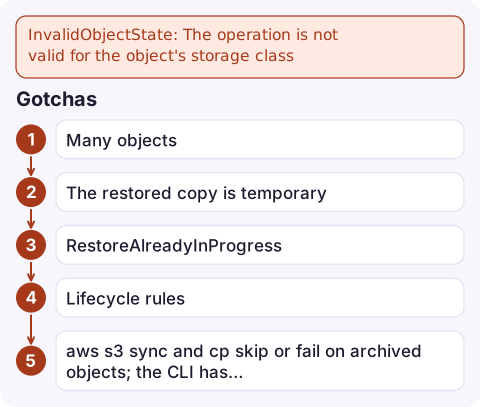
Gotchas
- Many objects: use S3 Batch Operations with a restore job rather than looping over
restore-object. - The restored copy is temporary. To keep it readable permanently, copy the object onto itself with a new storage class once restored, for example
aws s3 cp s3://my-bucket/key s3://my-bucket/key --storage-class STANDARD. - RestoreAlreadyInProgress means a restore was already started; just wait and poll
head-object. - Lifecycle rules: if apps still read the data, change the transition rule, or use Glacier Instant Retrieval for data that needs millisecond reads.
aws s3 syncandcpskip or fail on archived objects; the CLI has--force-glacier-transferand--ignore-glacier-warningsoptions for that case.
Questions
How do I fix InvalidObjectState in S3?
Restore the object with aws s3api restore-object (or Initiate restore in the console), wait for the restore to finish, then read it during the restore period.
How long does an S3 Glacier restore take?
For Glacier Flexible Retrieval, typically 1-5 minutes (Expedited), 3-5 hours (Standard) or 5-12 hours (Bulk). Deep Archive is typically within 12 hours (Standard) or 48 hours (Bulk).
Do Glacier Instant Retrieval objects need restoring?
No. Glacier Instant Retrieval objects can be read directly with GetObject.

A restore can take hours, and the job that needs the data is often waiting on it. CloudConsole, a phone app for AWS, is being built to show resources, logs and alarms on your phone, so you can keep an eye on the dependent job without staying at your desk.
Did it start after a deploy? What changed? on the app’s alarm screen lists the deploys and configuration changes from the hour before the alarm fired.
About the app → · Download on the App Store