 CloudConsole
MessageRejected: Email address is not verified. The following identities failed the check in region
SES refused to send because an address in the message isn't a verified identity in the Region you're calling. Either the From address (or its domain) isn't verified in that Region, or your account is still in the SES sandbox, where every recipient must be verified too. Verify the sender identity in the same Region as your client, and request production access to send to anyone.
Read the message
An error occurred (MessageRejected) when calling the SendEmail operation:
Email address is not verified. The following identities failed the check in region EU-WEST-2:
[email protected], [email protected]
The list tells you exactly which identities failed and in which Region. Over SMTP the same rejection comes back as 554 Message rejected: Email address is not verified.
- Only your From address listed: the sender isn't verified in this Region.
- Recipient addresses listed: the account is in the sandbox.
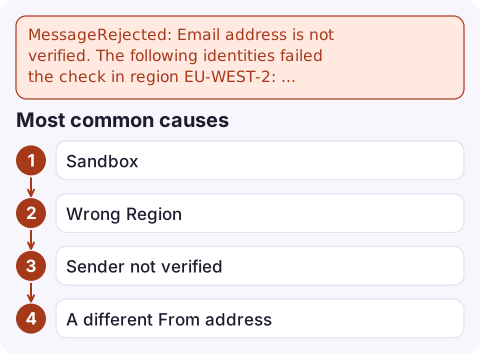
Most common causes
- Sandbox. New SES accounts are sandboxed per Region: you can only send to verified addresses, with a low daily quota. Production access is granted per Region too.
- Wrong Region. Identities and production access are Regional. The domain is verified in eu-west-1 but the app's SDK client defaults to us-east-1 or eu-west-2.
- Sender not verified. The From domain or address was never verified, verification is still pending, or DNS records for the domain identity were removed.
- A different From address than you think: a library or framework default such as
no-reply@localhost, or a Return-Path / Source that differs from the header From.
Fix it
# What's verified in this Region, and is the account out of the sandbox?
aws sesv2 list-email-identities --region eu-west-2 \
  --query 'EmailIdentities[].[IdentityName,VerificationStatus,SendingEnabled]' --output table
aws sesv2 get-account --region eu-west-2 \
  --query '{production:ProductionAccessEnabled,sending:SendingEnabled,quota:SendQuota}'

# Verify a domain (publish the DKIM CNAMEs it returns)
aws sesv2 create-email-identity --email-identity example.com --region eu-west-2
Verify the whole domain rather than single addresses; then any address at that domain can send. To leave the sandbox, use the SES console's Account dashboard > Request production access, or aws sesv2 put-account-details with --production-access-enabled, a mail type, a website URL and a use-case description. AWS reviews the request, usually within a day.
While you wait for production access
- Verify a few test recipient addresses so development isn't blocked.
- Use the SES mailbox simulator addresses (such as
[email protected]) for automated tests; they work in the sandbox. - Set up bounce and complaint handling now. Reviewers look for it, and high bounce or complaint rates can get sending paused later.
- Pin the SES Region in your client configuration so a default Region change can't silently send through an unverified Region.
Questions
Why does SES say email address is not verified for the recipient?
Your account is in the SES sandbox in that Region, where recipients must be verified. Request production access to send to any address.
I verified my domain but still get MessageRejected. Why?
SES identities are Regional. Check that the domain is verified, with status Success, in the same Region your SDK or SMTP endpoint uses.
How do I get Amazon SES out of the sandbox?
Request production access from the SES account dashboard, or with aws sesv2 put-account-details, for each Region you send from.

When transactional email stops, customers notice before your monitoring does. CloudConsole, a phone app for AWS, is being built to show alarms and logs on your phone, so failed sends are easier to catch while you're away from your desk.
Did it start after a deploy? What changed? on the app’s alarm screen lists the deploys and configuration changes from the hour before the alarm fired.
About the app → · Download on the App Store