 CloudConsole
How to change the AWS default Region
For the CLI, run aws configure set region eu-west-2 (add --profile name for another profile), which writes region to ~/.aws/config. The AWS_REGION or AWS_DEFAULT_REGION environment variables override that for a shell session, and --region overrides everything for a single command. In the console, pick a Region from the selector in the navigation bar; a default can be set in the console's settings.
CLI and SDKs
# Default profile
aws configure set region eu-west-2

# A named profile
aws configure set region us-east-1 --profile billing

# Just this shell
export AWS_REGION=eu-west-2

# Check what is in effect, and where it came from
aws configure get region
aws configure list
The file entry looks like this:
# ~/.aws/config
[default]
region = eu-west-2

[profile billing]
region = us-east-1
Which setting wins
| Priority | Source |
|---|---|
| 1 | --region on the command |
| 2 | AWS_REGION environment variable |
| 3 | AWS_DEFAULT_REGION environment variable |
| 4 | region in the active profile in ~/.aws/config |
SDKs read AWS_REGION and the shared config file too, so the same settings apply to your code. Inside AWS (Lambda, ECS, CodeBuild) the platform usually sets AWS_REGION for you to the Region the code runs in.
The console
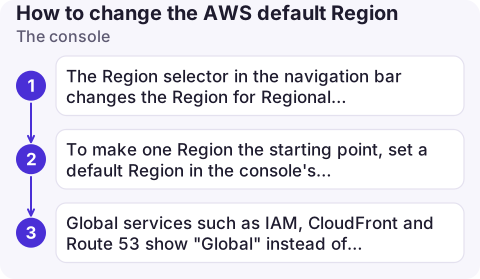
- The Region selector in the navigation bar changes the Region for Regional services. The console tends to remember the last Region you used for each service.
- To make one Region the starting point, set a default Region in the console's unified settings (from the gear or account menu).
- Global services such as IAM, CloudFront and Route 53 show "Global" instead of a Region, and some pages (billing, for example) aren't Regional at all.
Region in code and infrastructure tools
- SDKs: pass the Region when creating a client (for example
boto3.client("s3", region_name="eu-west-2")) for anything that must run in a fixed Region, rather than depending on the machine's default. - Terraform: the AWS provider's
regionargument sets it; without it, the provider falls back to the same environment variables and profile settings as the CLI. - CloudFormation, SAM and CDK: stacks deploy to the Region of the credentials or profile you deploy with, or the one you pass with
--region; a CDK app can also pinenvper stack. - CloudShell opens in the Region currently selected in the console.
Check before relying on it
- Scripts should be explicit. Pass
--regionin automation so a colleague's default doesn't change what a script touches. - Unset stale variables. A leftover
AWS_DEFAULT_REGIONfrom an old tutorial quietly overrides your profile.env | grep AWS_shows them. - Region codes, not names. Use
eu-west-2, not "London" or "eu-west-2a" (that's an Availability Zone). Codes are listed on pages such as eu-west-2 and us-east-1. - Opt-in Regions must be enabled for your account before you can use them.
Common mistakes
- "I can't see my instance": it's in a different Region from the one the console or CLI is using.
- Setting the Region in
~/.aws/credentials; it belongs in~/.aws/config. - Expecting the SSO Region (
sso_region) to set where commands run; it only says where IAM Identity Center lives.
Questions
What is the AWS CLI default Region if none is set?
There isn't one for most commands: the CLI asks you to specify a Region and fails with a "You must specify a region" error until you do.
What is the difference between AWS_REGION and AWS_DEFAULT_REGION?
Both set the Region for the CLI. AWS_REGION is the variable shared with the AWS SDKs and takes precedence over AWS_DEFAULT_REGION when both are set.
How do I see which Region the AWS CLI is using?
Run aws configure list. It shows the Region value and whether it came from an environment variable, the config file or nowhere.

Being in the wrong Region is the most common reason something seems to have vanished. CloudConsole, a phone app for AWS, is built to keep Region and account visible on every screen.
About the app → · Download on the App Store