 CloudConsole
NoRegionError: You must specify a region
boto3 or the AWS CLI looked for a Region in the client arguments, the AWS_REGION / AWS_DEFAULT_REGION environment variables and the active profile in ~/.aws/config, and found none. Set one: pass region_name to the client, export AWS_REGION, or add region = eu-west-2 to the profile you're using. It shows up most in containers, CI runners and on EC2, where there is no config file.
What it looks like
Traceback (most recent call last):
  File "app.py", line 3, in <module>
    ec2 = boto3.client("ec2")
  ...
botocore.exceptions.NoRegionError: You must specify a region.
The AWS CLI prints You must specify a region. You can also configure your region by running "aws configure". Either way, no request was sent: the SDK can't build a Regional endpoint without a Region. Global services such as IAM don't need one, which is why the same script can work for one client and fail for the next.
Where the Region comes from
| Source (highest priority first) | Example |
|---|---|
| Client argument or CLI flag | boto3.client("s3", region_name="eu-west-2"), --region eu-west-2 |
| Environment variable | AWS_REGION (CLI v2 and current SDKs) or AWS_DEFAULT_REGION |
Profile in ~/.aws/config | region = eu-west-2 under [profile prod] |
Credentials and Region are found separately. Having working credentials from an instance role, a container role or environment variables says nothing about the Region, so a host with valid credentials and no config file hits this error.
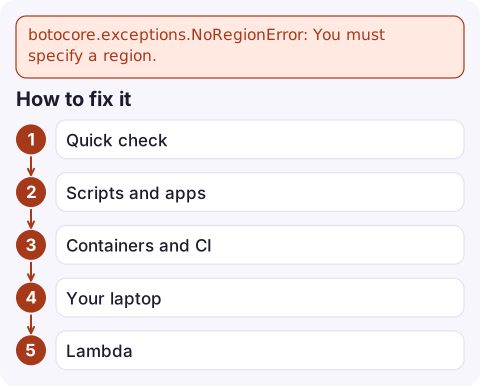
How to fix it
- Quick check:
aws configure listshows the Region and where it came from (env,config-fileor<not set>). - Scripts and apps: set it explicitly where the client is created, ideally from configuration:
import os, boto3 session = boto3.session.Session(region_name=os.environ.get("AWS_REGION", "eu-west-2")) sqs = session.client("sqs") - Containers and CI: add
AWS_REGION=eu-west-2to the task definition, pod spec or pipeline environment. On ECS and in GitHub Actions' configure-credentials step this is a one-line setting. - Your laptop:
aws configure set region eu-west-2 --profile prod, then make sure scripts actually use that profile (AWS_PROFILE=prod). - Lambda:
AWS_REGIONis set by the runtime automatically, so this error in Lambda usually means code that builds a client from a different setting, such as an empty variable passed asregion_name.
Mistakes people make next
- Setting an Availability Zone (
eu-west-2a) as the Region. That gets past this error and fails with Could not connect to the endpoint URL. - Setting the Region on the wrong profile. If
AWS_PROFILEpoints at an SSO profile without aregionline, the default profile's Region is not used. - Relying on the default Region for resources that live elsewhere. Once the error is gone, a call can succeed against the wrong Region and return empty lists. Pin the Region in code for anything that matters.
Questions
How do I fix NoRegionError in boto3?
Pass region_name when creating the client or session, or set the AWS_REGION environment variable, or add a region line to the profile in ~/.aws/config.
What is the difference between AWS_REGION and AWS_DEFAULT_REGION?
Both set the Region. AWS_REGION is the newer, SDK-wide name and takes precedence in current SDKs and CLI v2; AWS_DEFAULT_REGION is still honoured for compatibility.
Why does boto3 work on my laptop but not in Docker?
Your laptop has ~/.aws/config with a Region; the container doesn't. Set AWS_REGION in the container's environment.

If a scheduled job starts failing with this after an image or runner change, the first sign is often an alarm rather than the error. CloudConsole, a phone app for AWS, is being built to show alarms and logs on your phone so you can spot the failing job quickly.
Did it start after a deploy? What changed? on the app’s alarm screen lists the deploys and configuration changes from the hour before the alarm fired.
About the app → · Download on the App Store