 CloudConsole
aws ec2 modify-instance-attribute
aws ec2 modify-instance-attribute changes one attribute of an existing instance per call: its instance type (only while stopped), security groups, termination or stop protection, source/destination check, shutdown behaviour and more. It prints nothing on success.
What the command does
Most instance settings fixed at launch can be changed later through this command. Each call changes a single attribute; to change three things, make three calls. Some attributes can be changed while the instance runs (security groups, protection flags, source/dest check), while others need it stopped first (instance type, user data, kernel, ENA support).
Syntax
aws ec2 modify-instance-attribute --instance-id i-0123456789abcdef0 <one attribute option>Attributes that wrap a single value accept the value directly (--instance-type m7i.large), as JSON ('{"Value": "m7i.large"}'), or, for true/false attributes, as a bare flag that means true. The CLI also offers --no- variants for the boolean ones, for example --no-source-dest-check.
Worked examples
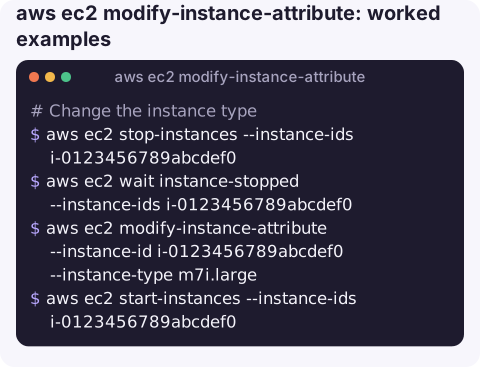
Change the instance type (stop, change, start):
aws ec2 stop-instances --instance-ids i-0123456789abcdef0
aws ec2 wait instance-stopped --instance-ids i-0123456789abcdef0
aws ec2 modify-instance-attribute --instance-id i-0123456789abcdef0 --instance-type m7i.large
aws ec2 start-instances --instance-ids i-0123456789abcdef0
Replace the security groups. The list you pass becomes the complete set, so include every group the instance should keep:
aws ec2 modify-instance-attribute --instance-id i-0123456789abcdef0 \
  --groups sg-0123456789abcdef0 sg-0fedcba9876543210
Turn on termination and stop protection for a production box:
aws ec2 modify-instance-attribute --instance-id i-0123456789abcdef0 --disable-api-termination
aws ec2 modify-instance-attribute --instance-id i-0123456789abcdef0 --disable-api-stop
To turn termination protection off again, pass the value explicitly:
aws ec2 modify-instance-attribute --instance-id i-0123456789abcdef0 \
  --disable-api-termination '{"Value": false}'
Disable source/destination checking, needed for NAT instances, firewalls and VPN appliances that forward traffic:
aws ec2 modify-instance-attribute --instance-id i-0123456789abcdef0 \
  --source-dest-check '{"Value": false}'
Keep data volumes when the instance is terminated:
aws ec2 modify-instance-attribute --instance-id i-0123456789abcdef0 \
  --block-device-mappings '[{"DeviceName":"/dev/sdf","Ebs":{"DeleteOnTermination":false}}]'
Read an attribute back to confirm:
aws ec2 describe-instance-attribute --instance-id i-0123456789abcdef0 --attribute disableApiTerminationWhich attributes need a stopped instance
| Attribute | Instance state |
|---|---|
--instance-type | Stopped |
--user-data (or --attribute userData) | Stopped |
--ena-support, --sriov-net-support | Stopped |
--groups | Running or stopped |
--disable-api-termination, --disable-api-stop | Running or stopped |
--source-dest-check | Running or stopped |
--instance-initiated-shutdown-behavior | Running or stopped |
Gotchas
IncorrectInstanceStatemeans the attribute needs the instance stopped. Stop it and wait forinstance-stopped, not juststopping.- Not every type fits. The new type must support the AMI's architecture, virtualisation and drivers. Moving between x86 and Graviton (arm64) is not possible; NVMe and ENA drivers must be present for Nitro types.
--groupsonly changes the primary network interface. For instances with several ENIs, usemodify-network-interface-attributeon each.- Instances in an Auto Scaling group revert on replacement; change the launch template instead.
- User data must be base64 when set through this command, unlike
run-instances, which encodes it for you. - Read before you write.
describe-instance-attributewith--attribute instanceType,groupSet,disableApiStoporsourceDestCheckshows the current value, which you should note down so the change is easy to roll back.
Questions
How do I change an EC2 instance type with the CLI?
Stop the instance, wait for instance-stopped, run modify-instance-attribute --instance-type with the new type, then start it again.
How do I turn off termination protection?
Run modify-instance-attribute --instance-id i-... --disable-api-termination '{"Value": false}'. Then terminate-instances will succeed.
Can I change security groups on a running instance?
Yes. --groups takes effect immediately on the primary network interface. The list replaces the existing groups rather than adding to them.
Attribute changes such as protection flags are small, but getting them wrong on production is costly. CloudConsole, a phone app for AWS, is built with guardrails so it is clear which instance a change applies to.
About the app → · Download on the App Store