 CloudConsole
How to check your AWS bill
Sign in and open the Billing and Cost Management console: the home page shows month-to-date spend and a forecast, and the Bills page breaks the current and past months down by service and Region. From the CLI, aws ce get-cost-and-usage returns the same figures. IAM users can only see billing pages if the root user has activated IAM access to billing information.
Where the numbers are
| You want | Look at |
|---|---|
| How much this month so far, and a forecast | Billing and Cost Management home page |
| Charges per service, then per Region, then per usage line | Bills page, choosing the month |
| A downloadable invoice (PDF) for accounts payable | Bills page, or the invoices area of the billing console |
| Daily trend and grouping by tag or account | Cost Explorer (see AWS cost breakdown) |
| How close you are to free tier limits | The free tier page in the billing console |
Estimated charges update during the month, usually at least daily, so today's usage may not appear until tomorrow. The final bill for a month is issued early in the next month.
Console steps
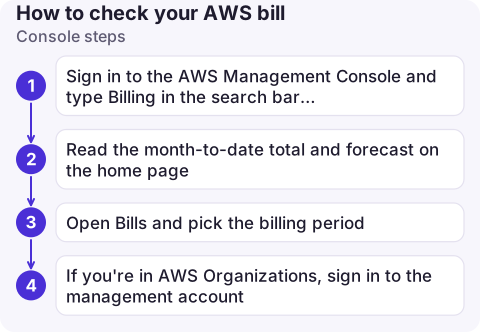
- Sign in to the AWS Management Console and type Billing in the search bar; open Billing and Cost Management.
- Read the month-to-date total and forecast on the home page.
- Open Bills and pick the billing period. Expand a service to see its charges by Region and by usage type (for example hours of a specific instance type, or GB-months of storage).
- If you're in AWS Organizations, sign in to the management account: member accounts' charges are consolidated there, and the Bills page can show them per account.
From the CLI
The Cost Explorer API gives you month-to-date spend. Its endpoint lives in us-east-1, and each request is charged a small fee, so don't put it in a tight loop.
# Month to date, total (End is exclusive)
aws ce get-cost-and-usage --region us-east-1 \
  --time-period Start=2026-11-01,End=2026-11-16 \
  --granularity MONTHLY \
  --metrics UnblendedCost \
  --query 'ResultsByTime[].Total.UnblendedCost'

# Last month, split by service, biggest first
aws ce get-cost-and-usage --region us-east-1 \
  --time-period Start=2026-10-01,End=2026-11-01 \
  --granularity MONTHLY --metrics UnblendedCost \
  --group-by Type=DIMENSION,Key=SERVICE \
  --query 'reverse(sort_by(ResultsByTime[0].Groups, &to_number(Metrics.UnblendedCost.Amount)))[:10].[Keys[0],Metrics.UnblendedCost.Amount]' \
  --output table
Cost Explorer has to have been opened once in the console before its API returns data for a new account.
If you can't see the bill
- "You don't have permission" as an IAM user: the root user must turn on IAM user and role access to billing information in the account settings, and your identity also needs billing permissions in IAM (for example the
AWSBillingReadOnlyAccessmanaged policy). - Member account in an organisation: some billing views are limited; ask whoever runs the management account.
- Amounts look different from Cost Explorer: the Bills page shows invoiced amounts including tax and credits; Cost Explorer defaults to unblended cost and may exclude some charge types. Compare like with like.
Common mistakes
- Checking only one Region in other consoles. The Bills page is the place to see every Region at once; a forgotten resource elsewhere shows up there.
- Waiting for the invoice to notice a spike. Set a budget alert so you hear about it mid-month: set up an AWS billing alert.
Questions
How do I check my current AWS bill?
Open Billing and Cost Management in the console. The home page shows month-to-date charges and a forecast; the Bills page itemises them.
Why can't my IAM user see billing information?
Billing access for IAM identities is off until the root user enables it in the account settings, and the user also needs an IAM policy granting billing permissions.
How often does the AWS bill update?
Estimated charges are refreshed throughout the month, typically at least once a day, so there is a lag of up to a day.

Most people check the bill only when something feels off. CloudConsole, a phone app for AWS, is built to show month-to-date costs and their trend on your phone, so a spike is visible the day it starts.
About the app → · Download on the App Store