 CloudConsole
How to stop AWS billing
AWS bills for resources that exist, not for logging in, so charges stop only when the resources behind them are deleted. Use the Bills page to see which services and Regions are still charging, delete those resources (stopping an instance is not enough), and if you no longer need the account, close it from the Account page as the root user. Commitments such as Reserved Instances and Savings Plans keep billing until their term ends.
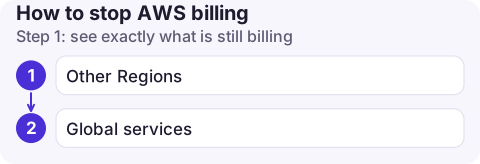
Step 1: see exactly what is still billing
Open Billing and Cost Management, go to Bills, and look at the current month. Every service with a charge is listed with the Region and usage type. That list is your to-do list; work through it until the month-to-date figures stop growing. Remember the bill updates with a delay of up to a day, so check again the next day.
Two places to look beyond the obvious:
- Other Regions. The EC2 and RDS consoles show only the selected Region; the bill shows all of them.
- Global services. Route 53 hosted zones, CloudFront distributions and registered domains are not tied to a Region.
Step 2: delete, don't just stop
| Resource | Stopped/idle still costs | To stop charges |
|---|---|---|
| EC2 instance | EBS volumes, public IPv4 | Terminate; delete leftover volumes and snapshots; release Elastic IPs |
| RDS database | Storage and backups (and stopped instances restart after 7 days) | Delete (take a final snapshot only if you need it; snapshots are billed) |
| NAT gateway, load balancer | Hourly charge even with no traffic | Delete |
| S3 bucket | Storage, including old versions | Empty and delete; see deleting a versioned bucket |
| CloudWatch Logs | Stored log data | Delete log groups or set retention |
| Route 53 hosted zone | Monthly per zone | Delete records, then the zone |
If the resources were created by CloudFormation, delete the stack instead of individual pieces, so nothing is orphaned. Deleting is permanent: export anything you need first.
Finding leftovers quickly
# Regions enabled for this account
aws ec2 describe-regions --query 'Regions[].RegionName' --output text

# Anything still running or allocated, per Region
for r in $(aws ec2 describe-regions --query 'Regions[].RegionName' --output text); do
  echo "== $r"
  aws ec2 describe-instances --region "$r" \
    --filters Name=instance-state-name,Values=running,stopped \
    --query 'Reservations[].Instances[].[InstanceId,State.Name]' --output text
  aws ec2 describe-volumes --region "$r" --query 'Volumes[].VolumeId' --output text
  aws rds describe-db-instances --region "$r" --query 'DBInstances[].DBInstanceIdentifier' --output text
done
Resource Explorer or Tag Editor in the console can search across Regions too; see finding resources in all Regions.
Step 3 (optional): close the account
Sign in as the root user, open the Account page from the account menu, and choose to close the account. For an account in AWS Organizations, the management account can close member accounts.
- After closing, the account enters a post-closure period of 90 days during which you can reopen it; after that it is permanently closed.
- Usage up to the closure date is still invoiced, normally at the start of the following month.
- Reserved Instances, Savings Plans and some Marketplace subscriptions keep charging until they expire.
- Closing does not instantly delete everything, which is why deleting resources first is the reliable way to stop the meter.
Common mistakes
- Stopping instances and assuming the bill is now zero.
- Deleting resources in one Region and forgetting the one where a tutorial created them.
- Leaving the domain registration on auto-renew in Route 53.
Questions
Does AWS charge if I don't use it?
Yes, if resources exist. Storage, IP addresses, hosted zones and anything billed hourly keep charging whether or not you use them.
Will closing my AWS account stop all charges?
It stops new usage charges, but you still receive a final bill for usage before closure, and Reserved Instances or Savings Plans continue until their term ends.
How long until charges stop after deleting resources?
Charges stop accruing when the resource is deleted, but the bill can lag by up to a day, so confirm on the Bills page the next day.

It is easy to think you have cleaned up and then see a charge weeks later. CloudConsole, a phone app for AWS, is built to show remaining costs by service on your phone so leftovers are obvious.
About the app → · Download on the App Store