 CloudConsole
How to enable ALB access logs
Create (or pick) an S3 bucket in the same Region as the load balancer, give the Elastic Load Balancing log delivery service permission to write to it with a bucket policy, then turn on access logs in the load balancer's Attributes (or set access_logs.s3.enabled=true with modify-load-balancer-attributes). Logs arrive as gzipped files every five minutes. The bucket must use SSE-S3 encryption; SSE-KMS isn't supported for access logs.
Bucket policy
{
  "Version": "2012-10-17",
  "Statement": [{
    "Effect": "Allow",
    "Principal": { "Service": "logdelivery.elasticloadbalancing.amazonaws.com" },
    "Action": "s3:PutObject",
    "Resource": "arn:aws:s3:::my-alb-logs/prod-web/AWSLogs/123456789012/*"
  }]
}
Apply it with aws s3api put-bucket-policy --bucket my-alb-logs --policy file://policy.json. The resource path must include your account ID after AWSLogs/. Older guides use the Regional Elastic Load Balancing account as the principal (for example 652711504416 for eu-west-2); that legacy form still works in the Regions that support it, but the service principal above is what AWS now recommends.
Turn it on
Console: EC2 > Load Balancers, select the ALB, Attributes > Edit, under Monitoring switch on Access logs, enter s3://my-alb-logs/prod-web, and save. The console checks the bucket policy and tells you if delivery isn't allowed.
CLI:
aws elbv2 modify-load-balancer-attributes \
  --load-balancer-arn arn:aws:elasticloadbalancing:eu-west-2:123456789012:loadbalancer/app/prod-web/50dc6c495c0c9188 \
  --attributes Key=access_logs.s3.enabled,Value=true Key=access_logs.s3.bucket,Value=my-alb-logs Key=access_logs.s3.prefix,Value=prod-web

aws elbv2 describe-load-balancer-attributes --load-balancer-arn arn:aws:elasticloadbalancing:eu-west-2:123456789012:loadbalancer/app/prod-web/50dc6c495c0c9188 \
  --query "Attributes[?starts_with(Key, 'access_logs')]"
Files land at s3://my-alb-logs/prod-web/AWSLogs/123456789012/elasticloadbalancing/eu-west-2/2026/11/17/...log.gz. ELB also writes a small test file when you enable logging.
Using the logs
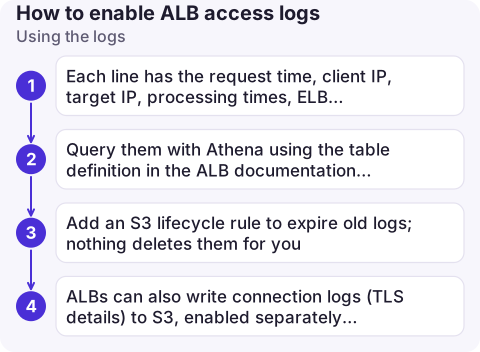
- Each line has the request time, client IP, target IP, processing times, ELB and target status codes, request line, user agent, and an
error_reasonfield for some failures. For 5xx debugging, compareelb_status_codewithtarget_status_code:-as the target status means the target never answered. See ALB 502 and ALB 504. - Query them with Athena using the table definition in the ALB documentation, partitioned by date, rather than downloading files.
- Add an S3 lifecycle rule to expire old logs; nothing deletes them for you.
- ALBs can also write connection logs (TLS details) to S3, enabled separately with the
connection_logs.s3.*attributes.
Common mistakes
- Bucket in another Region: it must be in the load balancer's Region (it can be in another account).
- Default encryption set to SSE-KMS: delivery fails silently; use SSE-S3.
- Prefix mismatch: the prefix in the policy's resource ARN must match the one configured, and the prefix can't include
AWSLogsitself. - Expecting real-time logs: files arrive every five minutes, and best effort. For live debugging, use target logs or CloudWatch metrics.
- Organisation bucket policies that deny all non-org principals need an exception for the log delivery service.
Questions
How do I enable access logs on an Application Load Balancer?
Grant logdelivery.elasticloadbalancing.amazonaws.com s3:PutObject on the bucket path, then set access_logs.s3.enabled=true and the bucket name in the load balancer's attributes.
Why are my ALB access logs not appearing in S3?
Usually the bucket policy doesn't match the prefix and account path, the bucket uses SSE-KMS, or the bucket is in a different Region. Logs also only arrive every five minutes.
How often are ALB access logs delivered?
Every five minutes, as gzip files in the configured bucket and prefix.

When a load balancer starts returning errors, access logs tell you which requests and targets were affected. CloudConsole, a phone app for AWS, is being built to show load balancer alarms and metrics on your phone, so you know when to go and look.
About the app → · Download on the App Store