 CloudConsole
How to mute CloudWatch alarms
CloudWatch alarm mute rules silence the actions of up to 100 named alarms during a one-off or recurring window while the alarms keep evaluating and changing state. Create one with aws cloudwatch put-alarm-mute-rule, using an at() expression for a single window or cron() for a recurring one, plus a duration. For an immediate, open-ended pause, aws cloudwatch disable-alarm-actions still works, but you must remember to re-enable it.
Three ways to quieten alarms
| Method | Best for | Ends automatically? |
|---|---|---|
| Alarm mute rule | Planned maintenance, nightly batch windows, weekends for non-critical alarms | Yes, after the duration; the rule can also expire |
disable-alarm-actions | "Stop paging me right now" during an incident you're already handling | No |
| Composite alarm with an actions suppressor | Suppressing downstream alarms while a known upstream alarm is firing | Yes, when the suppressor alarm clears |
In all three cases the alarm still evaluates and its state and history stay accurate; only actions (SNS, Auto Scaling, EC2 actions) are held back.
Create a mute rule (CLI)
# One-off: mute two alarms for 2 hours from 22:00 London time on 20 November
aws cloudwatch put-alarm-mute-rule \
  --name db-upgrade-2026-11-20 \
  --description "Aurora minor version upgrade" \
  --rule '{"Schedule":{"Expression":"at(2026-11-20T22:00)","Duration":"PT2H","Timezone":"Europe/London"}}' \
  --mute-targets '{"AlarmNames":["orders-db-cpu-high","orders-api-5xx"]}'

# Recurring: every Sunday 02:00-06:00 UTC, until the end of next year
aws cloudwatch put-alarm-mute-rule \
  --name weekly-patching \
  --rule '{"Schedule":{"Expression":"cron(0 2 * * SUN)","Duration":"PT4H"}}' \
  --mute-targets '{"AlarmNames":["web-1-cpu-high"]}' \
  --expire-date 2027-12-31T23:59:59Z

# What is muted right now?
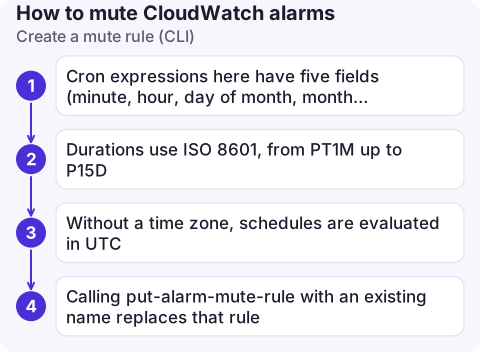
aws cloudwatch list-alarm-mute-rules --statuses ACTIVE- Cron expressions here have five fields (minute, hour, day of month, month, day of week).
- Durations use ISO 8601, from
PT1Mup toP15D. - Without a time zone, schedules are evaluated in UTC.
- Calling
put-alarm-mute-rulewith an existing name replaces that rule.
Deleting a rule with delete-alarm-mute-rule unmutes its alarms immediately, and any that are already in ALARM run their actions at that point.
Quick pause and resume
aws cloudwatch disable-alarm-actions --alarm-names orders-api-5xx orders-db-cpu-high
# ... work ...
aws cloudwatch enable-alarm-actions --alarm-names orders-api-5xx orders-db-cpu-high

# Find alarms someone forgot to re-enable
aws cloudwatch describe-alarms --query 'MetricAlarms[?ActionsEnabled==`false`].AlarmName'
Run that last check after every maintenance window; a silenced alarm looks exactly like a healthy system.
Permissions and good practice
- Creating a mute rule needs
cloudwatch:PutAlarmMuteRuleon both the mute rule resource and each targeted alarm, so you can let a team mute only its own alarms (for example by alarm name or tag conditions). - Give maintenance rules a descriptive name and description that says why; they show up when someone wonders why nothing paged.
- Prefer muting specific alarms over disabling actions on everything. Keep at least one high-level availability alarm unmuted during maintenance so a botched change still gets noticed.
- Muting doesn't reduce alarm costs; alarms are billed whether or not their actions run.
- Rules move through
SCHEDULED,ACTIVEandEXPIRED. Delete expired one-off rules from time to time so the list shows only windows that still matter.
Questions
Do muted CloudWatch alarms still change state?
Yes. Muted alarms keep evaluating and move between OK, ALARM and INSUFFICIENT_DATA; only their actions are suppressed while the rule is active.
Can one mute rule cover alarms in several Regions?
No. Mute rules belong to an account and Region, and the alarm names they target must exist in that same Region. Create a rule in each Region you need.
How many alarms can one mute rule cover?
Up to 100 alarms, listed by name. Create more rules if you need to cover more.

Forgetting to unmute after maintenance is how outages go unnoticed. CloudConsole, a phone app for AWS, is built to show alarm state, including what is currently silenced, on your phone.
About the app → · Download on the App Store