 CloudConsole
How to purge an SQS queue
Select the queue in the Amazon SQS console and choose Purge, or run aws sqs purge-queue --queue-url with the queue URL. Every message in the queue is deleted and cannot be recovered. The purge can take up to 60 seconds to finish, and you can only purge the same queue once every 60 seconds.
Before you purge: is it the right queue?
Purging is irreversible and is often done in a hurry. Spend thirty seconds on these:
- Account and Region:
aws sts get-caller-identityand the Region in the queue URL. - What's in it: look at a couple of messages first (see below). A backlog may be real customer work delayed by a broken consumer, not junk.
- Is a redrive better? If the messages are failed work in a DLQ, you probably want to redrive them after fixing the consumer, not delete them.
- Count: note the depth so you can confirm afterwards (checking queue depth).
- What keeps filling it: a queue subscribed to an SNS topic or targeted by EventBridge refills during and after the purge. Pause the source if it needs to stay empty.
Console steps
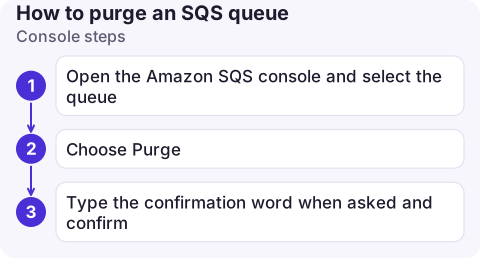
- Open the Amazon SQS console and select the queue.
- Choose Purge.
- Type the confirmation word when asked and confirm.
CLI steps
QUEUE_URL=$(aws sqs get-queue-url --queue-name orders-test --query QueueUrl --output text)

# Peek at a few messages first (they become invisible for 30 s, then return)
aws sqs receive-message --queue-url "$QUEUE_URL" --max-number-of-messages 5 \
  --visibility-timeout 30 --query 'Messages[].Body'

# How many are there?
aws sqs get-queue-attributes --queue-url "$QUEUE_URL" \
  --attribute-names ApproximateNumberOfMessages ApproximateNumberOfMessagesNotVisible

# Destructive: delete everything
aws sqs purge-queue --queue-url "$QUEUE_URL"
purge-queue prints nothing on success. Wait a minute, then check the attributes again; the counts are approximate and can take a short while to settle.
The 60-second rule and other behaviour
- Duration: deletion takes up to 60 seconds. Messages sent to the queue during that window may also be deleted, so pause producers if new messages matter.
- Rate: a second purge within 60 seconds of the previous one fails with
PurgeQueueInProgress. Just wait. - FIFO queues can be purged the same way.
- Consumers already holding messages may still try to delete them afterwards and get errors on stale receipt handles; that's harmless.
- Permissions: the caller needs
sqs:PurgeQueue. Consider denying it on production queues to everyone but a break-glass role.
Alternatives
| Need | Instead of purging |
|---|---|
| Remove only some messages | Receive, filter in a script, and delete-message the ones you don't want |
| Keep messages for later analysis | Redrive them to a holding queue with a long retention period |
| Start completely fresh | Delete and recreate the queue; you have to wait 60 seconds before reusing the same name |
| Old messages expire anyway | Lower MessageRetentionPeriod temporarily |
For test environments that need an empty queue before each run, purging is fine. In production, prefer fixing the consumer and letting it drain, so real customer work isn't thrown away.
Questions
Can I undo an SQS purge?
No. Purged messages are deleted permanently. If you might need them, move them to another queue first.
Why does purge-queue fail with PurgeQueueInProgress?
The queue was purged less than 60 seconds ago. Wait a minute and try again, or check whether the first purge already emptied it.
Does purging a queue delete the queue?
No. The queue, its URL and its settings stay; only the messages are removed.

Purging is the kind of irreversible action you don't want to do by accident on a small screen. CloudConsole, a phone app for AWS, is built with production guardrails for exactly this kind of action.
About the app → · Download on the App Store