 CloudConsole
How to see recent CloudTrail events for a user
In the CloudTrail console open Event history, set the filter to User name and enter the user, role session or SSO user name. From the CLI, run aws cloudtrail lookup-events with the Username lookup attribute. Event history covers the last 90 days of management events in one Region, so repeat for each Region (and us-east-1 for IAM and other global services).
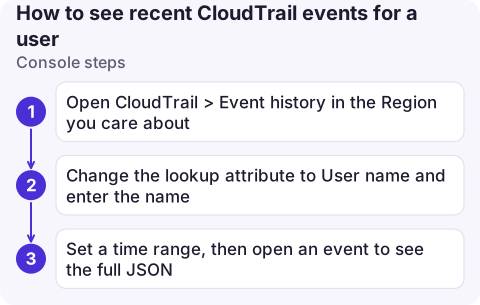
Console steps
- Open CloudTrail > Event history in the Region you care about.
- Change the lookup attribute to User name and enter the name.
- Set a time range, then open an event to see the full JSON: source IP, user agent, request parameters and errors.
What to enter as the user name depends on how they signed in:
| Identity | User name in CloudTrail |
|---|---|
| IAM user | The IAM user name, for example ci-bot |
| Assumed role | The role session name, for example [email protected] for many SSO setups, or whatever the caller passed as --role-session-name |
| IAM Identity Center user | Usually their Identity Center user name as the session name of the AWSReservedSSO_... role |
| Root | root |
CLI steps
aws cloudtrail lookup-events --region eu-west-2 \
  --lookup-attributes AttributeKey=Username,[email protected] \
  --start-time 2026-11-16T00:00:00Z --max-results 50 \
  --query 'Events[].[EventTime,EventSource,EventName,Resources[0].ResourceName]' --output table

# Only changes (exclude read-only calls)
aws cloudtrail lookup-events --region eu-west-2 \
  --lookup-attributes AttributeKey=Username,[email protected] \
  --query 'Events[].CloudTrailEvent' --output text \
| jq -r 'select(.readOnly == false) | [.eventTime, .eventName, .sourceIPAddress] | @tsv'
lookup-events takes one lookup attribute per call and is rate-limited (a couple of requests per second per account per Region), so page slowly in scripts. Other useful keys are AccessKeyId, EventName and ResourceName.
Beyond 90 days or across Regions
- A trail to S3 and CloudWatch Logs keeps events as long as you retain them. With the trail sent to a log group, a Logs Insights query searches all Regions at once:
See CloudTrail who-did-what queries.fields eventTime, eventSource, eventName, awsRegion, sourceIPAddress | filter userIdentity.arn like /[email protected]/ | filter eventName not like /^(Get|List|Describe|Lookup)/ | sort eventTime desc | limit 100 - CloudTrail Lake supports SQL across accounts and Regions if your organisation uses it.
- Data events (S3 object reads and writes, Lambda invokes) are never in event history; they only appear if a trail or event data store records them.
Common mistakes
- Searching the wrong Region. Event history is per Region; console sign-ins and IAM changes are recorded in us-east-1 for most accounts.
- Searching by role name. For assumed roles, the user name is the session name; search by
ResourceNameor use Logs Insights onuserIdentity.arnto match the role. - Expecting events instantly. Events typically appear within about five minutes of the call.
Questions
How do I see what a user did in AWS?
In CloudTrail Event history, filter by User name, or run aws cloudtrail lookup-events with AttributeKey=Username. Check each Region you use.
How far back does CloudTrail event history go?
90 days of management events per Region. For longer, use a trail delivering to S3 or CloudWatch Logs, or CloudTrail Lake.
Is CloudTrail enabled by default?
Event history is available by default for the last 90 days of management events. A trail or event data store is needed to keep events longer or record data events.

Checking who changed something is a common first step in an incident. CloudConsole, a phone app for AWS, is being built to show alarms, logs and resources on your phone, which helps you follow up on a suspicious change quickly.
About the app → · Download on the App Store