 CloudConsole
Top IP addresses with CloudWatch Logs Insights
Group by the field that holds the client IP and sort by count: stats count(*) as requests by ip | sort requests desc | limit 20. The field name depends on the log source: sourceIp or similar in API Gateway access logs, httpRequest.clientIp in AWS WAF logs, srcAddr in VPC Flow Logs and sourceIPAddress in CloudTrail.
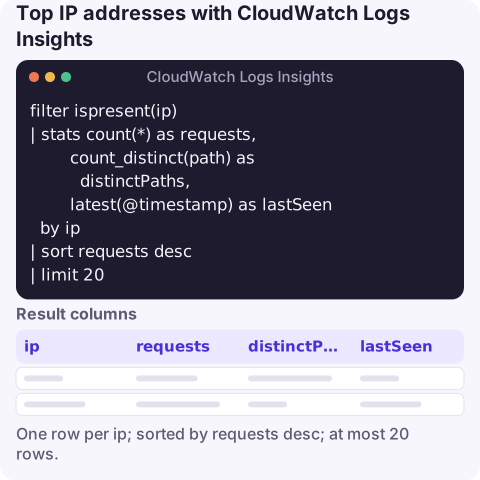
The query
For API Gateway access logs that include "ip":"$context.identity.sourceIp":
filter ispresent(ip)
| stats count(*) as requests,
        count_distinct(path) as distinctPaths,
        latest(@timestamp) as lastSeen
  by ip
| sort requests desc
| limit 20
Each row is one IP with its request count, how many different paths it hit and when it was last seen. High request counts spread over many distinct paths is the usual signature of a scanner; high counts on a single path is more often a misbehaving client or a retry loop.
How it works
filter ispresent(ip)removes events without the field.stats … by ipgroups requests per client address.latest(@timestamp)tells you whether the address is still active or stopped an hour ago.count_distinct(path)counts different paths; it's approximate for very large values but fine for spotting scanners.sortandlimitkeep the top 20.
To see which addresses are collecting client errors, filter first: filter status >= 400 and status < 500 | stats count(*) as clientErrors by ip | sort clientErrors desc. Behind a CloudFront distribution or a load balancer, the address API Gateway sees may be the proxy's rather than the user's; check your format captures the original client IP for your set-up.
The same idea for other log sources
AWS WAF (log groups must be named with the aws-waf-logs- prefix):
stats count(*) as requests by httpRequest.clientIp, action
| sort requests desc
| limit 20
VPC Flow Logs, by traffic volume:
stats sum(bytes) / 1024 / 1024 as MiB, count(*) as flows by srcAddr
| sort MiB desc
| limit 20CloudTrail, which addresses are calling your AWS APIs and as whom:
stats count(*) as calls by sourceIPAddress, userIdentity.arn
| sort calls desc
| limit 20
In CloudTrail, sourceIPAddress can also be an AWS service name, such as ec2.amazonaws.com, when a service acts on your behalf.
Text access logs (for example nginx shipped by the CloudWatch agent), where the IP is the first token:
parse @message /^(?<ip>\S+) /
| stats count(*) as requests by ip
| sort requests desc
| limit 20
From an IP to a resource
If a top address is private (inside your VPC), find which network interface and instance owns it:
aws ec2 describe-network-interfaces \
  --filters Name=addresses.private-ip-address,Values=10.0.1.25 \
  --query 'NetworkInterfaces[].[NetworkInterfaceId,Attachment.InstanceId,Description]' \
  --output table
The description often identifies non-EC2 owners such as load balancers, Lambda functions in a VPC or NAT gateways. See find an EC2 instance by IP for public addresses and Elastic IPs.
Limits and next steps
Queries are billed per GB scanned, and very large result sets stop at 10,000 rows, which is plenty for a top-N list. If you find abusive addresses, block them at the edge (an AWS WAF IP set or rate-based rule) rather than in application code, and keep watching the same query to confirm the traffic has stopped. For ongoing visibility, a WAF rate-based rule with its own metrics is cheaper than re-running this query.
Questions
How do I find the top IP addresses in CloudWatch logs?
Run stats count(*) as requests by <ip field> | sort requests desc | limit 20 in Logs Insights, using the field your log source uses for the client IP.
How do I find an EC2 instance by IP address?
Use aws ec2 describe-network-interfaces with a filter on addresses.private-ip-address (or association.public-ip for public IPs) and read the attached instance ID.
Which field holds the client IP in AWS WAF logs?
httpRequest.clientIp. The log group name for WAF logs must start with aws-waf-logs-.
A sudden traffic spike from a handful of addresses often turns into a page in the middle of the night. CloudConsole, a phone app for AWS, is built to show the alarm and the logs that explain it on your phone.
About the app → · Download on the App Store