 CloudConsole
VPC Flow Logs rejected traffic in Logs Insights
When VPC Flow Logs are delivered to CloudWatch Logs in the default format, Logs Insights discovers fields such as srcAddr, dstAddr, dstPort, protocol and action. Filter on action = "REJECT" and group by source and destination port to see what is being blocked by security groups or network ACLs, and from where.
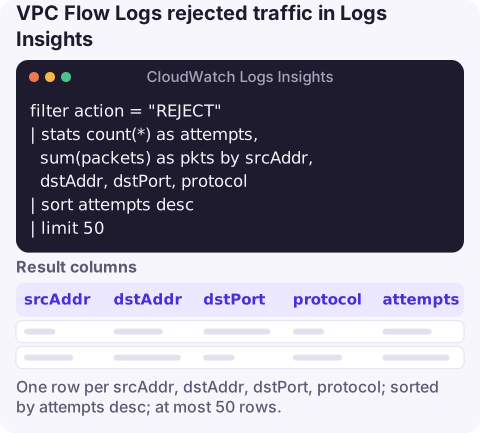
The query
filter action = "REJECT"
| stats count(*) as attempts, sum(packets) as pkts by srcAddr, dstAddr, dstPort, protocol
| sort attempts desc
| limit 50
Select the flow log's log group and the window when the connection failed. Each row is one source talking to one destination port that was refused.
How it works
filter action = "REJECT"keeps records where the traffic was denied. In the default format,actionisACCEPTorREJECT.stats count(*) … by srcAddr, dstAddr, dstPort, protocolcollapses many flow records into one row per conversation.protocolis the IANA number: 6 is TCP, 17 UDP, 1 ICMP.sum(packets)shows volume, which separates a single retry from a sustained scan.sortandlimitkeep the top offenders.
Reading the result: rejects from internet addresses to ports such as 22 or 3389 are usually background scanning and confirm your security groups are working. Rejects between your own private addresses are the interesting ones; they mean an application is trying to reach something it isn't allowed to, which is often the cause of a connection timeout.
Variations
Why can't instance A reach instance B? Narrow to the pair and port:
filter srcAddr = "10.0.1.25" and dstAddr = "10.0.2.40" and dstPort = 5432
| fields @timestamp, action, interfaceId, srcPort, packets
| sort @timestamp desc
If you see records with REJECT, check the destination's security group and the subnets' network ACLs. If you see ACCEPT outbound but REJECT on the return path, suspect a network ACL, since NACLs are stateless and need rules for ephemeral return ports.
Rejected traffic from outside your network:
filter action = "REJECT" and not isIpInSubnet(srcAddr, "10.0.0.0/8")
| stats count(*) as attempts by srcAddr
| sort attempts desc
| limit 20
Top talkers by bytes, accepted or not:
stats sum(bytes) / 1024 / 1024 as MiB by srcAddr, dstAddr
| sort MiB desc
| limit 20
Creating and managing flow logs from the CLI
# create a flow log for a VPC, rejected traffic only, to CloudWatch Logs
aws ec2 create-flow-logs \
  --resource-type VPC --resource-ids vpc-0abc1234def567890 \
  --traffic-type REJECT \
  --log-destination-type cloud-watch-logs \
  --log-group-name vpc-flow-logs \
  --deliver-logs-permission-arn arn:aws:iam::123456789012:role/FlowLogsDelivery

# list flow logs for that VPC
aws ec2 describe-flow-logs \
  --filter Name=resource-id,Values=vpc-0abc1234def567890

# delete one
aws ec2 delete-flow-logs --flow-log-ids fl-0123456789abcdef0
The delivery role must allow the flow logs service to create log streams and put events in the group. Capturing only REJECT traffic keeps ingestion cost down when your goal is troubleshooting blocked connections.
Limits and cost
- Flow log records are aggregated over an interval (up to ten minutes by default, one minute if configured), so they arrive with a delay and don't show individual packets.
- Custom formats change field names and order; the auto-discovered names above apply to the default format. For custom formats, check the discovered-fields pane or use
parse. - Busy VPCs produce a lot of data. Queries are billed per GB scanned, so a short time window matters even more here than with application logs.
Questions
How do I query VPC Flow Logs in CloudWatch?
Deliver the flow log to a CloudWatch Logs group, then run Logs Insights queries using the discovered fields, for example filter action = "REJECT" | stats count(*) by srcAddr, dstPort.
How do I list VPC flow logs with the AWS CLI?
Use aws ec2 describe-flow-logs, optionally with --filter Name=resource-id,Values=<vpc-id> to limit it to one VPC.
What does REJECT mean in a flow log?
The traffic was denied by a security group or network ACL. ACCEPT means it was permitted.
Connection timeouts are among the most common late-night pages, and flow logs are where you prove what was blocked. CloudConsole, a phone app for AWS, is built to show alarms and log queries on your phone.
About the app → · Download on the App Store