 CloudConsole
How to find an EC2 instance by IP address
Filter the instance list: aws ec2 describe-instances --filters Name=private-ip-address,Values=10.0.1.25 for a private address, or Name=ip-address,Values=203.0.113.10 for a public one. In the EC2 console, type the address into the Instances search box. If no instance matches, search network interfaces instead: the address may belong to a load balancer, NAT gateway, Lambda function or RDS database.
Instances first
# Private IPv4 (primary address of the instance)
aws ec2 describe-instances \
  --filters Name=private-ip-address,Values=10.0.1.25 \
  --query 'Reservations[].Instances[].{id:InstanceId,name:Tags[?Key==`Name`]|[0].Value,state:State.Name}'

# Public IPv4
aws ec2 describe-instances \
  --filters Name=ip-address,Values=203.0.113.10 \
  --query 'Reservations[].Instances[].InstanceId'

# Secondary private IPs on any attached interface
aws ec2 describe-instances \
  --filters Name=network-interface.addresses.private-ip-address,Values=10.0.1.25 \
  --query 'Reservations[].Instances[].InstanceId'
In the console, open the Amazon EC2 console, go to Instances, and paste the address into the search box; it offers to filter by private or public IPv4 address. Filters are per Region, so make sure you're in the right one.
Not an instance? Search network interfaces
Every private IP in a VPC belongs to an elastic network interface (ENI). The ENI's description and type tell you who owns it:
aws ec2 describe-network-interfaces \
  --filters Name=addresses.private-ip-address,Values=10.0.1.25 \
  --query 'NetworkInterfaces[].{eni:NetworkInterfaceId,type:InterfaceType,desc:Description,instance:Attachment.InstanceId,requester:RequesterId}'

# Public address: Elastic IPs show what they're associated with
aws ec2 describe-addresses --public-ips 203.0.113.10| Description / type looks like | Owner |
|---|---|
ELB app/my-alb/… | Application Load Balancer node |
AWS Lambda VPC ENI-… | A Lambda function attached to the VPC |
Type nat_gateway | NAT gateway |
RDSNetworkInterface | RDS database |
Description starting arn:aws:ecs: | An ECS task |
VPC Endpoint Interface … | An interface VPC endpoint |
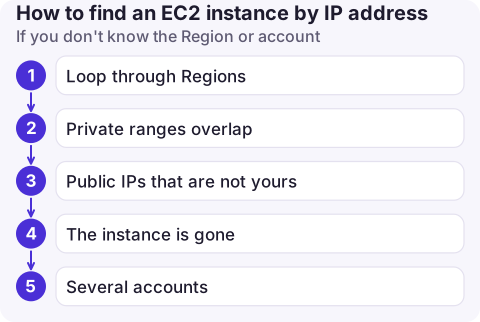
If you don't know the Region or account
- Loop through Regions with
describe-regionsand run the filter in each (see finding resources in all Regions). - Private ranges overlap between VPCs and accounts.
10.0.1.25may exist in several places, so note the VPC ID in results. - Public IPs that are not yours return nothing. An address in an AWS range could still belong to another customer; AWS publishes its ranges, but not owners.
- The instance is gone. Auto-assigned public IPs are reused after an instance stops or terminates. To identify a past owner, look in VPC Flow Logs or CloudTrail for the time in question.
- Several accounts: an AWS Config aggregator over the organisation lets you query network interfaces and instances centrally instead of signing in to each account.
Common mistakes
- Using
Name=public-ip,…; the instance filter for public IPv4 isip-address. - Searching the hostname. A public DNS name such as
ec2-203-0-113-10.eu-west-2.compute.amazonaws.comcontains the IP; filter on the IP itself. - Forgetting that a stopped instance has no public IP, so it won't match a public address filter.
Questions
How do I find an EC2 instance from its private IP?
Run aws ec2 describe-instances --filters Name=private-ip-address,Values= followed by the address, in the instance's Region. If nothing returns, search network interfaces with the addresses.private-ip-address filter.
How do I find which resource is using an IP address in AWS?
Use aws ec2 describe-network-interfaces with an address filter. The interface type, description and requester ID identify load balancers, NAT gateways, Lambda functions, RDS and other owners.
Can I find the instance from inside the server?
Yes. The instance metadata service returns the instance ID; see the guide on getting an EC2 instance ID.

An IP address in an alert or a firewall log is often all you have to go on. CloudConsole, a phone app for AWS, is built to let you look up resources on your phone without opening a laptop.
About the app → · Download on the App Store