 CloudConsole
TooManyRequestsException: Rate Exceeded (Lambda throttling)
Lambda refused to start another execution because a concurrency limit was reached: the account's regional concurrency, the function's reserved concurrency, or a scaling rate limit. The Reason field in the error says which. Check aws lambda get-account-settings and the function's reserved concurrency, then either raise the limit, stop one function starving the others, or slow the source down.
What the error and Reason mean
An error occurred (TooManyRequestsException) when calling the Invoke operation (reached max retries: 4): Rate Exceeded.The SDK error object, and the raw API response, carry a Reason that pins down which limit you hit:
| Reason | Meaning |
|---|---|
ConcurrentInvocationLimitExceeded | The account's concurrency in this region is used up across all functions |
ReservedFunctionConcurrentInvocationLimitExceeded | This function's reserved concurrency is used up (or set to 0) |
FunctionInvocationRateLimitExceeded / ReservedFunctionInvocationRateLimitExceeded | Invocation rate limits, typically from very short, very frequent invocations |
Throttled invocations show up in the function's Throttles metric, not in Errors, and they don't produce log lines in the function's log group because no code ran.
Check the limits
aws lambda get-account-settings \
  --query '{limit: AccountLimit.ConcurrentExecutions, unreserved: AccountLimit.UnreservedConcurrentExecutions}'

aws lambda get-function-concurrency --function-name checkout-api
The default account limit is 1,000 concurrent executions per region, but new accounts can start lower. Reserved concurrency on a function both guarantees and caps it; a value of 0 throttles every invocation, which is sometimes set deliberately as an emergency stop and then forgotten.
Concurrency is roughly requests per second multiplied by average duration in seconds. A function handling 200 requests per second at 3 seconds each needs about 600 concurrent executions. A slow dependency that doubles duration doubles concurrency, which is how a database slowdown turns into Lambda throttling.
How each source handles throttles
- Synchronous (API Gateway, SDK, function URLs): the caller gets the error (HTTP 429 from API Gateway). Clients must retry with backoff.
- Asynchronous (S3, SNS, EventBridge): Lambda queues the event and keeps retrying throttled events for up to six hours by default, then sends them to a dead-letter queue or failure destination if configured.
- SQS event source mappings: messages go back to the queue after the visibility timeout and are retried. Set the mapping's maximum concurrency rather than relying on reserved concurrency to limit consumers.
- Kinesis and DynamoDB streams: the shard's processing stalls and iterator age grows until throttling stops.
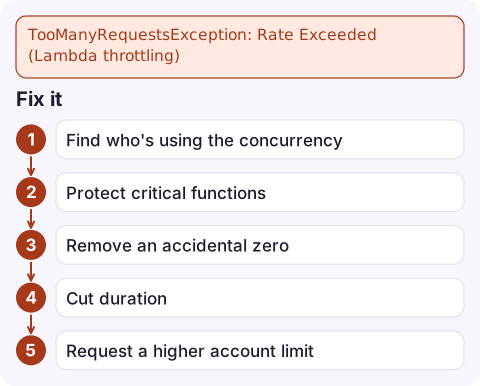
Fix it
- Find who's using the concurrency: graph
ConcurrentExecutionsper function; one runaway function often starves the rest. - Protect critical functions with reserved concurrency, and cap noisy ones:
aws lambda put-function-concurrency --function-name report-builder \ --reserved-concurrent-executions 50 - Remove an accidental zero:
aws lambda delete-function-concurrency --function-name checkout-api - Cut duration, which cuts concurrency: fix slow dependencies, add client timeouts, add memory for CPU-bound work.
- Request a higher account limit through Service Quotas when steady-state demand genuinely exceeds it.
Alarm on Throttles for critical functions (see Lambda Throttles alarm) so you hear about it before users do.
Questions
What does Lambda TooManyRequestsException Rate Exceeded mean?
Lambda couldn't run another concurrent execution because the account's or function's concurrency limit, or an invocation rate limit, was reached. The Reason field says which.
Are throttled Lambda invocations retried?
It depends on the source. Asynchronous events are retried by Lambda for up to six hours; SQS messages return to the queue; synchronous callers must retry themselves.
How do I increase Lambda concurrency?
Request an increase to the regional concurrent executions quota in Service Quotas. Check reserved concurrency settings first, since a low or zero value on a function causes throttling regardless.

Lambda throttling usually starts with a traffic spike or a slow dependency, and it can spread to unrelated functions in the same account. CloudConsole, a phone app for AWS, is built to show throttle alarms and per-function concurrency on your phone so you can see which function is taking the capacity.
Did it start after a deploy? What changed? on the app’s alarm screen lists the deploys and configuration changes from the hour before the alarm fired.
About the app → · Download on the App Store