 CloudConsole
How to fail over an Aurora cluster
In the RDS console select the Aurora cluster's writer and choose Failover from Actions, or run aws rds failover-db-cluster --db-cluster-identifier my-cluster, optionally with --target-db-instance-identifier to pick the reader to promote. The cluster endpoint moves to the new writer; connections drop and clients must reconnect. For RDS Multi-AZ instances, reboot with --force-failover instead.
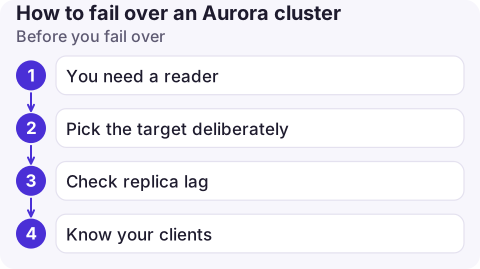
Before you fail over
- You need a reader. A cluster with only a writer has nothing to promote; Aurora recreates the writer instead, which takes longer.
- Pick the target deliberately. Without a target, Aurora chooses by promotion tier (0 is highest priority) and then by size. Make sure the reader is the same instance class as the writer, or performance drops after failover.
- Check replica lag. A reader far behind takes longer to become writer.
AuroraReplicaLagin CloudWatch shows it. - Know your clients. Applications must use the cluster endpoint (not an instance endpoint), retry on connection errors and not cache DNS for long.
Aurora failover: CLI
# Who is the writer now?
aws rds describe-db-clusters --db-cluster-identifier orders-aurora \
  --query 'DBClusters[0].DBClusterMembers[].[DBInstanceIdentifier,IsClusterWriter,PromotionTier]' \
  --output table

# Fail over to a specific reader
aws rds failover-db-cluster \
  --db-cluster-identifier orders-aurora \
  --target-db-instance-identifier orders-aurora-2

# Follow it in the event log
aws rds describe-events --source-type db-cluster \
  --source-identifier orders-aurora --duration 30 \
  --query 'Events[].[Date,Message]' --output text
In the console: open the Amazon RDS console, choose Databases, select the writer instance of the cluster, and choose Actions > Failover. failover-db-cluster also works for non-Aurora Multi-AZ DB clusters.
RDS Multi-AZ instances and Global Database
| Deployment | How to fail over |
|---|---|
| RDS Multi-AZ DB instance (one standby) | aws rds reboot-db-instance --db-instance-identifier orders-db --force-failover; see rebooting RDS |
| Aurora or Multi-AZ DB cluster | failover-db-cluster |
| Aurora Global Database, planned Region move | aws rds switchover-global-cluster --global-cluster-identifier orders-global --target-db-cluster-identifier arn:aws:rds:eu-west-1:123456789012:cluster:orders-eu1: both Regions healthy, no data loss |
| Aurora Global Database, primary Region down | aws rds failover-global-cluster ... --allow-data-loss: promotes a secondary, may lose the most recent writes |
Regional failover is a bigger decision than an in-Region one: application stacks, DNS and secrets in the other Region must be ready too.
What clients see, and how to shorten it
- Existing connections are dropped. In-flight transactions roll back and must be retried.
- The cluster endpoint's DNS record changes to the new writer. Aurora uses short TTLs, but runtimes that cache DNS (some JVM configurations) keep connecting to the old writer, now a reader, and hit read-only errors.
- RDS Proxy or AWS's database drivers with failover support track the topology themselves and reconnect faster than plain DNS.
- Practise in a non-production cluster and time it end to end, from the API call to the application serving writes again.
Check after failover
describe-db-clustersshows the expected instance withIsClusterWritertrue.- Application error rates return to normal; look for read-only errors that indicate stale DNS.
- The old writer comes back as a reader. If it was larger or in a preferred AZ, fail back later in a quiet period.
Questions
How long does an Aurora failover take?
The promotion itself is usually quick, often well under a minute, but the total impact depends on how fast your clients notice and reconnect.
Can I choose which reader becomes the writer?
Yes. Pass --target-db-instance-identifier to failover-db-cluster, or set promotion tiers so automatic failovers prefer the instance you want.
What is the difference between switchover and failover in Aurora Global Database?
Switchover is planned and waits for the secondary to catch up, so no data is lost. Failover is for when the primary Region is unavailable and can lose recent writes.

Failovers are decided quickly, often by someone who isn't at a desk. CloudConsole, a phone app for AWS, is built to show database health, replica lag and events on your phone, with guardrails on production actions.
About the app → · Download on the App Store