 CloudConsole
SCP vs permissions boundary
Use service control policies (SCPs) for organisation-wide guardrails that apply to every user and role in member accounts, including the root user: deny leaving the organisation, disabling CloudTrail or using unapproved Regions. Use permissions boundaries to cap what a specific user or role can do, most often so developers can create roles for their own workloads without being able to escalate privileges. Neither grants permissions on its own.
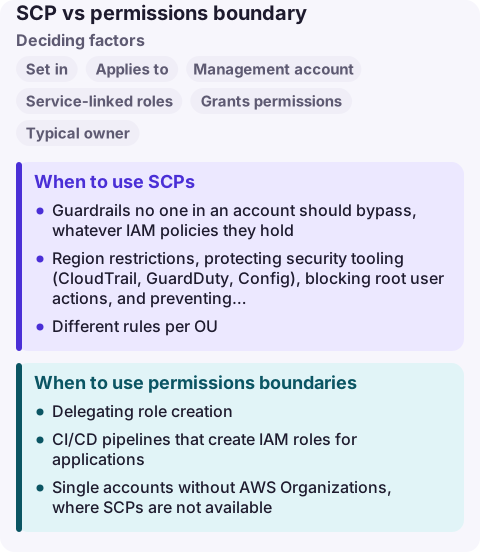
SCP vs permissions boundary compared
| Factor | Service control policy | Permissions boundary |
|---|---|---|
| Set in | AWS Organizations (root, OU or account) | IAM, on an individual user or role |
| Applies to | All IAM users and roles in member accounts, including the root user | Only the user or role it is attached to |
| Management account | Not affected | Applies wherever attached |
| Service-linked roles | Not affected | Not used |
| Grants permissions | Never | Never |
| Typical owner | Central security or platform team | Account administrators delegating IAM |
| Effect | Maximum available permissions for the account | Maximum permissions identity policies can give that principal |
Effective permissions are the intersection: an action needs an allow in the identity policy, must be within the boundary (if one is attached) and allowed by every SCP above the account. An explicit deny in any of them wins.
When to use SCPs
- Guardrails no one in an account should bypass, whatever IAM policies they hold.
- Region restrictions, protecting security tooling (CloudTrail, GuardDuty, Config), blocking root user actions, and preventing accounts leaving the organisation.
- Different rules per OU: stricter in production, looser in sandbox.
Test SCPs on a test OU first; a broad deny can break deployments in every account at once. Resource control policies (RCPs) complement SCPs by limiting what can be done to resources, such as blocking access from outside your organisation.
When to use permissions boundaries
- Delegating role creation: developers may create roles only if they attach a named boundary, so new roles can never exceed it.
- CI/CD pipelines that create IAM roles for applications.
- Single accounts without AWS Organizations, where SCPs are not available.
The usual pattern is a policy that allows iam:CreateRole only with the condition iam:PermissionsBoundary equal to the approved boundary ARN, and denies removing or changing that boundary.
Debugging access denied
Error messages name the policy type when they can: "with an explicit deny in a service control policy" or "in a permissions boundary". For other cases, check in order: the SCPs on every OU above the account, any boundary on the principal, the identity policies, session policies and the resource policy. IAM Access Analyzer and the policy simulator help confirm which layer blocks the action.
Common wrong reasons
- "An SCP allow gives access." It only allows IAM to grant it. Users still need identity policies.
- "A boundary is a policy for the role." It limits; it does not grant. A role with only a boundary can do nothing.
- "SCPs protect the management account." They do not apply there, which is why it should run no workloads.
Questions
What is the difference between an SCP and a permissions boundary?
An SCP sets the maximum permissions for all principals in member accounts of an organisation. A permissions boundary sets the maximum permissions for one IAM user or role. Neither grants permissions.
Do SCPs apply to the root user?
Yes, in member accounts. SCPs restrict the member account's root user, but they have no effect on the management account.
Can a permissions boundary and an SCP both deny an action?
Yes. Effective permissions are the intersection of all applicable policies, and an explicit deny in any of them overrides any allow.
A new SCP that blocks a deploy produces AccessDenied errors across many services at once, which looks like an outage. CloudConsole is being built to show those failures and recent changes on a phone with production guardrails.
About the app → · Download on the App Store