 CloudConsole
IAM Identity Center vs IAM users
For people, use IAM Identity Center: one sign-in (or your existing identity provider) gives short-lived access to every account in your organisation through permission sets, at no extra charge. Keep IAM users only for break-glass access and the specific cases that need long-term credentials. IAM users per person per account do not scale and leave long-lived passwords and keys behind.
Identity Center vs IAM users compared
| Factor | IAM Identity Center | IAM users |
|---|---|---|
| Scope | All accounts in AWS Organizations (organisation instance) | One account each |
| Identity source | Built-in directory, Active Directory or an external IdP (Okta, Entra ID and others) | Created in each account |
| Credentials | Short-lived sessions via the access portal or aws sso login | Long-term password and access keys |
| Permissions | Permission sets, provisioned as roles in each account | Policies per user or group, per account |
| Joiners and leavers | Disable once in the identity source | Remove from every account |
| Cost | No extra charge | No charge |
| Application access | Can also be used for AWS-managed applications | No |
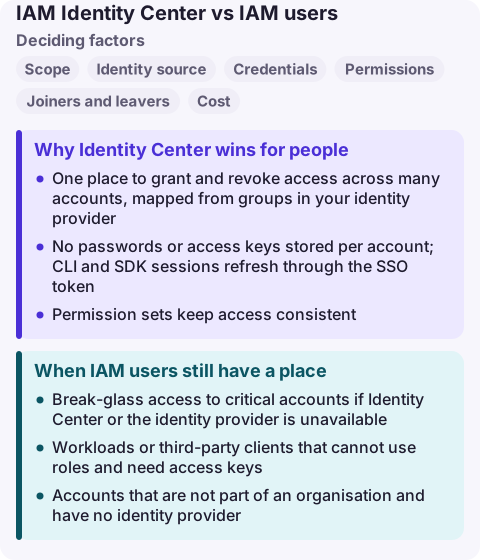
Why Identity Center wins for people
- One place to grant and revoke access across many accounts, mapped from groups in your identity provider.
- No passwords or access keys stored per account; CLI and SDK sessions refresh through the SSO token.
- Permission sets keep access consistent: the same "ReadOnly" means the same thing in every account.
- CloudTrail records the user name behind each assumed role session, so audit stays clear.
Deploy the organisation instance in the management account and delegate administration to a member account, rather than using account instances, which AWS recommends only for isolated deployments of specific AWS managed applications.
When IAM users still have a place
- Break-glass access to critical accounts if Identity Center or the identity provider is unavailable.
- Workloads or third-party clients that cannot use roles and need access keys.
- Accounts that are not part of an organisation and have no identity provider.
Migrating from IAM users
- Enable Identity Center in the management account (or delegated administrator) and connect your identity source.
- Create permission sets from current policies, starting with job-function managed policies, then tighten.
- Assign groups to accounts, have people switch to the access portal and
aws configure ssoprofiles. - Watch the credential report until old users' passwords and keys go unused, then disable and delete them.
Common wrong reasons
- "Identity Center costs extra." It does not; AWS offers it at no extra charge.
- "Our CLI scripts need access keys." SSO profiles work with the CLI and SDKs; automation in CI should use OIDC roles instead.
- "We only have one account." Even then, federation gives short-lived credentials and central offboarding.
Questions
Is IAM Identity Center free?
Yes. AWS offers IAM Identity Center at no extra charge.
What is the difference between IAM and IAM Identity Center?
IAM manages identities and permissions inside one account. Identity Center manages workforce sign-in and access across many accounts and applications, creating IAM roles in each account from permission sets.
Can I use IAM Identity Center with the AWS CLI?
Yes. Configure an SSO profile with aws configure sso and sign in with aws sso login; the CLI then uses short-lived credentials.
Expired SSO sessions are the most common reason an engineer cannot act quickly during an incident. CloudConsole is being built to work with AWS SSO on a phone, with production guardrails.
About the app → · Download on the App Store