 CloudConsole
aws configure export-credentials
aws configure export-credentials --profile my-profile --format env prints the temporary credentials behind a profile (SSO, assumed role or static) as export statements. Run it inside eval to load them into your shell, so tools that cannot read SSO or role profiles still work.
What the command does
It resolves the profile exactly as the CLI would for a normal command: logging in via the SSO cache, calling sts:AssumeRole through a source_profile, or reading static keys. Then it prints the resulting access key, secret, session token and expiry in the format you choose. It is part of CLI version 2 and is the supported replacement for scripts that parsed the CLI's cache files.
Syntax
aws configure export-credentials [--profile <name>] \
  [--format process|env|env-no-export|powershell|windows-cmd]
Worked examples
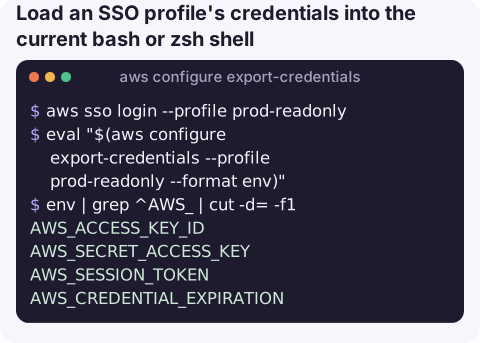
Load an SSO profile's credentials into the current bash or zsh shell:
aws sso login --profile prod-readonly
eval "$(aws configure export-credentials --profile prod-readonly --format env)"
env | grep ^AWS_ | cut -d= -f1
AWS_ACCESS_KEY_ID
AWS_SECRET_ACCESS_KEY
AWS_SESSION_TOKEN
AWS_CREDENTIAL_EXPIRATIONAssume a role and export it. With a profile like this:
[profile deploy]
role_arn = arn:aws:iam::123456789012:role/Deploy
source_profile = default
region = eu-west-2
eval "$(aws configure export-credentials --profile deploy --format env)"PowerShell:
aws configure export-credentials --profile prod-readonly --format powershell | Invoke-ExpressionFeed another tool through credential_process, so it fetches fresh credentials itself instead of using exported ones that expire:
[profile prod-for-legacy-tool]
credential_process = aws configure export-credentials --profile prod-readonly --format process
Pass credentials into a container for a one-off command:
eval "$(aws configure export-credentials --profile prod-readonly --format env)"
docker run --rm -e AWS_ACCESS_KEY_ID -e AWS_SECRET_ACCESS_KEY -e AWS_SESSION_TOKEN \
  -e AWS_REGION=eu-west-2 amazon/aws-cli s3 ls
When you need it
Most AWS SDKs and tools read SSO and role profiles directly today, so try AWS_PROFILE=<name> first. This command earns its place when a tool only understands environment variables or static keys: older SDK versions, some database clients and IDE plugins, containers started from your shell, or third-party CLIs. It is also handy for a quick check of when your current credentials expire, by reading Expiration from the default process format.
Formats
| --format | Output |
|---|---|
process (default) | JSON in the credential_process shape: Version, AccessKeyId, SecretAccessKey, SessionToken, Expiration |
env | export AWS_ACCESS_KEY_ID=… lines for bash and zsh |
env-no-export | AWS_ACCESS_KEY_ID=… lines, e.g. for a .env file |
powershell | $Env:AWS_ACCESS_KEY_ID=… lines |
windows-cmd | set AWS_ACCESS_KEY_ID=… lines |
Gotchas
- Exported credentials do not refresh. When
AWS_CREDENTIAL_EXPIRATIONpasses, commands fail with ExpiredToken; run the eval again. - Environment variables win. While they are set,
--profileon other commands is ignored in favour of the exported keys, which confuses people later in the same shell. Unset them when finished. - They are real secrets. Do not print them in CI logs or paste them in chat; prefer the
credential_processpattern for tools. - SSO must be logged in first, otherwise you get a token error instead of credentials.
Questions
How do I export AWS SSO credentials as environment variables?
Log in with aws sso login --profile <name>, then run eval "$(aws configure export-credentials --profile <name> --format env)".
How do I assume a role and export the credentials?
Define a profile with role_arn and source_profile, then export it with aws configure export-credentials --profile <role-profile> --format env. Alternatively call aws sts assume-role and map its output to the variables yourself.
Why does --profile not work after I exported credentials?
Credentials in environment variables take precedence over profiles. Unset AWS_ACCESS_KEY_ID, AWS_SECRET_ACCESS_KEY and AWS_SESSION_TOKEN to use profiles again.
Juggling credentials between tools is a common source of "works on my machine" during incidents. CloudConsole is built to show AWS alarms and resources on a phone without that shuffle.
About the app → · Download on the App Store