 CloudConsole
How to switch role with the AWS CLI
Add a profile to ~/.aws/config with role_arn set to the role and source_profile set to the credentials that can assume it, then run commands with --profile or AWS_PROFILE. The CLI calls AssumeRole and caches the temporary credentials for you. For a one-off, aws sts assume-role returns keys you can export as environment variables.
The recommended way: a role profile
# ~/.aws/config
[profile dev]
region = eu-west-2

[profile prod-admin]
role_arn = arn:aws:iam::123456789012:role/Admin
source_profile = dev
role_session_name = alex-cli
# optional extras
mfa_serial = arn:aws:iam::111122223333:mfa/alex
duration_seconds = 3600
Then:
aws s3 ls --profile prod-admin
# or for the whole shell session
export AWS_PROFILE=prod-admin
aws sts get-caller-identity
The ARN in the output should end in assumed-role/Admin/alex-cli. If mfa_serial is set, the CLI prompts for a code the first time and caches the session until it expires. Instead of source_profile, credential_source lets you take base credentials from the EC2 instance profile, the ECS task role or environment variables.
The manual way: sts assume-role
aws sts assume-role \
  --role-arn arn:aws:iam::123456789012:role/Admin \
  --role-session-name alex-debug \
  --duration-seconds 3600 \
  --query 'Credentials.[AccessKeyId,SecretAccessKey,SessionToken,Expiration]' \
  --output text
Export the three values as AWS_ACCESS_KEY_ID, AWS_SECRET_ACCESS_KEY and AWS_SESSION_TOKEN. All three are required; forgetting the session token gives an InvalidClientTokenId or invalid security token error. Add --serial-number and --token-code if the role requires MFA, and --external-id if a third party set one in the trust policy.
To leave the role, unset AWS_ACCESS_KEY_ID AWS_SECRET_ACCESS_KEY AWS_SESSION_TOKEN.
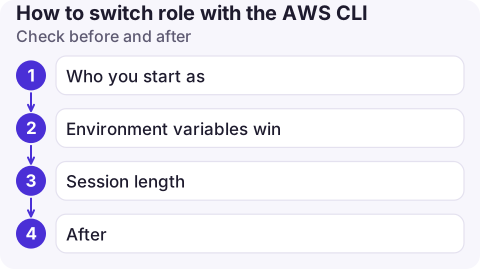
Check before and after
- Who you start as:
aws sts get-caller-identity --profile dev. The source identity needssts:AssumeRoleon the role. - Environment variables win. If
AWS_ACCESS_KEY_IDis set in your shell, it takes precedence overAWS_PROFILE, so you may not be using the role at all. Passing--profileon the command line does override them. - Session length:
duration_secondscannot exceed the role's maximum session duration (1 hour unless the role was configured higher). A role assumed from another role's credentials (role chaining) is limited to 1 hour regardless. - After:
aws configure list --profile prod-adminshows where each value came from.
Common mistakes
- Putting the role profile in
~/.aws/credentials. It works, butrole_arnsettings belong inconfig, where the section header needs the wordprofile([profile prod-admin]); the credentials file uses bare names. - Using the role name instead of its ARN in
role_arn. - Stale cached credentials after the trust policy changed. Cached role credentials live in
~/.aws/cli/cache; deleting the file forces a fresh AssumeRole. - External ID in the wrong form. In a profile it's
external_id; on the command line it's--external-id. A missing or wrong value fails with an AccessDenied that looks like a trust policy problem. - An SSO profile as
source_profileworks, but only afteraws sso loginfor that source profile.
Questions
How do I change role in the AWS CLI without editing files?
Run aws sts assume-role, then export the returned access key, secret key and session token as environment variables. They apply to that shell until they expire or you unset them.
How do I switch role with SSO profiles?
Each IAM Identity Center profile is already tied to one account and permission set, so you switch by changing profile. You can still chain a role_arn profile onto an SSO profile using source_profile.
How can I tell which role the CLI is using?
Run aws sts get-caller-identity. The Arn shows assumed-role, the role name and the session name.

Running a command against the wrong account is a classic late-night mistake. CloudConsole, a phone app for AWS, is built to keep the current account and role visible on every screen, with guardrails on production.
About the app → · Download on the App Store