 CloudConsole
aws dynamodb scan
aws dynamodb scan --table-name my-table reads every item in a table or index and returns them, page by page. Add --filter-expression to drop items you do not want and --projection-expression to return fewer attributes, but remember a scan always reads, and bills for, the whole table.
What the command does
A scan walks the table from start to finish in 1 MB pages. The CLI follows LastEvaluatedKey automatically, so a single command can make thousands of requests on a big table and print every item. That is fine for a small configuration table or a one-off export, and a bad idea for a large production table under load, because it competes with your application for read capacity.
If you know the partition key of what you are after, use query instead. Scan is for when you genuinely need everything, or when no index fits the question.
Syntax
aws dynamodb scan --table-name <table> \
  [--index-name <index>] \
  [--filter-expression "..."] [--projection-expression "..."] \
  [--expression-attribute-names '{...}'] \
  [--expression-attribute-values '{...}'] \
  [--select COUNT] [--max-items <n>] \
  [--total-segments <n> --segment <i>]
Worked examples
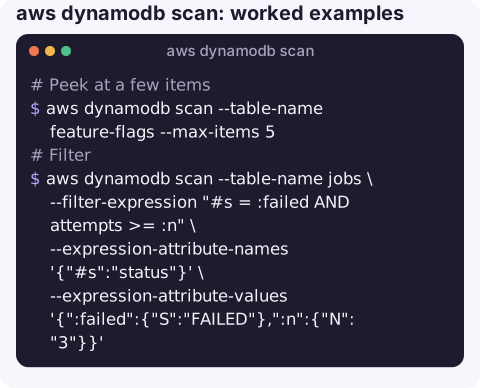
Peek at a few items to see what the data looks like:
aws dynamodb scan --table-name feature-flags --max-items 5Filter for items matching a condition. Reserved words such as status need a name placeholder:
aws dynamodb scan --table-name jobs \
  --filter-expression "#s = :failed AND attempts >= :n" \
  --expression-attribute-names '{"#s":"status"}' \
  --expression-attribute-values '{":failed":{"S":"FAILED"},":n":{"N":"3"}}'
Export just two attributes as text, one item per line:
aws dynamodb scan --table-name users \
  --projection-expression "userId, email" \
  --query "Items[].[userId.S, email.S]" --output text > users.tsv
Count items exactly (it still reads the whole table):
aws dynamodb scan --table-name users --select COUNT --query CountThe CLI adds up Count across pages for you. For a rough figure without the read cost, describe-table shows ItemCount, refreshed periodically.
Parallel scan a large table from four terminals or processes, one segment each:
aws dynamodb scan --table-name events --total-segments 4 --segment 0 > seg0.json
aws dynamodb scan --table-name events --total-segments 4 --segment 1 > seg1.json
# ... segments 2 and 3 in parallel
Key options
| Option | What it controls |
|---|---|
--filter-expression | Server-side filter applied after items are read. Reduces output, not cost. |
--projection-expression | Attributes to return. Smaller output, same read cost. |
--limit | Items evaluated per request (before filtering). Useful to slow a scan down. |
--max-items / --starting-token | CLI paging: stop after N items and resume later with the printed NextToken. |
--total-segments / --segment | Split the table into segments that separate workers scan independently. |
--consistent-read | Strongly consistent reads, at twice the read cost; not available on global secondary indexes. |
Gotchas
- Cost scales with table size. On an on-demand table, every full scan is billed for every item read. On a provisioned table, a scan can consume the read capacity your application needs and cause ProvisionedThroughputExceededException.
- Filters with
--limitreturn odd pages. A page can contain zero matches but still have more data behind it. Keep going until there is noLastEvaluatedKey, or let the CLI paginate. - The output is typed JSON. Use
--queryto unwrap values (email.S,total.N) before piping into other tools. - Large exports belong elsewhere. For full-table exports, DynamoDB's export to S3 (which needs point-in-time recovery enabled) does not consume table read capacity.
- Results are not ordered across partitions. Do not rely on scan order.
Questions
How do I limit the number of results from aws dynamodb scan?
Use --max-items N to stop after N items; the CLI prints a NextToken you can pass to --starting-token to continue. --limit controls how many items each request evaluates, which is not the same thing when you filter.
How do I scan with a filter in the AWS CLI?
Pass --filter-expression with placeholders, for example "attempts >= :n", and supply the values with --expression-attribute-values '{":n":{"N":"3"}}'. Use --expression-attribute-names for reserved words.
Is scan or query faster in DynamoDB?
Query, almost always, because it reads only one partition key's items. Scan reads the whole table regardless of filters.
A runaway scan shows up as read throttling on the table. CloudConsole is built to show DynamoDB throttling alarms and the table they belong to on your phone.
About the app → · Download on the App Store