 CloudConsole
aws dynamodb create-table
aws dynamodb create-table defines a new table with --table-name, --attribute-definitions for its key attributes, --key-schema and a billing mode such as --billing-mode PAY_PER_REQUEST. It returns while the table is still CREATING, so run aws dynamodb wait table-exists before writing to it.
What the command does
It creates the table and any indexes you declare in one call. You only describe key attributes: the partition key, the optional sort key, and the keys of any secondary indexes. DynamoDB is schemaless for every other attribute, and declaring one that is not used in a key schema is a validation error.
Syntax
aws dynamodb create-table --table-name <name> \
  --attribute-definitions AttributeName=<a>,AttributeType=S|N|B ... \
  --key-schema AttributeName=<pk>,KeyType=HASH [AttributeName=<sk>,KeyType=RANGE] \
  --billing-mode PAY_PER_REQUEST | --provisioned-throughput ReadCapacityUnits=5,WriteCapacityUnits=5 \
  [--global-secondary-indexes file://gsi.json] [--deletion-protection-enabled] [--tags Key=k,Value=v]
Worked examples
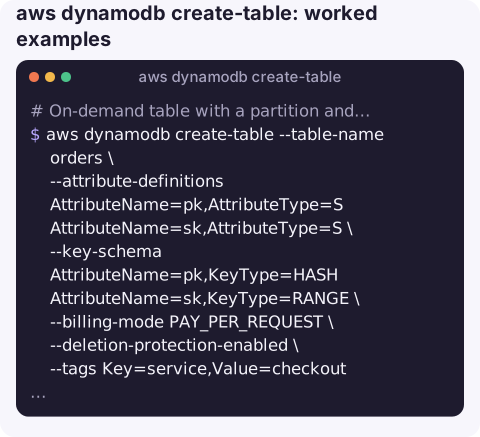
On-demand table with a partition and sort key:
aws dynamodb create-table --table-name orders \
  --attribute-definitions AttributeName=pk,AttributeType=S AttributeName=sk,AttributeType=S \
  --key-schema AttributeName=pk,KeyType=HASH AttributeName=sk,KeyType=RANGE \
  --billing-mode PAY_PER_REQUEST \
  --deletion-protection-enabled \
  --tags Key=service,Value=checkout
aws dynamodb wait table-exists --table-name orders
With a global secondary index on status and createdAt. The index key attributes must be in the attribute definitions:
aws dynamodb create-table --table-name orders \
  --attribute-definitions AttributeName=pk,AttributeType=S AttributeName=sk,AttributeType=S \
      AttributeName=status,AttributeType=S AttributeName=createdAt,AttributeType=S \
  --key-schema AttributeName=pk,KeyType=HASH AttributeName=sk,KeyType=RANGE \
  --billing-mode PAY_PER_REQUEST \
  --global-secondary-indexes '[{"IndexName":"status-createdAt","KeySchema":[{"AttributeName":"status","KeyType":"HASH"},{"AttributeName":"createdAt","KeyType":"RANGE"}],"Projection":{"ProjectionType":"ALL"}}]'
On a provisioned table, each index entry also needs its own ProvisionedThroughput.
From a JSON file, the cleanest way to keep the definition in version control:
aws dynamodb create-table --generate-cli-skeleton > table.json   # template to edit
aws dynamodb create-table --cli-input-json file://table.json
Create only if it does not exist, for idempotent setup scripts:
aws dynamodb describe-table --table-name orders >/dev/null 2>&1 || \
  aws dynamodb create-table --cli-input-json file://table.json
Alternatively let the create fail and treat ResourceInUseException as "already there".
Key options
| Option | Notes |
|---|---|
--billing-mode | PAY_PER_REQUEST (on-demand, no capacity planning) or PROVISIONED (default if you pass --provisioned-throughput). |
--local-secondary-indexes | Same partition key, different sort key. Can only be created with the table, never added later. |
--global-secondary-indexes | Any key. Can also be added later with update-table. |
--stream-specification | StreamEnabled=true,StreamViewType=NEW_AND_OLD_IMAGES for change data capture. |
--sse-specification | Encrypt with a customer managed KMS key instead of the default AWS owned key. |
--table-class | STANDARD_INFREQUENT_ACCESS for large, rarely read tables. |
Gotchas
- Keys are permanent. You cannot change the table's key schema after creation; you would create a new table and migrate.
- Extra attribute definitions fail. Defining an attribute that no key or index uses gives a
ValidationException. - Names are per Region and account; creating an existing name returns
ResourceInUseException. - TTL and point-in-time recovery are separate calls: update-time-to-live and
aws dynamodb update-continuous-backups. - Output of describe-table is not create input; it includes read-only fields.
Questions
How do I create a DynamoDB table from a JSON file?
Generate a template with aws dynamodb create-table --generate-cli-skeleton, fill it in, and run aws dynamodb create-table --cli-input-json file://table.json.
How do I add a global secondary index to an existing table?
Use aws dynamodb update-table with --attribute-definitions for the new key attributes and --global-secondary-index-updates containing a Create action. The index backfills in the background.
How do I create an item from the CLI?
Tables hold no items when created. Add items with aws dynamodb put-item --table-name my-table --item file://item.json.
New tables tend to go live without alarms on throttling or errors. CloudConsole, a phone app for AWS, is built to show resources together with their alarms so gaps like that are easier to notice.
About the app → · Download on the App Store