 CloudConsole
ResourceNotFoundException: Requested resource not found (DynamoDB)
DynamoDB cannot find the table (or index or stream) you named in the account and Region the request went to, or the table is not ACTIVE yet. Check the Region first, then the exact table name your code resolves at runtime, then the table's status.
What it looks like
An error occurred (ResourceNotFoundException) when calling the GetItem
operation: Requested resource not found
Some versions add the table name, for example Requested resource not found: Table: orders not found. DynamoDB Local reports the same problem as Cannot do operations on a non-existent table. Note that a missing permission produces AccessDeniedException, not this; ResourceNotFound means the request was authorised but the target was not there.
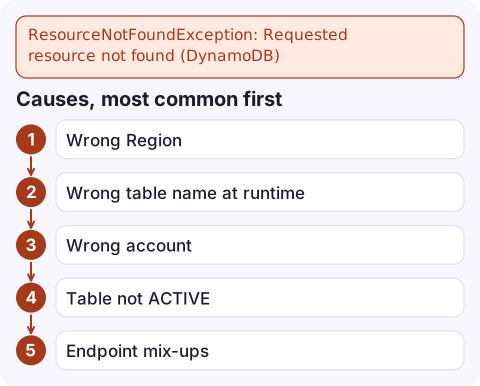
Causes, most common first
- Wrong Region. Tables are Regional. A Lambda function uses its own Region by default, so a function in eu-west-1 calling a table in eu-west-2 needs the Region set explicitly on the client.
- Wrong table name at runtime. Infrastructure tools often generate names (for example
MyStack-OrdersTable1A2B3C-XYZ); hard-codingordersfails. Environment variables that are unset or point at another stage do the same. - Wrong account. Your credentials resolve to a different account from the one holding the table.
- Table not ACTIVE. Right after
CreateTablethe table is CREATING; data-plane calls can fail until it is ACTIVE. A table being deleted also returns this. - Endpoint mix-ups. Code pointed at DynamoDB Local (or a test endpoint) while the table exists in AWS, or the other way round.
- Global tables. Writing to a Region where no replica exists.
Diagnose
Confirm who and where you are, then list tables in that Region:
aws sts get-caller-identity --query Account --output text
aws dynamodb list-tables --region eu-west-2 --output text
Check the specific table and its status:
aws dynamodb describe-table --table-name orders --region eu-west-2 \
  --query 'Table.{status:TableStatus,arn:TableArn,replicas:Replicas[].RegionName}'
In application code, log the resolved table name and Region at start-up. For Lambda, check the function's environment variables rather than assuming the deploy set them:
aws lambda get-function-configuration --function-name orders-api \
  --query 'Environment.Variables'
Fix it
- Set the Region on the client when the table is not in the caller's Region, and pass
--regionin scripts. - Inject the real table name from your infrastructure code (a stack output, an environment variable, or an SSM parameter) instead of hard-coding it.
- Wait for the table after creating it:
aws dynamodb wait table-exists --table-name orders - Check the endpoint: remove a leftover
--endpoint-url http://localhost:8000or SDK endpoint override when targeting AWS. - Global tables: add a replica in the Region, or route writes to a Region that has one.
Related messages
Querying an index that does not exist is a ValidationException (the table does not have the specified index), not ResourceNotFound. A deleted table cannot be brought back from this error; if someone removed it, restore from a backup or point-in-time recovery, and check CloudTrail for the DeleteTable call (see find who deleted an AWS resource).
Questions
Why does my Lambda function get ResourceNotFoundException from DynamoDB?
Most often the table is in a different Region from the function, or the table name in the function's environment does not match the deployed table. Log both at start-up.
Does ResourceNotFoundException mean I lack permission?
No. Missing permissions return AccessDeniedException. ResourceNotFound means the request was allowed but no matching resource was found.
How do I check whether a DynamoDB table exists from the CLI?
Run aws dynamodb describe-table --table-name with --region. It returns the table's status, or ResourceNotFoundException if it does not exist there.

If a table disappears in production you want to know fast, and whether it was deleted or just misconfigured. CloudConsole, a phone app for AWS, is built to show resources, alarms and recent errors on your phone so you can make that distinction early.
Did it start after a deploy? What changed? on the app’s alarm screen lists the deploys and configuration changes from the hour before the alarm fired.
About the app → · Download on the App Store