 CloudConsole
aws dynamodb update-time-to-live
aws dynamodb update-time-to-live --table-name my-table --time-to-live-specification Enabled=true,AttributeName=expiresAt turns on automatic expiry for items whose expiresAt attribute holds a Unix timestamp in seconds. DynamoDB deletes expired items in the background, at no write cost, usually within a few days of the expiry time.
What the command does
Time to Live (TTL) tells DynamoDB which attribute holds each item's expiry time. A background process compares that number with the current time and deletes items that have passed it. Only one TTL attribute per table is allowed. Items without the attribute, or with a value that is not a number, never expire.
Despite its name, this is a table setting, not an item update; it does not touch any data when you run it.
Syntax
aws dynamodb update-time-to-live --table-name <table> \
  --time-to-live-specification Enabled=true|false,AttributeName=<attribute>
Worked examples
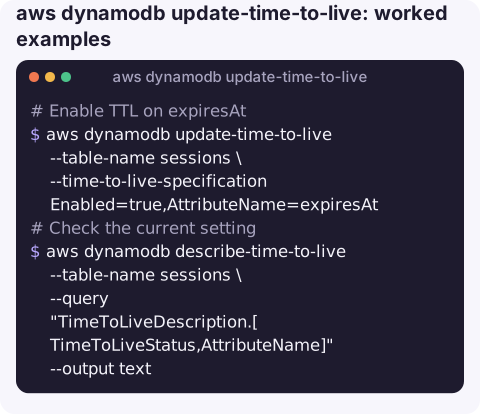
Enable TTL on expiresAt:
aws dynamodb update-time-to-live --table-name sessions \
  --time-to-live-specification Enabled=true,AttributeName=expiresAt
Check the current setting; it shows ENABLING for a while, then ENABLED:
aws dynamodb describe-time-to-live --table-name sessions \
  --query "TimeToLiveDescription.[TimeToLiveStatus,AttributeName]" --output text
Write an item that expires in 24 hours. The value must be epoch seconds:
exp=$(( $(date +%s) + 86400 ))
aws dynamodb put-item --table-name sessions \
  --item "{\"sessionId\":{\"S\":\"b7e1c0d2\"},\"expiresAt\":{\"N\":\"$exp\"}}"
Hide expired-but-not-yet-deleted items in reads, since they can still be returned:
now=$(date +%s)
aws dynamodb scan --table-name sessions \
  --filter-expression "expiresAt > :now" \
  --expression-attribute-values "{\":now\":{\"N\":\"$now\"}}"
Disable TTL:
aws dynamodb update-time-to-live --table-name sessions \
  --time-to-live-specification Enabled=false,AttributeName=expiresAt
How expiry behaves
| Question | Answer |
|---|---|
| When are items deleted? | In the background after they expire, typically within a few days, not at the exact second. |
| Do deletes cost write capacity? | No. TTL deletes are not charged as writes. |
| Can expired items still be read? | Yes, until the background process removes them. Filter on the TTL attribute if that matters. |
| Do indexes and streams see the delete? | Yes. Indexes are updated, and a stream record is written that identifies the TTL service as the deleter. |
| Global tables? | Expiry in one Region is replicated as a delete to the others. |
Gotchas
- Milliseconds never expire. JavaScript's
Date.now()returns milliseconds, which TTL reads as a date tens of thousands of years away. Divide by 1000. - Strings never expire. The attribute must be a Number.
{"S":"1763290000"}is silently ignored. - One change per hour. After enabling or disabling, further update-time-to-live calls on the same table are rejected with a
ValidationExceptionuntil the change has finished processing, which can take up to an hour. - Very old timestamps are skipped. Items whose expiry is more than five years in the past are not deleted by TTL, a guard against values written in the wrong unit.
- Not a scheduler. Do not use TTL to trigger time-critical work; the delay before deletion is not guaranteed.
Questions
How do I update the TTL attribute name on a DynamoDB table?
Disable TTL on the old attribute, wait until the change has finished processing (up to an hour), then enable it with the new AttributeName.
How do I update an item's expiry time?
Use aws dynamodb update-item with SET expiresAt = :t, giving the new epoch-seconds value as a Number. update-time-to-live only changes the table setting.
Why are my DynamoDB items not expiring?
Check that TTL is ENABLED with describe-time-to-live, that the attribute name matches exactly, that the value is a Number and that it is in seconds, not milliseconds.
A table that grows without bound because TTL was set in milliseconds shows up first on the bill. CloudConsole is built to show resources and costs on a phone, which makes slow-growing surprises easier to catch.
About the app → · Download on the App Store