 CloudConsole
aws dynamodb describe-table
aws dynamodb describe-table --table-name my-table returns a table's metadata: status, key schema, attribute types, billing mode and capacity, secondary indexes, approximate item count and size, stream settings and ARNs. It is the quickest way to find the key names you need for get-item and query.
What the command does
It reads the table definition from the control plane. No item data is returned and no read capacity is consumed, so it is safe to run against busy production tables. Everything sits under a single Table object.
Syntax
aws dynamodb describe-table --table-name <table-name-or-arn>Worked examples
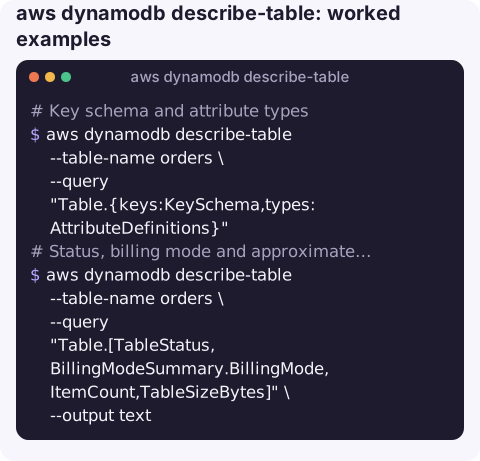
Key schema and attribute types, the usual first question when a query fails:
aws dynamodb describe-table --table-name orders \
  --query "Table.{keys:KeySchema,types:AttributeDefinitions}"
KeyType HASH is the partition key, RANGE the sort key; AttributeType is S, N or B.
Status, billing mode and approximate size:
aws dynamodb describe-table --table-name orders \
  --query "Table.[TableStatus,BillingModeSummary.BillingMode,ItemCount,TableSizeBytes]" \
  --output text
Indexes and their state, useful while a new GSI is backfilling:
aws dynamodb describe-table --table-name orders \
  --query "Table.GlobalSecondaryIndexes[].[IndexName,IndexStatus,Backfilling]" \
  --output table
Provisioned capacity on a provisioned-mode table:
aws dynamodb describe-table --table-name orders \
  --query "Table.ProvisionedThroughput.[ReadCapacityUnits,WriteCapacityUnits]"
Stream ARN for wiring up a Lambda trigger:
aws dynamodb describe-table --table-name orders \
  --query "Table.LatestStreamArn" --output text
Wait until a new or updated table is ready:
aws dynamodb wait table-exists --table-name ordersUsing it in an investigation
When an application reports throttling or validation errors against a table, three answers from this command settle most of the questions. First, KeySchema and AttributeDefinitions tell you whether the code is sending the right key names and types. Second, BillingModeSummary and ProvisionedThroughput tell you whether the table can throttle on its own capacity at all, or whether you should be looking at on-demand limits and hot partitions instead. Third, the GlobalSecondaryIndexes list shows each index's own capacity and status; a GSI that cannot keep up throttles writes to the base table too.
Save the full output before you change anything, so you have a record of the previous settings:
aws dynamodb describe-table --table-name orders > orders-table-$(date +%Y%m%d%H%M).jsonFields worth knowing
| Field | Meaning |
|---|---|
TableStatus | CREATING, UPDATING, DELETING, ACTIVE, and states such as INACCESSIBLE_ENCRYPTION_CREDENTIALS or ARCHIVED when a KMS key has been disabled. |
ItemCount, TableSizeBytes | Approximate. DynamoDB refreshes them roughly every six hours, so they will not reflect writes you just made. |
BillingModeSummary | PAY_PER_REQUEST (on-demand) or PROVISIONED. Missing on some older tables, which means provisioned. |
DeletionProtectionEnabled | If true, delete-table fails until you turn it off with update-table. |
StreamSpecification, LatestStreamArn | Whether streams are on, which view type, and the ARN to consume. |
TableClassSummary | STANDARD or STANDARD_INFREQUENT_ACCESS. |
Replicas | Present for global tables, listing each replica Region and its status. |
Gotchas
- ResourceNotFoundException usually means the wrong Region or account, not a deleted table; see ResourceNotFoundException.
- TTL and backups are not here. Use
aws dynamodb describe-time-to-liveandaws dynamodb describe-continuous-backupsfor those settings. - Output is not valid create-table input. It contains read-only fields such as
TableStatus,TableArnandCreationDateTime. Strip them before reusing it as a template. - Auto scaling settings are elsewhere. Provisioned capacity shows the current values; the scaling targets live in Application Auto Scaling.
Questions
How do I find the partition key of a DynamoDB table from the CLI?
Run aws dynamodb describe-table --table-name my-table --query "Table.KeySchema". The entry with KeyType HASH is the partition key; RANGE is the sort key.
Why is ItemCount in describe-table wrong?
It is an approximation updated about every six hours. For an exact figure run a scan with --select COUNT, which reads and bills for the whole table.
How do I check if a DynamoDB table exists in a script?
Run describe-table and check the exit code, or use aws dynamodb wait table-exists, which polls until the table is ACTIVE and fails after its timeout.
When a table starts throttling, its billing mode and indexes are the first things to check. CloudConsole is built to show DynamoDB tables and their alarms on a phone.
About the app → · Download on the App Store