 CloudConsole
aws ec2 describe-volumes
aws ec2 describe-volumes lists EBS volumes in a region with their size, type, state, IOPS, encryption and attachments. The most common use is cost clean-up: --filters Name=status,Values=available returns volumes not attached to anything, which you still pay for.
What the command does
Every EBS volume in the region appears in Volumes[]. The fields people use most are VolumeId, Size (GiB), VolumeType, State, Iops, Throughput, Encrypted, CreateTime, Tags, and Attachments[], which holds InstanceId, Device and DeleteOnTermination.
The State values are creating, available (not attached), in-use, deleting, deleted and error.
Syntax
aws ec2 describe-volumes \
  [--volume-ids vol-0123456789abcdef0 ...] \
  [--filters "Name=<filter>,Values=..."] \
  [--query ...]
Worked examples
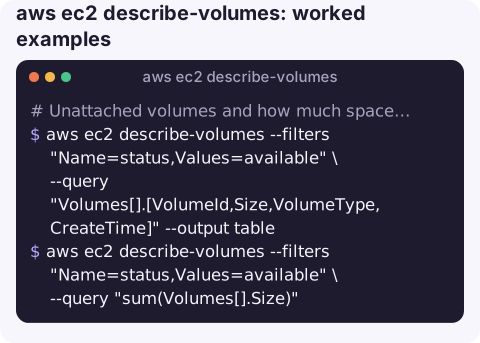
Unattached volumes and how much space they waste:
aws ec2 describe-volumes --filters "Name=status,Values=available" \
  --query "Volumes[].[VolumeId,Size,VolumeType,CreateTime]" --output table

aws ec2 describe-volumes --filters "Name=status,Values=available" \
  --query "sum(Volumes[].Size)"
Volumes attached to one instance:
aws ec2 describe-volumes \
  --filters "Name=attachment.instance-id,Values=i-0123456789abcdef0" \
  --query "Volumes[].{ID:VolumeId,Device:Attachments[0].Device,GiB:Size,Type:VolumeType,DeleteOnTerm:Attachments[0].DeleteOnTermination}" \
  --output table
gp2 volumes that could move to gp3 (usually cheaper per GiB, with baseline performance you can set independently of size):
aws ec2 describe-volumes --filters "Name=volume-type,Values=gp2" \
  --query "Volumes[].[VolumeId,Size,Attachments[0].InstanceId]" --output text
Unencrypted volumes, for a security review:
aws ec2 describe-volumes --filters "Name=encrypted,Values=false" \
  --query "Volumes[].VolumeId" --output text
Total provisioned GiB by type:
for t in gp2 gp3 io1 io2 st1 sc1 standard; do
  printf "%s " $t
  aws ec2 describe-volumes --filters "Name=volume-type,Values=$t" --query "sum(Volumes[].Size)"
done
Useful filters
| Filter | Example value |
|---|---|
status | available, in-use |
attachment.instance-id | i-0123456789abcdef0 |
volume-type | gp2, gp3, io2 |
encrypted | true / false |
availability-zone | eu-west-2a |
snapshot-id | Volumes restored from a given snapshot |
tag:<key> | tag:Environment |
Acting on what you find
The listing is usually step one of a change. These are the follow-up commands that pair with each finding:
- Convert gp2 to gp3 in place. The volume stays attached and usable while it changes; after one modification you have to wait several hours before changing the same volume again, so get the settings right first:
aws ec2 modify-volume --volume-id vol-0123456789abcdef0 --volume-type gp3 - Retire an unattached volume safely. Snapshot it, tag the snapshot with where it came from, then delete:
aws ec2 create-snapshot --volume-id vol-0123456789abcdef0 --description "final copy before delete" aws ec2 delete-volume --volume-id vol-0123456789abcdef0delete-volumeis permanent and fails withVolumeInUseif the volume is attached, which is a useful safety net. - Check whether a volume is busy before resizing or retiring it by looking at the
VolumeReadOpsandVolumeWriteOpsmetrics in theAWS/EBSnamespace withget-metric-statistics; a volume with no I/O for weeks is a strong candidate for clean-up.
Gotchas
- "Available" does not mean "safe to delete". A detached volume might be someone's only copy of data. Snapshot it, or check tags and CloudTrail, before running
delete-volume. - Size is provisioned, not used. The API cannot see how full the file system is; that needs the CloudWatch agent or a look inside the OS.
- Resizes in progress show the new size here before the file system has been extended. Check
aws ec2 describe-volumes-modificationsfor the modification state. - Volumes are tied to an AZ. A volume in
eu-west-2acan only attach to an instance ineu-west-2a.
Questions
How do I find unattached EBS volumes?
Run aws ec2 describe-volumes --filters "Name=status,Values=available". Each result is a volume you are paying for that no instance is using.
How do I see which instance a volume is attached to?
Look at Attachments[0].InstanceId in the output, or filter the other way with attachment.instance-id to list all volumes on an instance.
How do I describe network interfaces instead of volumes?
Use aws ec2 describe-network-interfaces, which takes similar --filters such as attachment.instance-id and subnet-id.
Forgotten volumes are a slow, quiet cost. CloudConsole, a phone app for AWS, is built to show resources and costs on a phone so waste like this is easier to spot.
About the app → · Download on the App Store