 CloudConsole
aws ec2 create-tags
aws ec2 create-tags --resources i-0123456789abcdef0 --tags Key=Name,Value=web-1 adds tags to one or more EC2 resources, overwriting the value of any key that already exists. It works on instances, volumes, snapshots, AMIs, security groups, VPCs and most other EC2 resource IDs, and prints nothing on success.
What the command does
create-tags is really "create or update tags". For each resource ID you pass, it sets each key to the value you give, replacing the old value if the key already exists. Keys you do not mention are left alone. The console's instance "Name" is nothing more than the tag with key Name, so renaming an instance is a create-tags call.
Syntax
aws ec2 create-tags \
  --resources <id> [<id> ...] \
  --tags Key=<key>,Value=<value> [Key=...,Value=...]
Resource IDs can be mixed types in one call: an instance, its volumes and an AMI together. When a value contains spaces or commas, switch to JSON:
--tags '[{"Key":"Owner","Value":"Platform team, London"}]'Worked examples
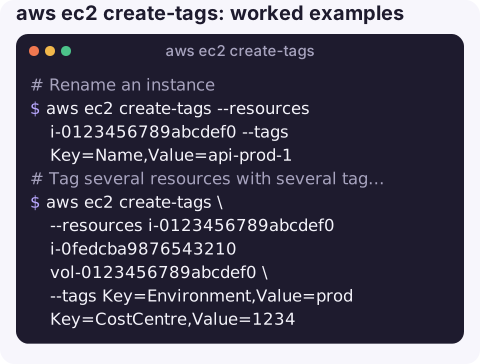
Rename an instance:
aws ec2 create-tags --resources i-0123456789abcdef0 --tags Key=Name,Value=api-prod-1Tag several resources with several tags in one call:
aws ec2 create-tags \
  --resources i-0123456789abcdef0 i-0fedcba9876543210 vol-0123456789abcdef0 \
  --tags Key=Environment,Value=prod Key=CostCentre,Value=1234
Copy an instance's tags-of-interest onto all its EBS volumes, a common fix for cost allocation reports where volumes show as untagged:
ID=i-0123456789abcdef0
VOLS=$(aws ec2 describe-instances --instance-ids "$ID" \
  --query "Reservations[0].Instances[0].BlockDeviceMappings[].Ebs.VolumeId" --output text)
aws ec2 create-tags --resources $VOLS --tags Key=Environment,Value=prod
Find instances missing a required tag, then tag them:
aws ec2 describe-instances \
  --query "Reservations[].Instances[?!not_null(Tags[?Key=='Owner'] | [0])].InstanceId" \
  --output text
Remove a tag (the opposite command):
aws ec2 delete-tags --resources i-0123456789abcdef0 --tags Key=TemporaryRules and limits
| Rule | Detail |
|---|---|
| Tags per resource | Up to 50 user-defined tags. |
| Key length / value length | 128 / 256 characters. |
| Case | Keys and values are case-sensitive; env and Env are different tags. |
| Reserved prefix | Keys starting aws: are reserved for AWS and cannot be created or edited. |
| Permissions | ec2:CreateTags on each resource; tag-based IAM policies may restrict which keys you can set. |
Gotchas
- Silent overwrite. There is no "only if absent" option; existing values are replaced without warning.
- Tag at launch where you can. Tagging after
run-instancesleaves a window where the instance is untagged, which breaks tag-based IAM conditions and cost reports. Use--tag-specificationson the create call. - Brand-new resources. Right after creation, a tag call can briefly fail with a NotFound error because of eventual consistency. Retry with a short back-off.
- Not every service. This command is for EC2-family IDs. For an ARN-based resource in another service use that service's tag command or
aws resourcegroupstaggingapi tag-resources. - Auto Scaling. Tags on instances launched by an ASG come from the group; set them on the group with propagate-at-launch so replacements keep them.
Questions
How do I create an EC2 instance with a name from the CLI?
Pass --tag-specifications 'ResourceType=instance,Tags=[{Key=Name,Value=web-1}]' to aws ec2 run-instances. For an instance that already exists, use create-tags with Key=Name.
Does create-tags overwrite existing tags?
It overwrites the value of any key you include, and leaves other keys untouched. To remove a key use aws ec2 delete-tags.
How do I find who created an EC2 instance?
Look up the RunInstances event in CloudTrail for that instance ID. If you enforce an Owner or CreatedBy tag at launch through IAM conditions, the tag answers the question without CloudTrail.
Good tags are what make a resource recognisable when you only have a small screen. CloudConsole, a phone app for AWS, is built to show resources by name and tag alongside their alarms and costs.
About the app → · Download on the App Store