 CloudConsole
InvalidAMIID.NotFound: The image id does not exist
EC2 cannot see that AMI ID from your account in the Region you called. AMI IDs are Regional, so the most common cause is an ID copied from another Region; the others are an AMI that has been deregistered, a private AMI not shared with your account, or the wrong profile. Look up AMIs by SSM public parameter rather than hard-coding IDs.
What it looks like
An error occurred (InvalidAMIID.NotFound) when calling the RunInstances
operation: The image id '[ami-0abcdef1234567890]' does not exist
You will see the same error from Terraform, CloudFormation (as a resource failure) and Auto Scaling launch activity. It is a lookup failure, not a permissions error: EC2 never tells you whether the AMI exists somewhere you cannot see. A badly formed ID gives InvalidAMIID.Malformed instead.
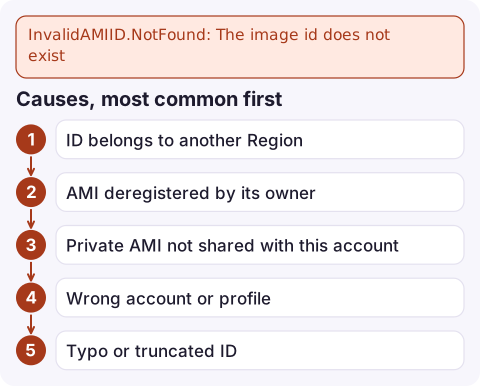
Causes, most common first
| Cause | Clue |
|---|---|
| ID belongs to another Region | Template or tfvars copied from another Region; works in us-east-1, fails in eu-west-2 |
| AMI deregistered by its owner | Worked for months, then stopped; often an old public or vendor AMI, or a cleanup job in your own account |
| Private AMI not shared with this account | Works in the build account, fails in prod |
| Wrong account or profile | aws sts get-caller-identity shows a different account than expected |
| Typo or truncated ID | Copied from a narrow terminal or spreadsheet |
Diagnose
Check the AMI in the Region you are launching into, including deprecated images:
aws ec2 describe-images --image-ids ami-0abcdef1234567890 \
  --include-deprecated --region eu-west-2 \
  --query 'Images[].{name:Name,owner:OwnerId,state:State,deprecated:DeprecationTime}'
If it is not there, find which Region does have it:
for r in $(aws ec2 describe-regions --query 'Regions[].RegionName' --output text); do
  aws ec2 describe-images --image-ids ami-0abcdef1234567890 --region "$r" \
    --query 'Images[].ImageId' --output text 2>/dev/null | sed "s/^/$r: /"
done
In the owning account, check who it is shared with:
aws ec2 describe-image-attribute --image-id ami-0abcdef1234567890 \
  --attribute launchPermission
Fix it
- Wrong Region: use that Region's equivalent AMI, or copy your own image across:
aws ec2 copy-image --source-region us-east-1 \ --source-image-id ami-0abcdef1234567890 \ --name my-app-2026-11-16 --region eu-west-2 - Not shared: from the owning account, grant launch permission. If its snapshots are encrypted with a customer managed KMS key, the target account also needs to be allowed to use that key.
aws ec2 modify-image-attribute --image-id ami-0abcdef1234567890 \ --launch-permission 'Add=[{UserId=210987654321}]' - Deregistered: it cannot be recovered. Pick a current image and update every template that references the old ID.
Stop hard-coding AMI IDs
AWS publishes the latest Amazon Linux AMI IDs as public SSM parameters in every Region, so one name works everywhere:
aws ssm get-parameter \
  --name /aws/service/ami-amazon-linux-latest/al2023-ami-kernel-default-x86_64 \
  --query Parameter.Value --output text
run-instances accepts the parameter directly as --image-id resolve:ssm:/aws/service/ami-amazon-linux-latest/al2023-ami-kernel-default-x86_64, and CloudFormation accepts it as a parameter of type AWS::SSM::Parameter::Value<AWS::EC2::Image::Id>. Canonical publishes similar parameters for Ubuntu. For your own images, write the newest AMI ID to your own parameter at the end of the build pipeline.
Questions
How do I find an AMI ID with the AWS CLI?
Use aws ec2 describe-images with --owners and a name filter, sorted by CreationDate, or read the public SSM parameter for Amazon Linux. Remember the result is only valid in the Region you queried.
Are AMI IDs the same in every Region?
No. Each Region has its own ID for the same image, which is why templates that hard-code an ID break when deployed elsewhere.
Can I launch from a deprecated AMI?
Yes, deprecation only hides it from default listings; you can still launch it by ID. A deregistered AMI is gone and cannot be launched.

A stale AMI ID usually surfaces as an Auto Scaling group that suddenly cannot launch replacements. CloudConsole, a phone app for AWS, is built to show capacity alarms and the resources behind them on your phone so a silent launch failure gets noticed.
Did it start after a deploy? What changed? on the app’s alarm screen lists the deploys and configuration changes from the hour before the alarm fired.
About the app → · Download on the App Store