 CloudConsole
EC2 system status check failed
A failed system status check means the physical host under your instance has a problem: lost power, network or hardware. For an EBS-backed instance, stop and start it (not reboot) to move it to healthy hardware, or let EC2 automatic recovery do it. Instance store data does not survive the move.
What it means
The system status check tests the infrastructure your instance runs on, not your operating system. When it fails, StatusCheckFailed_System goes to 1 and the console shows the system check as impaired. Typical triggers are a host losing network reachability or power, or a hardware or hypervisor fault.
Nothing you change inside the OS will fix it. Often AWS has already scheduled a retirement or maintenance event for the host, and the fix is the same either way: get your instance onto a different host.
First, check for a scheduled event and a wider outage
aws ec2 describe-instance-status --instance-ids i-0123456789abcdef0 \
  --include-all-instances \
  --query 'InstanceStatuses[].{state:InstanceState.Name,system:SystemStatus.Details,events:Events}'
An Events entry such as instance-retirement or system-maintenance confirms AWS knows about the host. If many instances in one AZ fail at once, check AWS Health in your account before acting; stopping dozens of instances during a zonal event can make recovery slower, not faster. See how to check for an AWS outage.
Fix: stop and start (not reboot)
A reboot stays on the same host and will not help. A stop followed by a start places the instance on new hardware.
aws ec2 stop-instances --instance-ids i-0123456789abcdef0
aws ec2 wait instance-stopped --instance-ids i-0123456789abcdef0
aws ec2 start-instances --instance-ids i-0123456789abcdef0
Before you do it, know what changes:
| Kept | Lost or changed |
|---|---|
| Instance ID, EBS volumes and their data, private IPs, Elastic IPs | Instance store volumes (wiped), auto-assigned public IPv4 address (new one assigned) |
If the stop hangs because the host is unresponsive, see EC2 instance stuck in stopping; a forced stop is the next step. Instance-store-backed instances cannot be stopped at all: replace them from an AMI or let your Auto Scaling group swap them.
Let EC2 recover it for you
Supported instance types (without instance store volumes) have simplified automatic recovery turned on by default, which moves the instance after a system check failure while keeping its ID, private and Elastic IPs and metadata. You can confirm or change it in the instance's maintenance options. For explicit control and a notification, add a CloudWatch alarm with the EC2 recover action:
aws cloudwatch put-metric-alarm \
  --alarm-name i-0123456789abcdef0-system-check \
  --namespace AWS/EC2 --metric-name StatusCheckFailed_System \
  --dimensions Name=InstanceId,Value=i-0123456789abcdef0 \
  --statistic Maximum --period 60 --evaluation-periods 2 \
  --threshold 1 --comparison-operator GreaterThanOrEqualToThreshold \
  --alarm-actions arn:aws:automate:eu-west-2:ec2:recover \
    arn:aws:sns:eu-west-2:123456789012:ops-alerts
For instances in an Auto Scaling group, recovery is usually unnecessary: the group's EC2 health check replaces impaired instances.
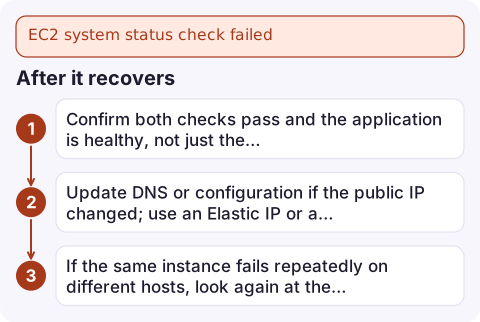
After it recovers
- Confirm both checks pass and the application is healthy, not just the instance.
- Update DNS or configuration if the public IP changed; use an Elastic IP or a load balancer for anything users reach directly.
- If the same instance fails repeatedly on different hosts, look again at the instance check; the problem may be yours after all.
Questions
Should I reboot or stop/start for a system status check failure?
Stop and start. A reboot keeps the instance on the faulty host; stop/start moves it to new hardware.
Will I lose data when I stop and start?
EBS volumes are kept. Instance store volumes are wiped, and an auto-assigned public IPv4 address changes unless you use an Elastic IP.
Is a system status check failure my fault?
No, it indicates a problem with AWS infrastructure. Your part is to move the workload and design for single-instance failure, for example with Auto Scaling.

A host failure does not wait for working hours, and the first question is whether it is one instance or a whole zone. CloudConsole, a phone app for AWS, is built to show status check alarms and affected instances together on your phone so you can make that call quickly.
Did it start after a deploy? What changed? on the app’s alarm screen lists the deploys and configuration changes from the hour before the alarm fired.
About the app → · Download on the App Store