 CloudConsole
InvalidInstanceID.NotFound: The instance ID does not exist
EC2 cannot find that instance in the account and Region your call used. Most of the time the CLI is pointed at the wrong Region or profile; otherwise the instance was launched a moment ago and is not yet visible (EC2 is eventually consistent), or it was terminated and has aged out.
What it looks like
An error occurred (InvalidInstanceID.NotFound) when calling the
DescribeInstances operation: The instance ID 'i-0123456789abcdef0' does not exist
The same error comes back from StopInstances, CreateTags, ModifyInstanceAttribute and anything else that takes an instance ID. If the ID itself is the wrong shape (a missing i- or wrong length) you get InvalidInstanceID.Malformed instead.
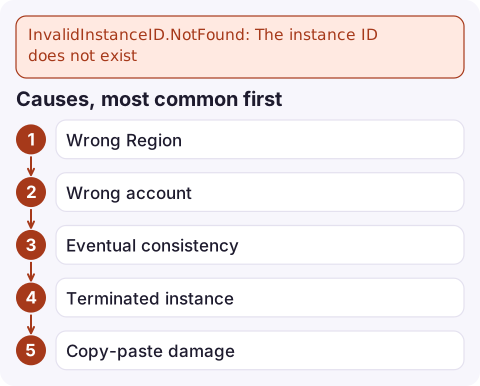
Causes, most common first
- Wrong Region. The CLI uses your profile's default Region unless you pass
--region. An instance in eu-west-2 is invisible from us-east-1. - Wrong account. A different profile, an expired SSO session that fell back to other credentials, or an assumed role into another account.
- Eventual consistency. Immediately after
RunInstances, a follow-up call such asCreateTagscan briefly fail with NotFound. Scripts and IaC tools hit this most. - Terminated instance. Terminated instances stay visible for roughly an hour, then disappear from the API entirely.
- Copy-paste damage: truncated IDs or stray characters.
Diagnose in under a minute
aws sts get-caller-identity --query Account --output text
aws configure get region
If the account and Region look right, search every Region for the ID:
for r in $(aws ec2 describe-regions --query 'Regions[].RegionName' --output text); do
  aws ec2 describe-instances --region "$r" \
    --filters Name=instance-id,Values=i-0123456789abcdef0 \
    --query 'Reservations[].Instances[].[InstanceId,State.Name]' \
    --output text | sed "s/^/$r: /"
done
Filtering by instance-id returns an empty result instead of an error, which keeps the loop quiet in Regions where the instance does not exist.
Fix it
- Pass the Region explicitly in scripts (
--region eu-west-2) rather than relying on the profile default. - After launching, wait before acting: use the built-in waiter, or retry NotFound with exponential backoff for a short period.
aws ec2 wait instance-exists --instance-ids i-0123456789abcdef0 aws ec2 create-tags --resources i-0123456789abcdef0 \ --tags Key=Owner,Value=platform - Tag at launch with
--tag-specificationsonrun-instancesso no separate call races the launch. - Terminated? Check CloudTrail for
TerminateInstancesor an Auto Scaling scale-in; the ID will never come back.
How to find the right instance ID
From a Name tag:
aws ec2 describe-instances --region eu-west-2 \
  --filters Name=tag:Name,Values=web-1 Name=instance-state-name,Values=running \
  --query 'Reservations[].Instances[].InstanceId' --output text
From inside the instance, using IMDSv2:
TOKEN=$(curl -sX PUT http://169.254.169.254/latest/api/token \
  -H 'X-aws-ec2-metadata-token-ttl-seconds: 300')
curl -s -H "X-aws-ec2-metadata-token: $TOKEN" \
  http://169.254.169.254/latest/meta-data/instance-id
From an IP address, filter on private-ip-address or ip-address; see find an EC2 instance by IP.
Questions
How do I get an EC2 instance ID from the CLI?
Run aws ec2 describe-instances with a filter (for example tag:Name) and --query 'Reservations[].Instances[].InstanceId'. Include --region, since results are per Region.
Why does a newly launched instance return InvalidInstanceID.NotFound?
The EC2 API is eventually consistent, so a call made immediately after RunInstances can miss the new instance. Use aws ec2 wait instance-exists or retry with backoff.
How long do terminated instances stay visible?
Roughly an hour after termination, after which describe calls no longer return them and the ID gives NotFound.

Looking for an instance from your phone, the wrong Region is an even easier mistake to make. CloudConsole, a phone app for AWS, is built to show resources across Regions in one place, so you can find the instance an alarm is about without guessing.
Did it start after a deploy? What changed? on the app’s alarm screen lists the deploys and configuration changes from the hour before the alarm fired.
About the app → · Download on the App Store