 CloudConsole
aws ec2 describe-regions
aws ec2 describe-regions lists the AWS regions enabled for your account, with each region's endpoint and opt-in status. Add --all-regions to include opt-in regions you have not enabled, and --query "Regions[].RegionName" --output text to get a plain list for scripts.
What the command does
The command returns the commercial regions your account can see. Regions launched after March 2019 are opt-in: they are disabled until someone enables them for the account, and by default they are not returned. Each entry has RegionName (the code, such as eu-west-2), Endpoint and OptInStatus, which is opt-in-not-required, opted-in or not-opted-in.
The call itself has to go to some region, so it uses your configured default. Any enabled region gives the same answer.
Syntax
aws ec2 describe-regions [--all-regions] [--region-names eu-west-2 ...] [--filters ...]Worked examples
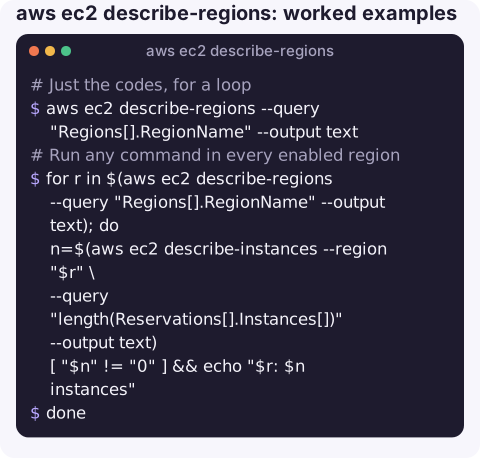
Just the codes, for a loop:
aws ec2 describe-regions --query "Regions[].RegionName" --output textRun any command in every enabled region, for example to find stray instances:
for r in $(aws ec2 describe-regions --query "Regions[].RegionName" --output text); do
  n=$(aws ec2 describe-instances --region "$r" \
      --query "length(Reservations[].Instances[])" --output text)
  [ "$n" != "0" ] && echo "$r: $n instances"
done
See opt-in regions and whether they are enabled:
aws ec2 describe-regions --all-regions \
  --query "Regions[?OptInStatus!='opt-in-not-required'].[RegionName,OptInStatus]" \
  --output table
Only regions not yet enabled, using a server-side filter:
aws ec2 describe-regions --all-regions \
  --filters "Name=opt-in-status,Values=not-opted-in" \
  --query "Regions[].RegionName" --output text
Enable an opt-in region through the Account API (needs the right permissions; it takes a while to complete):
aws account enable-region --region-name af-south-1
aws account get-region-opt-status --region-name af-south-1
Availability Zones within a region are a separate call:
aws ec2 describe-availability-zones --region eu-west-2 \
  --query "AvailabilityZones[].[ZoneName,ZoneId,State]" --output table
Which region does the CLI use?
Region codes from this list are what every other command expects. The CLI picks a region in this order: the --region option on the command, then the AWS_REGION or AWS_DEFAULT_REGION environment variable, then the region setting of the active profile in ~/.aws/config. Check what is currently in effect with:
aws configure listA mismatch between that and the region selected in the console is the most common reason a resource "does not exist" from the command line. To change the default for a profile, run aws configure set region eu-west-2; see changing the default region.
Output fields
| Field | Meaning |
|---|---|
RegionName | The code you pass to --region. |
Endpoint | The EC2 endpoint for that region. |
OptInStatus | opt-in-not-required for older regions; opted-in or not-opted-in for newer ones. |
Gotchas
- Enabled is not the same as allowed. An organisation's SCP can deny all actions outside approved regions. The region still appears here, but every call to it returns
AccessDeniedorUnauthorizedOperation; skip errors in all-region loops. - The list is per partition. GovCloud and China regions are not returned to a standard commercial account.
- Do not hard-code the region list. New regions appear regularly; fetching it at run time keeps audit scripts complete.
- Global services such as IAM, CloudFront and Route 53 are not regional, so looping over regions for them repeats the same results.
Questions
How do I list all AWS regions with the CLI?
Run aws ec2 describe-regions --all-regions --query "Regions[].RegionName" --output text. Without --all-regions you only see regions enabled for your account.
Why is a region missing from describe-regions?
It is probably an opt-in region that has not been enabled. Add --all-regions to see it with OptInStatus not-opted-in.
How do I search for resources in every region?
Loop over the region codes from describe-regions and run your describe command with --region inside the loop, ignoring regions where SCPs deny access.
Resources left running in a forgotten region are a classic surprise on the bill. CloudConsole, a phone app for AWS, is built to show resources and costs across your account on a phone.
About the app → · Download on the App Store