 CloudConsole
aws ec2 revoke-security-group-ingress
aws ec2 revoke-security-group-ingress removes inbound rules from a security group. Either repeat the rule exactly as it was added (protocol, ports and source) or, more reliably, pass its rule ID with --security-group-rule-ids sgr-0123456789abcdef0.
What the command does
The command is the mirror of authorize-security-group-ingress. A rule is only removed if every part matches: protocol, from-port, to-port and source (CIDR, IPv6 CIDR, group or prefix list). A rule allowing 10.0.0.0/16 on ports 8000–8080 is not touched by a revoke for port 8000 alone.
Removal is effective in seconds for new connections. Connections that the group is already tracking may continue until they close, so an attacker already connected is not necessarily cut off; for that, stop the process or use a network ACL deny.
Syntax
# by rule ID
aws ec2 revoke-security-group-ingress --group-id sg-0123456789abcdef0 \
  --security-group-rule-ids sgr-0123456789abcdef0 [sgr-...]

# by exact match, short form
aws ec2 revoke-security-group-ingress --group-id sg-0123456789abcdef0 \
  --protocol tcp --port 22 --cidr 0.0.0.0/0

# by exact match, full form
aws ec2 revoke-security-group-ingress --group-id sg-0123456789abcdef0 \
  --ip-permissions 'IpProtocol=tcp,FromPort=22,ToPort=22,IpRanges=[{CidrIp=0.0.0.0/0}]'
Worked examples
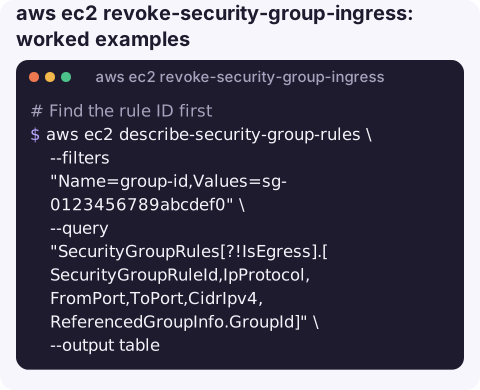
Find the rule ID first. describe-security-group-rules shows each rule on its own with its sgr- ID:
aws ec2 describe-security-group-rules \
  --filters "Name=group-id,Values=sg-0123456789abcdef0" \
  --query "SecurityGroupRules[?!IsEgress].[SecurityGroupRuleId,IpProtocol,FromPort,ToPort,CidrIpv4,ReferencedGroupInfo.GroupId]" \
  --output table
Remove it by ID:
aws ec2 revoke-security-group-ingress --group-id sg-0123456789abcdef0 \
  --security-group-rule-ids sgr-0abc0123456789def
Close world-open SSH on every group in the region (review the list before running the loop):
for sg in $(aws ec2 describe-security-groups \
    --filters "Name=ip-permission.from-port,Values=22" "Name=ip-permission.cidr,Values=0.0.0.0/0" \
    --query "SecurityGroups[].GroupId" --output text); do
  echo "revoking on $sg"
  aws ec2 revoke-security-group-ingress --group-id "$sg" \
    --protocol tcp --port 22 --cidr 0.0.0.0/0
done
Because exact matching is used, groups that matched the filters via two different rules simply have nothing revoked.
Remove a group-to-group rule:
aws ec2 revoke-security-group-ingress --group-id sg-0db0123456789abcd \
  --protocol tcp --port 5432 --source-group sg-0app0123456789abc
Confirm it worked
Do not trust the exit code alone. Read the response: the revoked rules are listed, and anything you described that did not match an existing rule can be reported back under UnknownIpPermissions rather than as an error. Then list the rules again:
aws ec2 describe-security-group-rules \
  --filters "Name=group-id,Values=sg-0123456789abcdef0" \
  --query "SecurityGroupRules[?!IsEgress && FromPort==`22`]"
An empty list means nothing on port 22 remains.
Gotchas
- Lock-out risk. Revoking the rule your own session depends on (SSH, a bastion, a VPN range) can cut off your access. Have Session Manager or console access ready.
- Revoking a referenced group's rule breaks every service that relied on it, often a database. Search for
ip-permission.group-idusage before removing group references. - Egress is a different command. Outbound rules need
revoke-security-group-egress; passing an egress rule ID here fails. - Infrastructure as code drift. If CloudFormation or Terraform manages the group, the rule will come back on the next deploy; change the template too.
Questions
Why did revoke-security-group-ingress not remove my rule?
The rule must match exactly, including the full port range and source. Look up the rule's sgr- ID with describe-security-group-rules and revoke by ID instead.
Does removing a rule drop existing connections?
Not necessarily. Already-tracked connections can continue until they end; only new connections are refused straight away.
How do I remove all inbound rules from a security group?
List the group's ingress rule IDs with describe-security-group-rules and pass them all to --security-group-rule-ids in one call.
Closing an exposed port is exactly the kind of fix people want to make quickly during an incident. CloudConsole, a phone app for AWS, is built with production guardrails so it is clear which rule and which group you are about to change.
About the app → · Download on the App Store