 CloudConsole
How to stop an EC2 instance
In the EC2 console, select the instance and choose Instance state, then Stop instance. From the command line run aws ec2 stop-instances --instance-ids i-0123456789abcdef0. A stopped instance stops accruing instance-hour charges, but its EBS volumes (and any Elastic IP or public IPv4 address you keep) are still billed, and data on instance store volumes is lost.
What stopping does (and doesn't) do
| Kept | Lost or changed |
|---|---|
| Instance ID, EBS root and data volumes, private IPv4 address, Elastic IPs | Data on instance store volumes, contents of RAM (unless you hibernate) |
| Security groups, IAM role, tags | The auto-assigned public IPv4 address: you get a new one on start |
| Instance type (you can change it while stopped) | The underlying host: the instance usually starts on different hardware |
If you don't need the instance again, terminate it instead; stopping only pauses compute charges.
Console and CLI
Console: open the Amazon EC2 console, go to Instances, select one or more instances, and choose Instance state > Stop instance. The state moves through stopping to stopped.
CLI:
aws ec2 stop-instances --instance-ids i-0123456789abcdef0 \
  --query 'StoppingInstances[].{id:InstanceId,from:PreviousState.Name,to:CurrentState.Name}'

# Wait until it is fully stopped (useful in scripts before resizing or snapshotting)
aws ec2 wait instance-stopped --instance-ids i-0123456789abcdef0

# Stop everything tagged env=dev in this Region
IDS=$(aws ec2 describe-instances \
  --filters Name=tag:env,Values=dev Name=instance-state-name,Values=running \
  --query 'Reservations[].Instances[].InstanceId' --output text)
aws ec2 stop-instances --instance-ids $IDS
Add --hibernate to save memory to the root volume (only works if hibernation was enabled at launch). --force skips the clean OS shutdown and should be a last resort for an instance stuck in stopping.
Stopping on a schedule with Lambda, or in Terraform
Lambda: a small function that calls StopInstances, triggered by an EventBridge Scheduler schedule, is the usual pattern for turning dev instances off at night. Give the function's role ec2:StopInstances (and ec2:StartInstances for the morning job), ideally limited with a tag condition so it can't touch production.
import boto3
ec2 = boto3.client("ec2")

def handler(event, context):
    ids = event["instance_ids"]          # pass the IDs in the schedule's input
    ec2.stop_instances(InstanceIds=ids)
    return {"stopped": ids}
Terraform: the AWS provider has an aws_ec2_instance_state resource whose state argument can be set to "stopped" or "running". Without it, Terraform does not track the running state, so stopping the instance outside Terraform causes no drift.
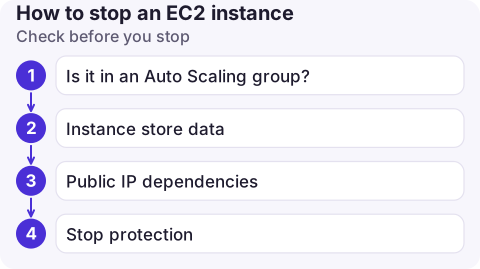
Check before you stop
- Is it in an Auto Scaling group? Then it will be replaced. See stopping an instance in an Auto Scaling group.
- Instance store data.
aws ec2 describe-instances --instance-ids i-0123456789abcdef0 --query 'Reservations[].Instances[].BlockDeviceMappings'lists EBS volumes; anything else mounted locally (often/dev/nvme1n1on instance-store types) is wiped. - Public IP dependencies. DNS records or firewall allow-lists pointing at the auto-assigned public IP will break. Use an Elastic IP if the address must survive.
- Stop protection. If stop protection is on, the API call is refused until you turn it off.
Common mistakes
- Shutting down from inside the OS and expecting a termination. By default an OS shutdown stops the instance; it only terminates if the instance's shutdown behaviour is set to terminate.
- Assuming a stopped instance is free. EBS volumes, snapshots and kept public IPv4 addresses continue to be billed.
- Stopping the wrong Region. The CLI uses your default Region; add
--regionwhen scripting.
Questions
How do I stop an EC2 instance from the command line?
Run aws ec2 stop-instances --instance-ids followed by one or more instance IDs, then aws ec2 wait instance-stopped if a script needs to wait for it.
How do I stop an EC2 instance from running up charges completely?
Terminate it and delete leftover EBS volumes, snapshots and Elastic IPs. Stopping only ends instance-hour charges.
Can I stop a Spot Instance?
Only EBS-backed Spot Instances launched from a persistent Spot request can be stopped; other Spot Instances can only be terminated.

Remembering a forgotten dev instance on the train home is common. CloudConsole, a phone app for AWS, is built to list running resources and their costs on your phone, with guardrails before anything in production changes.
About the app → · Download on the App Store