 CloudConsole
EC2 instance stuck in the stopping state
An instance normally finishes stopping within a few minutes. If it hangs, either the operating system is not completing its shutdown or the underlying host has a problem. Wait a little, then force stop it with aws ec2 stop-instances --force; a force stop skips the clean OS shutdown, so unwritten data can be lost.
Why instances get stuck
A stop asks the guest OS to shut down cleanly, then releases the host. Hangs come from either side:
- The OS will not finish shutting down: a service ignores its stop signal, a network filesystem mount hangs on unmount, or the kernel is wedged.
- The host is impaired: often paired with a failed system status check or a scheduled retirement event.
- Hibernation: a hibernating instance shows
stoppingwhile it writes RAM to the root EBS volume, which takes longer with lots of memory. That is expected, not stuck.
Check before forcing
aws ec2 describe-instances --instance-ids i-0123456789abcdef0 \
  --query 'Reservations[].Instances[].{state:State.Name,reason:StateTransitionReason,hibernation:HibernationOptions.Configured}'

aws ec2 describe-instance-status --instance-ids i-0123456789abcdef0 \
  --include-all-instances \
  --query 'InstanceStatuses[].{system:SystemStatus.Status,events:Events}'
The console output often shows where shutdown stalled, for example a unit waiting on a stop job or an NFS server not responding:
aws ec2 get-console-output --instance-id i-0123456789abcdef0 \
  --latest --output text | tail -40
If the instance is part of an Auto Scaling group, the group may already be launching a replacement; check before you spend time rescuing this one.
Force stop
Forcing tells EC2 to stop the instance without waiting for the guest OS. Use it when the normal stop has clearly stalled:
aws ec2 stop-instances --instance-ids i-0123456789abcdef0 --force
aws ec2 wait instance-stopped --instance-ids i-0123456789abcdef0
Risk: the OS does not flush caches or run shutdown scripts, so it is like pulling the power. Applications writing to disk can be left with partial files, and the next boot may run a filesystem check. A force stop can itself take a while to complete; issuing it repeatedly does not speed it up.
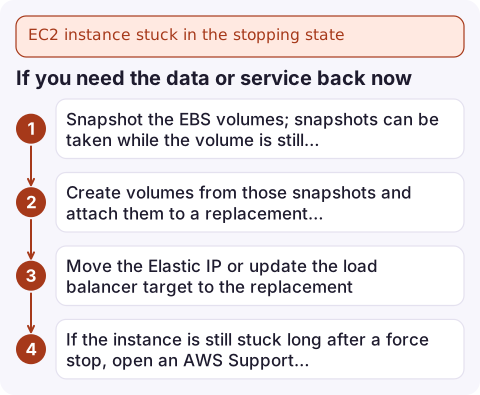
If you need the data or service back now
- Snapshot the EBS volumes; snapshots can be taken while the volume is still attached:
aws ec2 create-snapshot --volume-id vol-0123456789abcdef0 \ --description "stuck i-0123456789abcdef0 2026-11-16" - Create volumes from those snapshots and attach them to a replacement instance, or launch a replacement from your AMI and restore data.
- Move the Elastic IP or update the load balancer target to the replacement.
- If the instance is still stuck long after a force stop, open an AWS Support case with the instance ID; the host may need intervention on AWS's side.
Prevent it
- Give services sensible stop timeouts and mount network filesystems with options that do not block shutdown indefinitely.
- Keep stateful data on EBS with regular snapshots, so a stuck instance is a replacement job rather than a recovery job.
- Run important workloads behind Auto Scaling so a single stuck instance is replaced automatically.
- To find who or what issued the stop, look up
StopInstancesin CloudTrail: see find who stopped an EC2 instance.
Questions
How long should an EC2 instance take to stop?
Usually a minute or two, depending on how long the OS takes to shut down. Hibernation takes longer because memory is written to EBS.
Is force stopping an EC2 instance safe?
It does not damage the instance, but it skips the OS shutdown, so unflushed writes can be lost. Snapshot first if the data matters and you can afford the wait.
Can I terminate an instance stuck in stopping?
Yes, termination is allowed from the stopping state, but it deletes volumes marked DeleteOnTermination, including the root volume by default. Snapshot first.

A stuck stop often happens during maintenance you started before stepping away. CloudConsole, a phone app for AWS, is built to show instance state and related alarms on your phone, so you can see whether it ever reached stopped.
Did it start after a deploy? What changed? on the app’s alarm screen lists the deploys and configuration changes from the hour before the alarm fired.
About the app → · Download on the App Store