 CloudConsole
aws ecs list-services
aws ecs list-services --cluster my-cluster returns the ARNs of the services in that cluster; the CLI pages through them for you. It only returns ARNs, so pipe them into describe-services (ten at a time) for status and counts.
What the command does
The command lists service ARNs in one cluster, optionally filtered by launch type, scheduling strategy (REPLICA or DAEMON) or resource management type. The output is just:
{
  "serviceArns": [
    "arn:aws:ecs:eu-west-2:123456789012:service/prod/orders-api",
    "arn:aws:ecs:eu-west-2:123456789012:service/prod/payments-api"
  ]
}
Without --cluster it lists the default cluster, which in most accounts is empty.
Syntax
aws ecs list-services --cluster my-cluster \
  [--launch-type FARGATE|EC2|EXTERNAL] \
  [--scheduling-strategy REPLICA|DAEMON] \
  [--max-items 50]
Worked examples
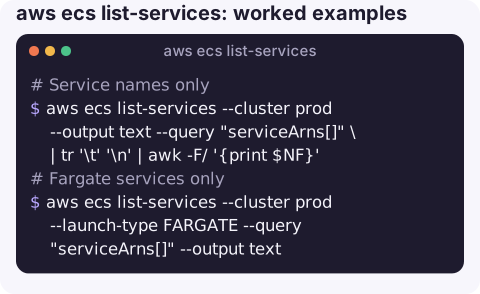
Service names only (the last part of each ARN):
aws ecs list-services --cluster prod --output text --query "serviceArns[]" \
  | tr '\t' '\n' | awk -F/ '{print $NF}'
Fargate services only:
aws ecs list-services --cluster prod --launch-type FARGATE --query "serviceArns[]" --output textStatus of every service in a cluster:
for s in $(aws ecs list-services --cluster prod --query "serviceArns[]" --output text); do
  aws ecs describe-services --cluster prod --services "$s" \
    --query "services[].[serviceName,status,runningCount,desiredCount]" --output text
done
Every service in every cluster:
for c in $(aws ecs list-clusters --query "clusterArns[]" --output text); do
  for s in $(aws ecs list-services --cluster "$c" --query "serviceArns[]" --output text); do
    echo "${c##*/}  ${s##*/}"
  done
done
Count services per cluster:
aws ecs list-services --cluster prod --query "length(serviceArns)" --output jsonBuilding an inventory
Service ARNs alone rarely answer the question you have. A useful one-page inventory for a cluster joins each service with its task definition, launch type and counts, which you can then save as a snapshot before a risky change and compare afterwards:
for s in $(aws ecs list-services --cluster prod --query "serviceArns[]" --output text); do
  aws ecs describe-services --cluster prod --services "$s" \
    --query "services[0].[serviceName,taskDefinition,launchType,desiredCount,runningCount]" --output text
done | sort > prod-services-$(date +%F).txt
Diffing two of these files shows which services changed revision or scale between deploys. For services that use capacity provider strategies instead of a launch type, the launch type column prints None; read capacityProviderStrategy instead.
Related list commands
| Want | Command |
|---|---|
| Clusters | aws ecs list-clusters |
| Tasks of a service | aws ecs list-tasks --cluster prod --service-name orders-api |
| Task definition families | aws ecs list-task-definition-families --status ACTIVE |
| Revisions of a family | aws ecs list-task-definitions --family-prefix orders-api --sort DESC |
Gotchas
- ARN format. Current ARNs include the cluster name (
service/prod/orders-api). Very old accounts can still have the short format without it; parse with the last path segment to cope with both. - Draining and inactive services. Recently deleted services can still appear briefly with status
DRAINING; check status withdescribe-services. - Per region, per cluster. There is no account-wide service listing; loop clusters and regions.
- Page size. The API returns at most 100 ARNs per page; the CLI follows pages unless you set
--max-items.
Questions
How do I list all ECS services with the CLI?
Loop over aws ecs list-clusters and run list-services --cluster for each, in each region you use.
How do I list ECS tasks?
Use aws ecs list-tasks --cluster my-cluster, optionally with --service-name and --desired-status STOPPED to see recently stopped tasks.
How do I list ECS task definitions?
aws ecs list-task-definitions --family-prefix my-family --sort DESC lists revisions, newest first.
Knowing which services exist and which are unhealthy is the starting point for most ECS incidents. CloudConsole, a phone app for AWS, is built to show clusters, services and their alarms on a phone.
About the app → · Download on the App Store