 CloudConsole
ECS Exec: TargetNotConnectedException when calling the ExecuteCommand operation
ECS accepted your exec request, but the SSM agent inside the task never connected back to Systems Manager, so there is no session to join. The usual causes are a task role (not execution role) without the ssmmessages permissions, a task with no route to the ssmmessages endpoint, or a task that was started before ECS Exec was turned on.
What the error looks like
An error occurred (TargetNotConnectedException) when calling the
ExecuteCommand operation: The execution command failed due to an
internal error. Try again later.
Despite the wording, retrying rarely helps. When ECS Exec is enabled on a task, ECS injects a Systems Manager agent alongside your container. That agent has to open an outbound HTTPS connection to the ssmmessages endpoint using the task role. If it cannot, the task is "not connected" and every execute-command call fails the same way.
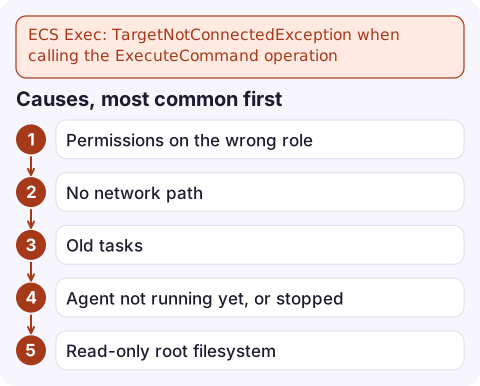
Causes, most common first
- Permissions on the wrong role. The task role needs
ssmmessages:CreateControlChannel,ssmmessages:CreateDataChannel,ssmmessages:OpenControlChannelandssmmessages:OpenDataChannel. Adding them to the task execution role does nothing for exec. - No network path. Tasks in private subnets need a NAT gateway or an interface VPC endpoint for
com.amazonaws.<region>.ssmmessages, with a security group that allows 443 from the task. - Old tasks. Turning on
enableExecuteCommandon a service only affects tasks started afterwards. Existing tasks must be replaced. - Agent not running yet, or stopped. Right after a task starts, the managed agent may still be initialising.
- Read-only root filesystem. The agent needs to write to the container filesystem;
readonlyRootFilesystem: trueis a known blocker. - KMS encryption on the session. If the cluster's execute command configuration uses a KMS key, the task role also needs
kms:Decrypton it.
Diagnose in three commands
First confirm exec is enabled on the task itself and look at the managed agent's state:
aws ecs describe-tasks --cluster my-cluster \
  --tasks 0123456789abcdef0123456789abcdef \
  --query 'tasks[0].{exec:enableExecuteCommand,agents:containers[].managedAgents}'
You want exec to be true and the ExecuteCommandAgent to show lastStatus: RUNNING. If exec is false, the task predates the setting. Next, find the task role from the task definition and check what it allows:
aws ecs describe-task-definition --task-definition my-app:42 \
  --query 'taskDefinition.taskRoleArn'

aws iam list-attached-role-policies --role-name my-app-task-role
AWS also publishes an open-source script, amazon-ecs-exec-checker, that runs these checks (role, endpoints, agent, read-only filesystem) in one pass.
Fix it
- Add an inline or managed policy to the task role:
{ "Version": "2012-10-17", "Statement": [{ "Effect": "Allow", "Action": [ "ssmmessages:CreateControlChannel", "ssmmessages:CreateDataChannel", "ssmmessages:OpenControlChannel", "ssmmessages:OpenDataChannel" ], "Resource": "*" }] } - For private subnets without NAT, create an interface endpoint for
ssmmessagesin the task's VPC with private DNS enabled. - Enable exec on the service and replace the running tasks so they pick up the agent and new permissions:
aws ecs update-service --cluster my-cluster --service my-service \ --enable-execute-command --force-new-deployment - Once the new task shows the agent as RUNNING, connect:
aws ecs execute-command --cluster my-cluster \
  --task 0123456789abcdef0123456789abcdef \
  --container app --interactive --command "/bin/sh"
Mistakes people make next
- Editing the role and retrying against the same task. Replace the task so it starts with the new configuration.
- Forgetting the Session Manager plugin on the laptop. That produces a different, local error about the plugin not being found, not TargetNotConnected.
- Requesting
/bin/bashin a slim image that only hassh. The session opens and then exits immediately. - Leaving exec enabled everywhere. It is a shell into production; restrict
ecs:ExecuteCommandby cluster and tag, and log sessions to CloudWatch or S3.
Questions
How do I run a command on an EC2 instance from the AWS CLI?
Use Systems Manager rather than ECS: aws ssm start-session for an interactive shell, or aws ssm send-command with the AWS-RunShellScript document for one-off commands. The instance needs the SSM agent and an instance profile with SSM permissions.
Does ECS Exec work on Fargate and EC2 launch types?
Yes, on both, as long as the task has exec enabled, the task role has the ssmmessages permissions and the task can reach the ssmmessages endpoint.
Why does execute-command say exec was not enabled?
That is a different error (InvalidParameterException). It means the task was launched without enableExecuteCommand; update the service with --enable-execute-command and force a new deployment.

You usually reach for ECS Exec mid-incident, which is exactly when a broken task role is most painful. CloudConsole, a phone app for AWS, is built to show a service's tasks, their status and recent logs from your phone, so you can triage before you get to a terminal.
Did it start after a deploy? What changed? on the app’s alarm screen lists the deploys and configuration changes from the hour before the alarm fired.
About the app → · Download on the App Store